A laptop return email template works when it removes every decision from the reader. Name the device, state the collection date and window, say who sends packaging, and give one person to reply to. Send it before the last working day. Timing changes outcomes more than wording ever will.
TL;DR
- Send before the final day, while company email is still being read.
- Book the collection rather than asking when suits.
- Five facts: device, date, window, packaging, contact.
- Mention the wipe. It answers the question they already have.
- Two follow-ups, then change channel rather than sending a third.
- Do not put a replacement cost in the first message.
When you do not need a template
Four stages, and the first does not need anything written down.
One or two exits a year. Write the message each time. A template is overhead for a problem that happens twice.
It keeps slipping. Somebody writes it from scratch each time, forgets the packaging line, and a collection fails. This is the point a template pays for itself, and it costs twenty minutes to write.
Nobody owns it. HR assumes IT sends it, IT assumes the manager did. The template is not the fix here. Naming an owner is, and the template just makes the handover possible.
Several countries. Now the message needs variants, because packaging and collection work differently and a single wording will be wrong somewhere.
Why timing beats wording
Teams rewrite the wording when collections fail. The wording is rarely the problem.
Three things change on the last working day. Company email stops being checked. The sense of obligation drops sharply, which is human rather than malicious. And the person stops being reachable through colleagues, because they are no longer in the channels where work happens.
A message sent five days before the exit lands with somebody still in work mode. The same message sent five days after lands with somebody who has started a new job and has a box in a cupboard. The text is identical. The outcome is not.
There is a second timing point people miss. Packaging has to arrive before collection can happen, and that is its own shipment. If your email announces a Thursday collection and the box arrives Friday, the collection fails and you have burned the one moment the person was willing to act.
One line in the message does more work than any other: the wipe assurance. The person is holding a machine with their own browsing history and saved logins on it, and until you address that they have a quiet reason to delay. Saying the device will be sanitised to a recognised standard answers it. The reference most organisations use is NIST Special Publication 800-88, and you do not need to cite it in the email itself, only to be doing it.
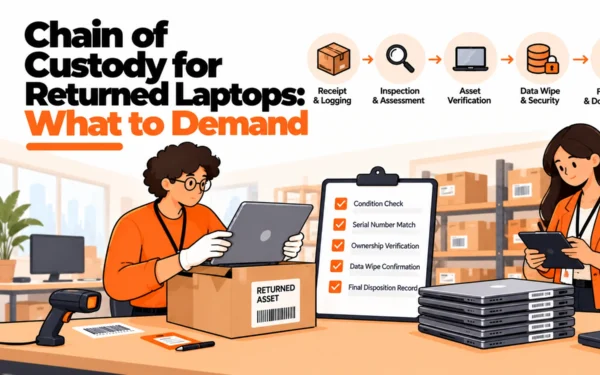
There is a records point too. Asset handling expectations under ISO/IEC 27001 assume an organisation can account for equipment through to its return, which means the email is not only a request. It is the first entry in a record somebody may ask to see, so send it from a place where it is logged rather than from a personal mailbox.
Three versions of the laptop return email template
Version one, the standard exit. Sent five to seven working days before the last day.
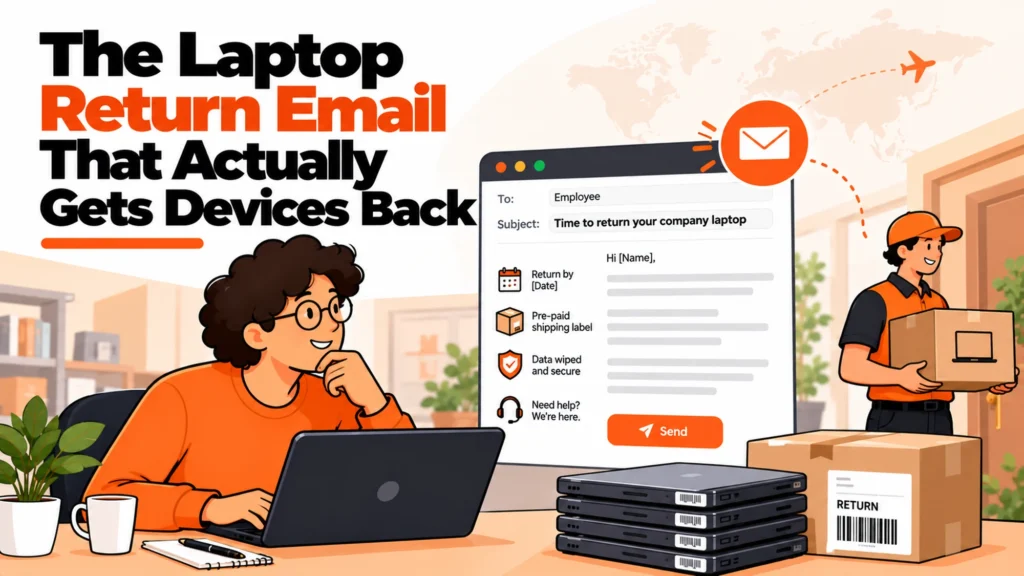
Subject: Returning your [model] before [date]. Body: confirm the device by model, state that a courier is booked for [date] between [window], say that packaging will arrive by [earlier date], note that the machine will be securely wiped on receipt and they should remove personal files first, and give one named contact. Close by asking them only to confirm the address.
Version two, the person has already left. Sent to the personal address you hold.
Open by acknowledging they have moved on, which sets a reasonable tone. State the device and that it remains company property. Offer two collection dates rather than asking for availability. Repeat the wipe assurance, because at this distance the data question is their main hesitation. Keep it to four sentences.
Version three, the third contact. Sent when two messages have gone unanswered.
Change something visible: a different sender, a phone call first, or the former manager. Reference the previous attempts briefly and without reproach. State clearly what you need and by when. This is the first message where naming the consequence is reasonable, and it should still be factual rather than threatening.
Five things to settle before you send
Who sends it? One named person, not a shared inbox. Replies to a shared inbox go unowned.
Is the collection already booked? If not, you are asking rather than informing, and the success rate drops.
Where is the packaging? Despatched, in transit, or not ordered. Only one of those lets you name a date.
What address do you hold? Work addresses are often wrong by the exit. Confirm it in the first message rather than the third.
What happens if nothing comes back? Decide internally before you send, so the third message can be specific instead of vague.
How teams handle the chasing, and where each struggles
Named honestly, including the one we have an interest in.
Manual emails from HR or IT. Best at low volume, and the tone is usually better because a person wrote it. It struggles on consistency and on follow-up, which is the part that gets dropped when the sender is busy.
Offboarding workflow in your HR system. Best for making sure the message is sent at all, triggered by the exit date. It struggles on the physical side, because the system can send an email but cannot despatch a box.
Equipment lifecycle platforms such as Firstbase, Workwize, GroWrk and allwhere. Best because the message, the packaging and the collection are one process rather than three teams. They struggle on tone, since automated sequences read as automated, and a former employee can tell.
Leaving it to managers. Best for relationship, because the manager is the person most likely to get a reply. It struggles on everything else: no records, no consistency, and it disappears when the manager also leaves.
RemoAsset. Disclosure: RemoAsset is owned by the same people who publish this site. It books the collection locally and follows up in the employee’s own time zone, so the chasing stops being an internal task. Where it struggles: it cannot fix a trigger that fires too late, so if your process starts after the last working day, a vendor inherits the same weak position you were in. Worth seeing how managed retrieval handles the follow-up before deciding whether the problem is your wording or your timing.
The decision table
| Situation | Scale | Setup | Primary pain | Recommended starting point |
|---|---|---|---|---|
| Rare exits, one country | Under 50 | No IT function | Remembering at all | Write it fresh, add a calendar trigger |
| Monthly exits | 50 to 150 | One ops owner | Inconsistent messages | Three saved templates, one owner |
| Collections failing on the day | Any | Any | Packaging arrives late | Despatch packaging before naming a date |
| People already gone | Any | Any | No reply to work email | Personal address, two dates offered |
| Several countries | 150 plus | Small IT team | One wording fits nowhere | Local collection, localised message |
| Chasing has become a job | 200 plus | Dedicated IT | Hours lost to follow-up | Hand the follow-up to a vendor |
What a badly timed email costs
The direct cost is the machine. That is the part people quote and the smallest part of the total.
The larger cost is the chase itself. Three emails, two calls and a conversation with a former manager is most of a working day spread across a month, and it is done by somebody senior enough to have better uses for the time. Multiply by the number of exits and it is a real line nobody books.
The third cost is the relationship. A clumsy first message turns a routine administrative request into a dispute with somebody who may be a future rehire, a referrer or a customer. Tone in the first email is cheap. Repairing the alternative is not.
So the question is not what the email should say. It is whether it is going out while the person still thinks of themselves as an employee, because that single fact decides most outcomes before the wording matters.
When emails stop being the answer
Three signals say the problem has moved past wording.
The first is volume: somebody maintains a list of people they are chasing. The second is geography, where collection itself is the obstacle rather than willingness. The third is that your asset register and the chase list disagree, which means you are emailing about devices whose status you cannot confirm.
At that point the fix is structural. Move the trigger before the last working day, despatch packaging automatically, and have one owner for the whole path rather than a message handed between teams. Most of the recovery improvement comes from those three changes rather than from better copywriting.
If the follow-up is what is consuming the time, that is the part worth handing over, because chasing in somebody else’s time zone is exactly what a managed lifecycle service exists to absorb.
Related reading
- The IT offboarding checklist
- Getting devices back from contractors
- Laptop return packaging, and who pays
- Writing a retrieval SLA vendors will sign
- A secure IT offboarding process
Frequently Asked Questions
When should the first return email go out?
Before the last working day, while the person still reads company email and still feels some obligation. Sending after the final day is the single commonest mistake, because you are now asking a stranger for a favour through a channel they no longer check.
What makes a return email fail?
Asking the person to arrange something. Every step you leave to them is a step that may not happen. A message that says a courier will arrive on Thursday between two stated times succeeds far more often than one asking when would suit.
Should the email mention the laptop’s value?
State that the device is company property and name it by model. Avoid putting a monetary figure in a routine first message, which reads as a threat and sets an adversarial tone with somebody who was probably going to comply anyway.
How many follow-ups are reasonable?
Two after the first, spaced about a week apart, then a change of channel. If three emails have gone unanswered, a fourth will not work either. Phone, the personal address you hold, or the former manager are more productive than another message into a dead inbox.
What should the email include practically?
The device named by model, the collection date and window, what happens about packaging, where it goes, and one named person to reply to. Five facts. Anything beyond that reduces the chance the message is read to the end.
Should we mention wiping the device?
Yes, briefly, because it answers a question the person is already asking. Saying the machine will be securely wiped and that they should remove personal files first is reassuring and practical. It also makes the request feel like a process rather than an accusation.
What if they claim they already returned it?
Ask for the date, the method and any reference, then check your own records before pushing back. This happens honestly more often than people expect, usually because a device went to a manager rather than through the official route. Treat it as a records problem first.