Tools Roundup · 2026

10 Best Zero-Touch Provisioning (ZTP) Platforms in 2026

MDM and UEM platforms that automate device enrollment, configuration, and policy deployment for distributed teams - so new laptops ship directly to employees ready to use.

Transparency note: some links in this guide are partner links and may earn PeopleOpsHQ a commission at no extra cost to you. We only feature tools we have researched against a consistent set of criteria. See our editorial policy.

Why Trust Us

You can trust our software reviews

01 - Research

Independent research

Every platform is evaluated against a consistent rubric covering coverage, feature depth, pricing transparency, and integrations - no pay-to-play rankings.

02 - Practitioners

Real practitioner input

Reviews draw on first-hand experience from IT and People Ops leaders running distributed teams in 2026 - not vendor marketing claims.

03 - Disclosure

Transparent methodology

We disclose every commercial relationship and link to our editorial policy so you can see how recommendations are made.

Overview

About Zero-Touch Provisioning

Zero-touch provisioning ships laptops directly to employees, ready to use on first boot - no IT touching the device. Essential for distributed teams shipping internationally.

These 10 MDM and UEM platforms handle ZTP for Mac, Windows, and Android, with varying depth and pricing.

Side by Side

Zero-Touch Provisioning comparison chart

Starting prices reflect entry-tier plans published by each vendor as of 2026. Most platforms scale by device or user and offer volume discounts - always confirm a live quote for your team size.

Tool Best for Free trial / tier Starting price Platforms
Kandji Apple-first distributed teams wanting modern, opinionated zero-touch automation Demo only From $5/device/month macOS · iOS · iPadOS · tvOS
Jamf Pro established Apple-first enterprises with mature MDM operations Demo only From $4/device/month macOS · iOS · iPadOS · tvOS
Microsoft Intune Microsoft 365 organizations needing cross-platform endpoint management 30-day free trial $8/user/mo (incl. in M365 E3+) Windows · macOS · iOS · iPadOS · Android
Mosyle SMB and education Apple deployments seeking value pricing Free tier available Free tier + $1.50-3/device/month macOS · iOS · iPadOS · tvOS
Omnissa Workspace ONE large enterprises needing cross-platform UEM with deep policy control Demo only Quote-based Windows · macOS · iOS · iPadOS · Android · Linux
Hexnode UEM Best cross-platform UEM for SMB and mid-market budget-conscious teams 14-day free trial From $1.08/device/month Windows · macOS · iOS · iPadOS · Android · tvOS · Linux
Scalefusion Best cross-platform UEM growing strongly in Asia, Europe, and Middle East 14-day free trial From $2/device/month Windows · macOS · iOS · iPadOS · Android · Linux
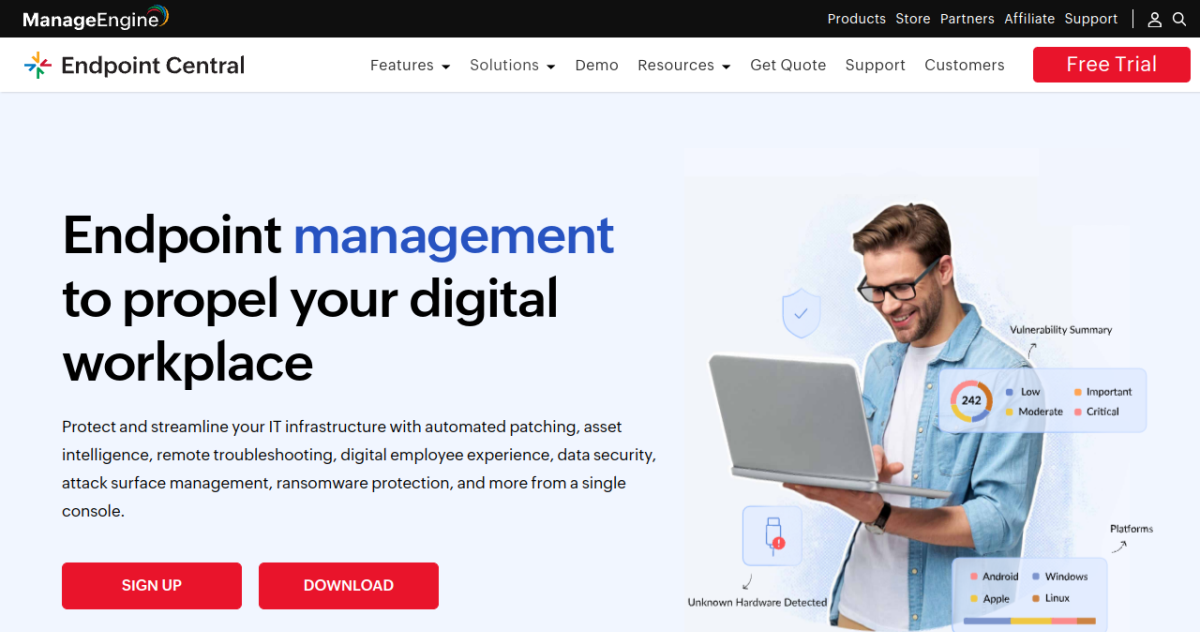
ManageEngine Endpoint Central IT teams wanting UEM combined with patch management and ITAM in one platform 30-day free trial From $795/year (50 endpoints) Windows · macOS · iOS · iPadOS · Android · Linux
Addigy Best Apple MDM for MSPs and IT consultancies managing multiple client environments Demo only From $5/device/month macOS · iOS · iPadOS · tvOS
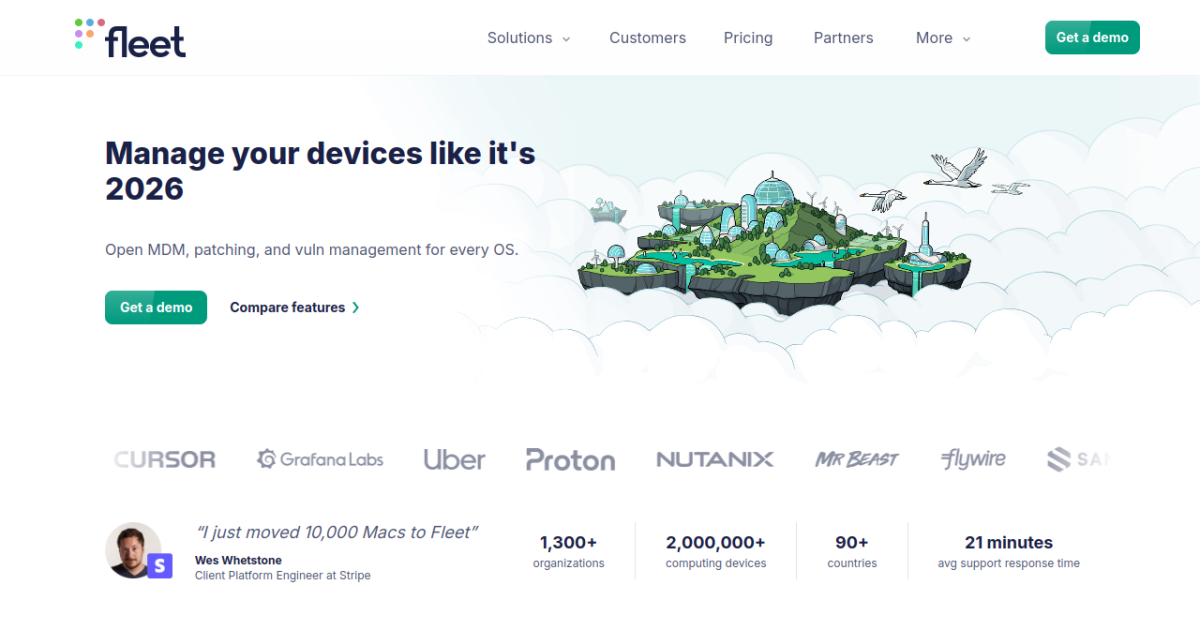
Fleet Device Management Best open-source MDM for engineering-led IT teams wanting transparency and customization Free OSS Free OSS + $7/device/mo cloud macOS · Windows · Linux · iOS · ChromeOS

In Depth

The 10 best zero-touch provisioning tools, reviewed

Full write-ups for every shortlisted platform - what it does well, where it struggles, and who should buy it.

Kandji homepage screenshot
01

Kandji

Best for Apple-first distributed teams wanting modern, opinionated zero-touch automation
★★★★½ 4.8

Why I Picked Kandji

Modern Apple MDM with the cleanest zero-touch provisioning experience for distributed Apple-first teams.

Kandji is the modern-Apple-MDM story - a 2018-founded competitor that took on Jamf Pro by building cleaner UX, opinionated zero-touch automation, and compliance frameworks built into the platform. It has become the default Apple MDM choice for distributed companies optimizing for end-user experience.

Who Is Kandji Best For?

Apple-first distributed teams that want zero-touch to feel effortless

Sweet spot: Apple-only companies 50-2000 employees

Try it if you: Apple-only, want admin UX that doesn't feel like 2010

  • Apple-first startups and scale-ups: Distributed companies 50-500 ppl on Apple with no plan to introduce Windows.
  • Compliance-driven Apple shops: Healthcare, fintech, and SaaS companies needing HIPAA or SOC 2 templated quickly.
  • Modern IT teams: Teams that value admin UX and developer-friendly workflows over legacy MDM depth.

Kandji Key Features

  • Apple Business Manager native integration
  • Liftoff: zero-touch first-run automation
  • Auto Apps: zero-touch app deployment
  • Compliance frameworks (SOC 2, HIPAA, CIS, NIST)
  • Self-service portal for end users

Pros and Cons

Pros

  • Smoothest Apple ZTP experience for modern teams
  • Strong compliance frameworks built in
  • Outstanding admin UX vs. legacy Apple MDMs

Cons

  • Apple-only - no Windows or Android coverage
  • Premium pricing vs. SMB competitors
Starting price From $5/device/month Free demo
Jamf Pro homepage screenshot
02

Jamf Pro

Best for established Apple-first enterprises with mature MDM operations
★★★★½ 4.6

Why I Picked Jamf Pro

The industry-standard Apple MDM with the deepest ecosystem, largest community, and most mature feature set.

Jamf Pro has been the Apple MDM market leader for two decades, with deployments at most large Apple-centric enterprises and the majority of US universities and K-12 schools. Its zero-touch provisioning capability is built on the deepest Apple Business Manager integration in the market, refined through years of iteration with Apple's own deployment program.

Who Is Jamf Pro Best For?

Established Apple-first enterprises with mature MDM operations

Sweet spot: Apple enterprises 500+ devices with experienced Apple admins

Try it if you: Enterprise Apple shop wanting maximum control and ecosystem depth

  • Apple enterprises 500+ devices: Large Apple deployments where ecosystem depth and admin maturity matter more than modern UX.
  • Education and government: Jamf's traditional stronghold; deep K-12, higher-ed, and government compliance features.
  • Complex Apple deployments: Companies needing custom Configuration Profiles, specific Apple software titles, or unusual integration requirements.

Jamf Pro Key Features

  • Deepest Apple Business Manager integration in the industry
  • Configuration Profiles, Smart Groups, Self Service catalog
  • Jamf Connect for cloud identity-driven account creation
  • Jamf Protect for endpoint security
  • Massive third-party integration ecosystem

Pros and Cons

Pros

  • Most mature Apple MDM with deepest ecosystem
  • Strong enterprise references and large user community
  • Best third-party integration breadth

Cons

  • Admin UX feels dated compared to Kandji and Mosyle
  • Premium pricing with longer sales cycle
Starting price From $4/device/month Volume discounts
Microsoft Intune homepage screenshot
03

Microsoft Intune

Best for Microsoft 365 organizations needing cross-platform endpoint management
★★★★☆ 4.4

Why I Picked Microsoft Intune

Microsoft's cross-platform endpoint manager, the Windows zero-touch leader and a viable cross-platform option for Microsoft 365 shops.

Microsoft Intune (now part of Microsoft Intune Suite) is Microsoft's flagship cloud endpoint management platform, bundled with Microsoft 365 E3/E5 licenses and increasingly the default cross-platform MDM at organizations already deep in the Microsoft ecosystem.

Who Is Microsoft Intune Best For?

Microsoft 365 organizations needing Windows + cross-platform endpoint management

Sweet spot: M365 E3/E5 shops with primarily Windows fleets

Try it if you: Microsoft 365 E3/E5 customer with Windows-primary fleet

  • Microsoft 365 E3/E5 organizations: Already paying for Intune via M365 bundling - use it or pay twice.
  • Windows-first enterprises: Windows Autopilot is unmatched for Windows zero-touch - hard to beat for Windows-primary fleets.
  • Compliance-driven enterprises: Conditional Access policies enable robust compliance enforcement tied to device state.

Microsoft Intune Key Features

  • Windows Autopilot integration for Windows zero-touch
  • Apple Business Manager + Android Zero-Touch support
  • Native Azure AD / Microsoft 365 integration
  • Conditional Access policies tied to device compliance
  • Endpoint analytics and security posture management

Pros and Cons

Pros

  • Best Windows ZTP option via Windows Autopilot
  • Bundled with many Microsoft 365 E3/E5 licenses
  • Cross-platform coverage in single console

Cons

  • Apple MDM less polished than Apple-native MDMs
  • Complex licensing requires Microsoft 365 expertise
Starting price $8/user/mo (incl. in M365 E3+) Various plans
Mosyle homepage screenshot
04

Mosyle

Best for SMB and education Apple deployments seeking value pricing
★★★★½ 4.5

Why I Picked Mosyle

Apple MDM with strong SMB and education positioning, a free tier, and good zero-touch provisioning at value pricing.

Mosyle has built its position in Apple MDM through aggressive SMB and education pricing, including a Mosyle Business Free tier that drove significant adoption among small Apple-first organizations. The platform handles core Apple MDM operations including zero-touch via Apple Business Manager, configuration profile management, and self-service app deployment.

Who Is Mosyle Best For?

SMB Apple deployments with budget-conscious IT teams

Sweet spot: Apple SMBs 10-200 devices

Try it if you: Apple SMB on a tight budget or running education devices

  • Apple SMBs: Companies 5-100 ppl on Apple wanting low or zero MDM cost.
  • Education buyers: K-12 and higher-ed Apple deployments benefit from Mosyle Manager education features.
  • Budget-conscious IT teams: IT teams that want a working Apple MDM without the premium pricing of Kandji or Jamf.

Mosyle Key Features

  • Apple Business Manager native integration
  • Mosyle Auth (cloud identity integration)
  • Mosyle Encrypt + Endpoint security add-ons
  • Free Mosyle Business tier for small deployments
  • Strong education program (Mosyle Manager)

Pros and Cons

Pros

  • Free tier for small businesses is rare in MDM
  • Strong education and SMB pricing
  • Solid Apple ZTP via ABM

Cons

  • Less polished admin UX than Kandji
  • Mid-market features add complexity vs. simplicity that drove SMB adoption
Starting price Free tier + $1.50-3/device/month Free tier
Omnissa Workspace ONE homepage screenshot
05

Omnissa Workspace ONE

Best for large enterprises needing cross-platform UEM with deep policy control
★★★★☆ 4.3

Why I Picked Omnissa Workspace ONE

Enterprise UEM with the deepest cross-platform zero-touch provisioning of any platform, formerly VMware Workspace ONE.

Omnissa Workspace ONE (rebranded from VMware Workspace ONE after the 2024 KKR acquisition spun the unit out of Broadcom-acquired VMware) is the deepest cross-platform unified endpoint management platform available. Originally built from the AirWatch acquisition, the platform supports Windows, macOS, iOS, iPadOS, Android, and Linux in a single management console with feature parity across platforms.

Who Is Omnissa Workspace ONE Best For?

Large enterprises with mixed Windows/Mac/iOS/Android fleets

Sweet spot: Enterprises 1000+ devices across multiple platforms

Try it if you: Enterprise with diverse device fleet requiring unified management

  • Large enterprises 1000+ devices: Companies with diverse device fleets across multiple platforms benefit most from unified management.
  • Regulated industries: Healthcare, finance, government where unified compliance documentation across platforms matters.
  • Companies with dedicated UEM teams: The platform depth requires dedicated operational expertise to leverage fully.

Omnissa Workspace ONE Key Features

  • Cross-platform UEM (Win, Mac, iOS, Android, Linux)
  • Apple Business Manager + Windows Autopilot + Android Zero-Touch
  • App catalog with cross-platform delivery
  • Conditional access via Workspace ONE Intelligence
  • Identity integration with multiple IdPs

Pros and Cons

Pros

  • Deepest cross-platform UEM capability available
  • Strong enterprise references and references
  • Comprehensive zero-touch across all major platforms

Cons

  • Complex to deploy and operate at scale
  • Premium pricing requires meaningful commitment
Starting price Quote-based Volume tiers
Hexnode UEM homepage screenshot
06

Hexnode UEM

Best cross-platform UEM for SMB and mid-market budget-conscious teams
★★★★☆ 4.4

Why I Picked Hexnode UEM

Cross-platform UEM at SMB-friendly pricing with solid zero-touch provisioning across all major platforms.

Hexnode is a cross-platform UEM that has carved out a strong position in the SMB and mid-market by offering enterprise-class feature breadth at meaningfully lower pricing than Workspace ONE, Intune, or other enterprise UEMs.

Who Is Hexnode UEM Best For?

SMBs and mid-market with cross-platform fleets on a budget

Sweet spot: Mixed-fleet companies 50-1000 devices

Try it if you: Need cross-platform UEM without enterprise pricing

  • Mixed-fleet SMBs and mid-market: Companies 50-1000 devices across Windows + Apple + Android needing unified management on a budget.
  • Frontline / retail organizations: Hexnode's kiosk mode capabilities make it a strong fit for retail and frontline device fleets.
  • Budget-driven IT teams: IT teams that want enterprise UEM features without enterprise budgets.

Hexnode UEM Key Features

  • Cross-platform UEM (Win, Mac, iOS, Android)
  • Apple Business Manager + Windows Autopilot + Android Zero-Touch
  • Kiosk and frontline worker device modes
  • Self-service portal for end users
  • BYOD container support

Pros and Cons

Pros

  • Most affordable cross-platform UEM in this list
  • Solid feature breadth for SMB and mid-market
  • Strong support reputation

Cons

  • Less polished UX than premium UEMs
  • Smaller integration ecosystem than enterprise platforms
Starting price From $1.08/device/month Free trial
Scalefusion homepage screenshot
07

Scalefusion

Best cross-platform UEM growing strongly in Asia, Europe, and Middle East
★★★★☆ 4.3

Why I Picked Scalefusion

Cross-platform UEM with strong Asia, Europe, and Middle East presence and workflow automation that differentiates from competitors.

Scalefusion is a cross-platform UEM that has scaled significantly in Asia, Europe, and Middle East markets, competing with Hexnode and other mid-market UEMs through workflow automation features and strong kiosk mode capabilities.

Who Is Scalefusion Best For?

SMBs and mid-market in Asia/Europe with cross-platform fleets

Sweet spot: Companies 50-2000 devices with workflow automation needs

Try it if you: Cross-platform UEM needed plus workflow automation matters

  • APAC/EMEA mid-market companies: Companies with significant operations in Asia, Europe, or Middle East benefit from Scalefusion's regional strength.
  • Workflow-automation-driven IT teams: Teams that want to orchestrate complex device workflows rather than just apply policies.
  • Kiosk and frontline device operators: Retail, hospitality, and frontline industries with dedicated-purpose device fleets.

Scalefusion Key Features

  • Cross-platform UEM (Win, Mac, iOS, Android, Linux)
  • Apple Business Manager + Windows Autopilot + Android Zero-Touch
  • Strong kiosk and dedicated device modes
  • Workflow automation engine
  • Endpoint security and remote support add-ons

Pros and Cons

Pros

  • Competitive cross-platform UEM at SMB-friendly pricing
  • Strong workflow automation differentiates from competitors
  • Particularly strong in Asia/Europe markets

Cons

  • Less North American brand recognition
  • Apple capabilities solid but not Apple-native-level
Starting price From $2/device/month Free trial
ManageEngine Endpoint Central homepage screenshot
08

ManageEngine Endpoint Central

Best for IT teams wanting UEM combined with patch management and ITAM in one platform
★★★★☆ 4.3

Why I Picked ManageEngine Endpoint Central

UEM combined with patch management, software deployment, and IT asset management in a single Zoho platform.

ManageEngine Endpoint Central (formerly Desktop Central) is part of the Zoho-owned ManageEngine portfolio, combining unified endpoint management with patch management, software deployment, and asset management in a single platform. This consolidation differentiates it from pure-play MDMs.

Who Is ManageEngine Endpoint Central Best For?

IT teams consolidating UEM + patch management + ITAM in one platform

Sweet spot: Mid-market IT teams 100-2000 endpoints

Try it if you: Want UEM with bundled patch management and asset tracking

  • IT teams consolidating tools: Companies wanting to reduce vendor count by combining UEM, patch management, and ITAM.
  • Mid-market enterprises 100-2000 endpoints: Sweet spot for Endpoint Central pricing and feature depth.
  • Patch-management-focused IT teams: Teams where patch management is a primary IT operations concern - the integrated approach beats most pure-play MDMs.

ManageEngine Endpoint Central Key Features

  • Cross-platform UEM (Win, Mac, iOS, Android, Linux)
  • Patch management integrated into UEM
  • Software deployment with self-service portal
  • Built-in IT asset management
  • Apple Business Manager + Windows Autopilot + Android ZT

Pros and Cons

Pros

  • UEM + patch management + ITAM in single platform
  • Strong value for IT teams seeking consolidated tooling
  • Mature platform with 15+ years of enterprise use

Cons

  • Admin UX feels legacy compared to modern UEMs
  • Reporting and analytics less polished than competitors
Starting price From $795/year (50 endpoints) Various tiers
Addigy homepage screenshot
09

Addigy

Best Apple MDM for MSPs and IT consultancies managing multiple client environments
★★★★☆ 4.3

Why I Picked Addigy

Apple MDM purpose-built for MSPs and IT consultancies, with multi-tenant management and RMM-style remote control.

Addigy is the Apple MDM purpose-built for managed service providers - the IT consultancies, MSPs, and outsourced IT teams that manage Apple devices across multiple client organizations. Its multi-tenant architecture, PSA/RMM integrations, and white-labelable end-user experience differentiate it from in-house-IT-focused platforms like Kandji.

Who Is Addigy Best For?

MSPs and IT consultancies managing multiple Apple-focused client environments

Sweet spot: MSPs with 5+ Apple-using clients

Try it if you: MSP supporting Apple-using clients

  • MSPs supporting Apple-using clients: Managed service providers with multiple Apple-focused clients are the core Addigy customer.
  • IT consultancies: Consulting firms providing outsourced IT to Apple-using companies.
  • Apple-focused IT outsourcing: Specialized IT firms that focus exclusively on Apple environments.

Addigy Key Features

  • Multi-tenant MSP architecture
  • Apple Business Manager native integration
  • Real-time monitoring and remote scripting
  • PSA / RMM integration (ConnectWise, Datto)
  • White-labelable self-service portal

Pros and Cons

Pros

  • Purpose-built for MSPs managing multiple Apple environments
  • Strong remote monitoring and scripting (RMM-style)
  • Multi-tenant billing and reporting

Cons

  • Less compelling than Kandji for in-house IT teams
  • Premium pricing for non-MSP use cases
Starting price From $5/device/month Demo available
Fleet Device Management homepage screenshot
10

Fleet Device Management

Best open-source MDM for engineering-led IT teams wanting transparency and customization
★★★★☆ 4.2

Why I Picked Fleet Device Management

Open-source UEM built on osquery, for engineering-led IT teams that value transparency and customization.

Fleet is a 2020-founded open-source unified endpoint management platform built on osquery (the standard cross-platform endpoint querying tool). It has become increasingly popular with engineering-led IT teams at tech companies - organizations that value transparency, want to avoid vendor lock-in, and prefer GitOps-style infrastructure-as-code workflows.

Who Is Fleet Device Management Best For?

Engineering-led IT teams valuing transparency and customization

Sweet spot: Tech companies 100-2000 devices with engineering culture

Try it if you: Engineering-driven IT team that wants MDM-as-code

  • Engineering-led IT teams: Tech companies where IT and security are engineering-driven and value code-based workflows.
  • SOC 2 / SOC certification teams: Fleet's transparency makes it useful for organizations that want to demonstrate exactly what's deployed on their endpoints.
  • Companies avoiding vendor lock-in: Open-source nature gives an escape hatch - if Fleet's commercial offering goes away, the OSS continues.

Fleet Device Management Key Features

  • Open-source (MIT license) with paid managed offering
  • Built on osquery for transparency and customization
  • Cross-platform (macOS, Windows, Linux)
  • GitOps-style configuration as code
  • Strong API and integration story

Pros and Cons

Pros

  • Genuinely open-source with active development
  • Engineering-friendly with code-driven configuration
  • Strong transparency vs. closed-source MDMs

Cons

  • Less polished admin UX than commercial MDMs
  • Requires engineering culture to leverage fully
Starting price Free OSS + $7/device/mo cloud Free tier

Our Methodology

How we picked these tools

We evaluate every zero-touch provisioning platform against the same five criteria, weighted toward what matters most to distributed teams.

1

Core zero-touch provisioning depth

The non-negotiables of zero-touch provisioning - judged on how reliably and granularly each tool delivers them.

2

Coverage & integrations

Breadth of OS, platform, or environment coverage and the depth of integrations with the rest of your stack.

3

Security & compliance

How much audit-readiness work the tool removes for frameworks like SOC 2 and ISO 27001, and how it handles BYOD privacy.

4

Deployment & ease of use

Time to value, quality of admin and end-user experience, and whether a lean team can run it without a dedicated specialist.

5

Pricing & value

Transparent, predictable pricing measured against the capability delivered - including free tiers and scaling with team size.

Questions & Answers

Zero-Touch Provisioning FAQ

Zero-touch provisioning (ZTP) is the process of getting a new device fully configured and ready for an employee to use without IT physically touching it. When done well, a laptop ships from the manufacturer or refurbisher directly to the employee, who unboxes it, signs in once, and finds it fully configured - enrolled in MDM, encrypted, with apps installed and policies applied.

Both are zero-touch enrollment services from the OS vendor. Apple Business Manager handles Apple devices (Mac, iPad, iPhone). Windows Autopilot handles Windows PCs via Microsoft. They serve the same purpose for their respective platforms; an MDM/UEM platform like Intune or Workspace ONE integrates with both.

Not really - ZTP requires both an enrollment service (ABM, Autopilot, Android Zero-Touch) AND an MDM/UEM to receive the enrolled device and apply configuration. The OS-vendor service handles enrollment; the MDM/UEM handles configuration.

Refurbished or transferred laptops can be added to your Apple Business Manager (via DEP/Apple Configurator) or Windows Autopilot (via hardware hash registration). Some platforms like Workwize and Deel IT handle this enrollment automation when delivering refurbished devices.

End-to-end: 15-30 minutes from box-opening to fully ready, depending on your app catalog and policy complexity. With strong ZTP automation (e.g., Kandji Liftoff), most of this is hands-off after initial sign-in.

Increasingly less so. Cross-platform UEMs (Intune, Workspace ONE, Hexnode, Scalefusion) handle both reasonably well from a single console. But Apple-first teams often choose Apple-native MDMs (Kandji, Jamf) for the better Apple admin experience, accepting a second MDM for any Windows devices.

Less developed than Apple or Windows. Fleet is the strongest Linux-supporting option in this list; some other UEMs (Workspace ONE, Endpoint Central) also have Linux capabilities. For Linux-heavy environments, dedicated config-management tools (Ansible, Puppet) are often used alongside MDMs.