TL;DR
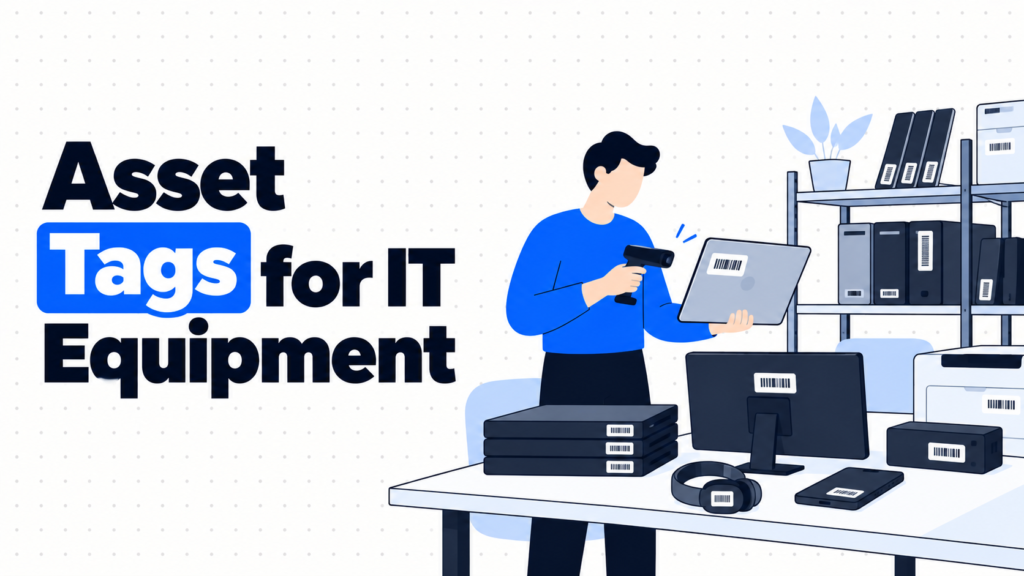
- An asset tag is a durable label with a unique ID, usually a barcode or QR code, stuck on each device so it can be identified and scanned quickly.
- If all your devices are enrolled in an MDM and you never do physical counts, tags are a nice-to-have, not a requirement.
- Tags do four jobs: give every device a short ID, speed up audits, make handoffs traceable, and help lost devices find their way home.
- The options are printed barcode or QR labels, durable metal or tamper-evident tags, and RFID or Bluetooth tags.
- QR codes on tough polyester labels cover most teams. RFID only pays off when you scan lots of devices at once.
- Done right, anyone can scan a laptop and pull up its record in seconds.
It’s the annual office audit. Someone has a printout of 140 laptops and a box of loaners in front of them, and they’re flipping each device over to read a serial number printed in tiny gray text. Twelve characters, often half rubbed off. Three hours in, they’ve checked 60 devices and found four that don’t match the sheet, but they can’t tell if the sheet is wrong or they misread a serial.
Every team that skips asset tags eventually has this afternoon. Serial numbers are long, inconsistent between brands and printed where nobody can read them easily. Monitors and docks often have serials only on the box. And when a laptop is left in a meeting room, nothing on it says who it belongs to or how to return it.
The real issue isn’t labeling devices. It’s giving each one a short, scannable identity that links straight to its record. That’s what an asset tag is supposed to do.
When You Don’t Actually Need Asset Tags
When you never count physically. Every device is enrolled in an MDM, nobody does office audits, and devices rarely change hands. The MDM’s serial number is enough.
When friction shows up. You start keeping spare laptops, loaners and monitors in offices, and counting them means reading serials by hand. Tags start saving real time.
When it becomes a liability. Auditors or insurers want physical verification, or devices get mixed up during handoffs often enough to cause errors in your records.
The edge case: lost devices. A laptop left in a taxi or a coworking space has no way home without a label that says who owns it. A tag with a return message is cheap insurance.
What IT Teams Actually Need from an Asset Tag
“Will it survive three years on a laptop?”
Laminated polyester or anodized aluminum, rated for abrasion and cleaning.
Paper labels peel and fade within months, and then the whole system fails.
“Can anyone scan it?”
A QR code can be read by any phone camera. A barcode needs a scanner or an app.
If non-IT staff will help with counts, QR codes remove the need for special equipment.
“What should it say?”
The asset ID, your company name, and a short return message or URL.
Never print the user’s name or anything sensitive on the tag.
“Will people notice if it’s removed?”
Tamper-evident labels leave a “void” pattern or break apart when peeled.
Useful for high-value devices or anywhere theft is a real concern.
“Do we need to scan many devices at once?”
Only RFID can read many tags without line of sight.
Most companies don’t need this, but warehouses and large office audits can.
The Three Types of Asset Tags
1. Printed barcode and QR labels
What it is: Labels printed in-house or ordered in batches, carrying a unique ID as a barcode (often Code 128) or a QR code.
When it’s right: Most offices and remote fleets. Cheap, fast to apply and easy to scan with a phone or handheld scanner.
When it fails: Cheap paper or unlaminated labels wear off within months. Use laminated polyester at minimum.
2. Durable metal and tamper-evident tags
What it is: Anodized aluminum tags with the code sealed into the metal, or tamper-evident labels that leave a pattern when removed.
When it’s right: Devices that get handled a lot, shared equipment, warehouses, or anywhere theft is a worry.
When it fails: They cost more per tag and usually need ordering from a supplier, so last-minute tagging is harder.
3. RFID and Bluetooth tags
What it is: RFID tags read by radio, often several meters away without line of sight, or battery-powered Bluetooth tags that report location.
When it’s right: Large inventories scanned in bulk, data centers, or high-value equipment that moves around a building.
When it fails: Metal laptop cases reduce RFID read range, so you need on-metal tags. Bluetooth tags need batteries. And consumer trackers like AirTags are built for personal items, with anti-stalking alerts that make them awkward on employee laptops.
How to Choose: Five Questions Before You Order Tags
How will you scan them? If counts happen with phones, choose QR codes. If you already own barcode scanners, barcodes work fine. Only consider RFID if you need to scan dozens of devices at once.
How rough is the environment? Laptops in backpacks and monitors on hot desks need laminated polyester or metal. Server racks and shared equipment benefit from metal tags.
Does your ITAM tool print labels? Many tools, including Snipe-IT, can generate labels with QR codes or barcodes that link straight to the asset record. That saves designing anything yourself.
What happens if someone finds a lost laptop? Add a short message such as “Property of [Company], if found contact” with an email or URL. It costs nothing and occasionally brings a laptop home.
Who applies tags to remote devices? For laptops shipped straight to homes, ask your vendor or logistics partner to tag before shipping, or send employees a tag with clear placement instructions.
Five Asset Tag Options Worth Knowing
Brother P-touch label printers
Best for: Small teams that want to print durable tags in-house as devices arrive.
Why companies choose them: Laminated tapes hold up well on laptops, and many models print barcodes or QR codes from a computer.
Where they struggle: Fine for dozens of tags, slow for hundreds. Tape refills add up over time.
Avery printable labels
Best for: Batch-printing tags on an office printer.
Why companies choose them: Cheap, widely available sheets, with free templates for barcodes and QR codes.
Where they struggle: Standard paper labels wear quickly. Choose their durable polyester range if tags need to last.
Custom asset tag makers (such as Metalcraft)
Best for: Durable metal or tamper-evident tags ordered in batches with your logo and sequential IDs.
Why companies choose them: Tags built to last the life of the device, with numbering and codes printed for you.
Where they struggle: Ordering takes time, and minimum quantities don’t suit very small teams.
Zebra
Best for: Teams moving to RFID or high-volume label printing.
Why companies choose it: A long-established maker of label printers, handheld scanners and RFID readers used in warehouses and large organizations.
Where it struggles: The hardware and setup are more than most offices need for a few hundred laptops.
Snipe-IT label printing
Best for: Teams already using Snipe-IT who want tags tied to their records.
Why companies choose it: It generates labels with QR codes or barcodes that open each asset’s record, printable on standard label sheets or printers.
Where it struggles: You still need durable label stock and a printer, and remote devices still need someone to apply the tag.
The Decision Table: Which Tag Fits Which Situation
| Situation | Scale / Size | Setup | Primary Pain | Recommended Starting Point |
|---|---|---|---|---|
| Small office, a few spares | Under 50 devices | In-office | Reading serials by hand | Brother P-touch with laminated tape, QR codes |
| Batch tagging a whole fleet | 100 - 500 devices | Office | One-off big labeling job | Avery durable labels or Snipe-IT generated labels |
| Shared or high-theft equipment | Any | Offices and hot desks | Tags removed or swapped | Tamper-evident or metal tags from a custom maker |
| Remote fleet shipped to homes | 50 - 500 people | Home-based | Nobody to apply tags | Vendor-applied tags before shipping |
| Bulk scanning in a warehouse | 1,000+ devices | Warehouse or data center | Counts take days | Zebra RFID with on-metal tags |
Most teams land in two or three of these rows at once. Start with your biggest failure and layer from there.
The Cost of Choosing the Wrong Tags
The most common mistake is the cheapest label. Paper tags fade, peel and get scratched off, and within a year half the fleet has no readable tag. You end up reading serial numbers again, plus cleaning sticky residue off laptops before resale.
The opposite mistake is buying RFID for a 200-person company that counts its laptops once a year. Readers, special tags and software integration cost far more than the few hours they save. And tags with too much information printed on them, like names or departments, become a privacy problem when devices change hands.
So before ordering, ask one question. Is your problem slow counts, lost devices, or mix-ups during handoffs? Each one points to a different tag.
When You’re Ready to Move Beyond Serial Numbers
You’ve outgrown serial numbers when physical counts take hours, when spares and loaners pile up in offices, or when devices regularly get mixed up during handoffs.
At that point, a short asset ID on a durable QR label, linked to each record in your inventory, makes every count and handoff faster.
If that’s where you are, it’s worth looking at dedicated tools in this space. Our IT asset inventory template and ITAM tools comparison help connect tags to records.
Frequently Asked Questions
What is an asset tag?
An asset tag is a durable label attached to a piece of equipment that carries a unique ID, usually as a barcode or QR code. Scanning it pulls up the device’s record in your inventory.
What information should go on an IT asset tag?
The asset ID, your company name and a short return message or URL. Avoid personal or sensitive details like user names or departments.
Barcode or QR code: which is better for asset tags?
QR codes are easier for most teams because any phone camera can read them and they can link straight to a record. Barcodes work well if you already use dedicated scanners.
Is RFID worth it for IT asset tracking?
Only if you need to scan many devices at once, such as in warehouses or large audits. For most offices and remote fleets, QR labels are cheaper and simpler. If you do use RFID on laptops, choose on-metal tags.
Where should an asset tag go on a laptop?
On the bottom case, away from vents, rubber feet and the manufacturer’s serial label, where it won’t rub against bags or desks.
Can we use AirTags to track company laptops?
It’s not a good fit. AirTags are designed for personal items and include anti-stalking alerts, and tracking employees’ locations raises privacy issues. Use MDM location features within your policy instead.
What are tamper-evident asset tags?
They’re labels that leave a visible “void” pattern or break apart when someone tries to remove them, so you can tell if a tag has been taken off or swapped.
A short ID, a durable label, and a record one scan away.