TL;DR
- An IT asset inventory is a single list of every device and software license you own, with who has it, where it is and its current status.
- If you already run a dedicated ITAM tool that syncs with your MDM, you don’t need a spreadsheet template. Use the field list below to check your tool covers everything.
- A good template does four jobs: identifies each asset, ties it to a person, records money and warranty, and shows security status.
- You can run it in Google Sheets, Excel or Microsoft Lists, or import it into an ITAM tool later.
- Sixteen fields cover almost every audit question. More than that and people stop filling them in.
- Done right, the sheet answers “who has this laptop and is it encrypted?” in seconds.
Your company just hit 60 people. An enterprise prospect’s security questionnaire asks for “an inventory of all end-user devices with assigned owners.” You open the IT folder and find three spreadsheets: one from the founding engineer, one from the first office manager and one export from the MDM. None of them agree, and none have a column for who the laptop belongs to now.
This is how most inventories begin. Someone starts a sheet with five columns that made sense at 15 people. Later, someone else adds columns they need, and a third person keeps a separate list for monitors. By the time anyone needs the data, it’s spread across files with different column names and nobody trusts any of them.
The real issue isn’t having a spreadsheet. It’s having one agreed set of fields that answers the questions auditors, finance and IT actually ask. That’s what an IT asset inventory template is supposed to give you.
When You Don’t Need a Spreadsheet Template
When you already have a synced ITAM tool. If your inventory lives in a tool fed by your MDM and HR system, keep it there. Use the field list below as a checklist.
When friction shows up. Several sheets exist, columns don’t match and nobody knows which one is current. This is exactly when a single template helps.
When it becomes a liability. Audits and security questionnaires ask for owners and encryption status, and your sheet has neither. Now missing fields cost you deals and findings.
The edge case: the sheet gets too big. Past a few hundred devices with weekly changes, even a perfect template becomes a full-time job. That’s your signal to move to a tool, and the template makes that migration easy.
What Teams Actually Need from an Inventory Template
“Can I identify every device without ambiguity?”
Asset tag and serial number, both unique, on every row.
Duplicate or missing serials are the first thing an auditor notices.
“Who has it, and where?”
Assigned person (by work email, not name) and country or office.
Emails match your HR and identity systems. Names don’t.
“What’s its status today?”
A dropdown with fixed values: deployed, in stock, in transit, in repair, retired, lost.
Free text statuses like “with John?” make filtering impossible.
“Is it secure?”
MDM enrolled and encryption on, as yes or no columns, plus the date last verified.
These two columns answer half of every security questionnaire.
“What did it cost, and when does coverage end?”
Purchase date, cost, ownership type and warranty end date.
Finance and refresh planning both depend on these.
The Three Places to Keep Your Inventory
1. Google Sheets or Excel
What it is: A shared spreadsheet using the template below, with dropdowns and simple formulas.
When it’s right: Teams under roughly 150 devices with one owner keeping it current.
When it fails: History is hard to see, several editors cause conflicts, and nothing updates automatically.
2. Microsoft Lists or Airtable
What it is: List and database tools with forms, views and permissions. Microsoft Lists even includes a ready-made asset manager template.
When it’s right: Teams that want forms for check-in and check-out and filtered views per office, without buying an ITAM tool yet.
When it fails: Integrations with MDM and HR still need building, so data entry stays mostly manual.
3. A dedicated ITAM tool
What it is: Tools like Snipe-IT or Asset Panda, which can import the template as a CSV.
When it’s right: Once devices move weekly or you need assignment history and audit exports.
When it fails: If you migrate a messy sheet, you get a messy tool. Clean the data first.
How to Choose: Five Questions Before You Build Your Inventory
How many devices, and how often do they change hands? Under 150 devices with a few changes a month suits a sheet. Hundreds of devices with weekly movement need a tool.
Who will update it? One owner works best. If several people must edit, use a list tool with forms so updates follow the same format.
What questions will people ask of it? Security questionnaires ask about owners and encryption. Finance asks about cost and warranties. Make sure each question maps to a column.
Where does the data already exist? Export from your MDM to fill serial numbers, models and encryption status, rather than typing them.
What’s your migration plan? Keep column names simple and consistent so the sheet can be imported into an ITAM tool later without rework.
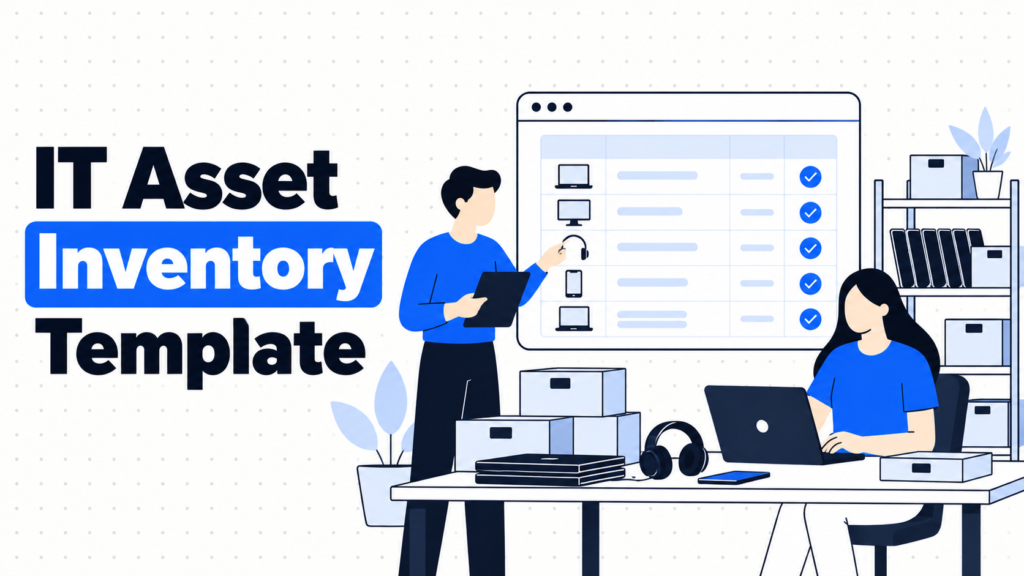
Free Template: IT Asset Inventory Fields
Copy these sixteen columns into Google Sheets, Excel or Microsoft Lists. Use dropdowns for the fields marked as fixed values.
| Column | What to enter | Example |
|---|---|---|
| Asset tag | Your internal ID, unique per device | PO-0142 |
| Serial number | Manufacturer serial, unique | C02XK1ABCD |
| Asset type | Fixed values: laptop, monitor, phone, dock, other | Laptop |
| Make and model | Brand and model | MacBook Air 13″ M3 |
| Status | Fixed values: deployed, in stock, in transit, in repair, retired, lost | Deployed |
| Assigned to | Work email, or blank if in stock | j.silva@company.com |
| Location | Country and office or “home” | Portugal, home |
| Purchase date | Date of invoice | 2025-03-14 |
| Purchase cost | Amount and currency | 1,299 USD |
| Ownership | Fixed values: owned, leased | Owned |
| Warranty end | Date coverage ends | 2028-03-13 |
| MDM enrolled | Yes or no | Yes |
| Encryption on | Yes or no | Yes |
| Last verified | Date someone confirmed this row | 2026-09-30 |
| Disposal certificate | Link to certificate when retired | (blank until retired) |
| Notes | Anything unusual | Screen replaced 2026-06 |
Three formulas worth adding in Google Sheets
- Highlight warranties ending within 60 days. Select the warranty column (K2:K), add conditional formatting with a custom formula: =AND($K2<>””, $K2-TODAY()<=60).
- Flag duplicate serial numbers. Select column B, add conditional formatting with: =COUNTIF($B:$B, $B2)>1.
- Catch devices still assigned to leavers. Paste HR’s list of leavers into a tab called Leavers, then in a helper column: =IF(COUNTIF(Leavers!A:A, F2)>0, “Recover”, “”).
Five Tools for Running Your Inventory
Google Sheets
Best for: Small teams starting from nothing.
Why companies choose it: Free, familiar, easy to share, and good enough with dropdowns and the formulas above.
Where it struggles: No real change history per device and no automatic updates from your MDM.
Microsoft Lists
Best for: Microsoft 365 companies that want forms and views without new software.
Why companies choose it: Included with Microsoft 365, with an asset manager template, permissions and custom views.
Where it struggles: Syncing with Intune or HR systems takes extra work with Power Automate or similar tools.
Airtable
Best for: Teams that want a flexible database with forms and linked records.
Why companies choose it: Easy to link devices to people and locations, with views for each team.
Where it struggles: It’s a general database. Audit history and IT-specific features have to be built.
Snipe-IT
Best for: Moving your template into a dedicated ITAM tool at low cost.
Why companies choose it: Imports CSV files, free when self-hosted, and adds check-in history and audit features.
Where it struggles: No built-in discovery, so keeping it current depends on integrations or discipline.
Asset Panda
Best for: Teams that want mobile scanning on top of their inventory.
Why companies choose it: Phone-based barcode scanning and customizable fields make physical audits quicker.
Where it struggles: More setup than a sheet, with pricing tied to asset count.
The Decision Table: Where Your Inventory Should Live
| Situation | Scale / Size | Setup | Primary Pain | Recommended Starting Point |
|---|---|---|---|---|
| Starting from zero | Under 50 devices | Office | No single list exists | The template above in Google Sheets |
| Microsoft 365 company | 50 - 200 devices | Hybrid | Need forms and views | Microsoft Lists with the template fields |
| Several teams need views | 50 - 300 devices | Mixed | Different needs per team | Airtable |
| Devices move weekly | 150+ devices | Remote-first | Sheet can’t keep up | Snipe-IT, importing the template |
| Frequent physical audits | 100+ devices | Offices and warehouses | Counting takes too long | Asset Panda |
Most teams land in two or three of these rows at once. Start with your biggest failure and layer from there.
The Cost of a Bad Inventory Template
A bad template looks fine until someone needs an answer. Then the missing owner column means you can’t say who has a laptop. The free-text status means you can’t filter for devices in repair. The missing encryption column means a security questionnaire gets a vague answer, and the deal slows down.
Fixing it later is painful. You end up reconstructing owners from old Slack messages and emails, and guessing purchase dates from invoices. Every month without the right fields is a month of data you’ll never get back.
So before you build, ask one question. Who will read this inventory, and what will they ask it? Design the columns for that person.
When You’re Ready to Move Beyond the Spreadsheet
You’ve outgrown the template when you track more than about 150 devices, when devices change hands weekly, or when you need history for each device rather than just its current state.
At that point, import the template into an ITAM tool, connect it to your MDM and HR system, and keep the same sixteen fields so nothing gets lost.
If that’s where you are, it’s worth looking at dedicated tools in this space. Our ITAM tools comparison and guide to IT inventory software vs spreadsheets help with the next step.
Frequently Asked Questions
What is an IT asset inventory?
It’s a single list of all IT hardware and software a company owns, showing each item’s identifier, owner, location, status, cost and security status. It’s the foundation for audits, budgets and offboarding.
What should an IT asset inventory include?
At minimum: asset tag, serial number, type, model, status, assigned person, location, purchase date, cost, ownership type, warranty end, MDM enrollment, encryption status and the date it was last verified.
Is there a free IT asset inventory template?
Yes. The sixteen-column template in this guide works in Google Sheets, Excel or Microsoft Lists, and imports cleanly into ITAM tools like Snipe-IT later.
Should I use Excel or Google Sheets for an IT inventory?
Either works. Google Sheets is easier to share and edit together, while Excel suits companies already standardized on Microsoft 365, where Microsoft Lists is also an option.
How often should the inventory be updated?
Update it the same day a device changes hands, and run a full reconciliation against your MDM and HR system once a month.
When should we stop using a spreadsheet?
When you pass roughly 150 devices, when devices move every week, or when you need a history of each device’s owners and repairs.
Sixteen fields, one owner, updated the day things change.