TL;DR
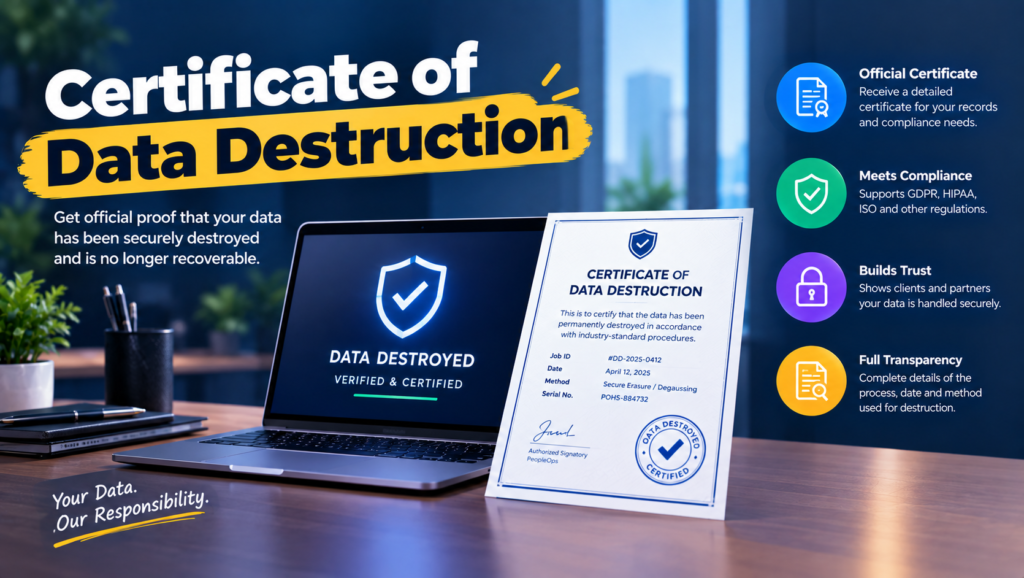
- A certificate of data destruction is a signed record proving that specific devices had their data erased or destroyed, by a named method, on a named date.
- If you’re only recycling monitors, keyboards and cables, you don’t need one. Nothing on them holds data.
- A useful certificate does four jobs: identifies each device by serial number, names the method, records who did and verified the work, and shows the chain of custody.
- Certificates come in three types: bulk receipts, per-serial destruction certificates, and software-generated erasure reports.
- If it doesn’t list serial numbers, it isn’t evidence. It’s a receipt.
- Done right, an auditor picks any retired laptop from your asset register and you find its certificate in under a minute.
Your SOC 2 auditor pulls a sample of 25 retired assets from last year and asks for evidence on each one. You open the vendor folder and find four PDFs, each titled “Certificate of Destruction,” each saying something like “312 lbs of IT equipment processed in accordance with applicable standards.” Not one serial number. The auditor writes it up.
This is the single most common gap in disposal evidence, and it’s not usually the vendor’s fault. Many providers issue a bulk certificate by default and only include serial numbers if you ask when you sign up. Internal teams do the same thing: they wipe carefully, then record nothing but a date. And remote companies add another gap, because laptops travel from homes to a warehouse to a recycler, and nobody writes down the handoffs.
The real issue isn’t getting a certificate. It’s getting one that actually answers the auditor’s question for a single device. That’s what a proper certificate of data destruction is supposed to do.
When You Don’t Actually Need a Certificate
When nothing holds data. Monitors, docks, keyboards, mice and cables. A standard recycling receipt is plenty.
When friction shows up. You start reselling or donating laptops, and a buyer or charity asks how you know they’re clean. A note from IT saying “wiped” doesn’t reassure anyone.
When it becomes a liability. You’re in scope for SOC 2, ISO 27001, HIPAA or PCI DSS, or a customer contract requires disposal evidence. Now every data-bearing device needs its own record.
The edge case: devices that went missing along the way. A laptop shipped from a home in Portugal never arrives at the warehouse. There’s no certificate to issue, because nothing was destroyed. Your records need to show that too, as a documented loss, not a silent gap.
What Auditors and IT Leads Actually Need from a Certificate
“Can I find the record for this one laptop?”
Only if the certificate lists serial numbers or asset tags, one line per device.
Auditors sample individual devices. A count or a weight can’t answer “what happened to this one?”
“Does it say how the data was destroyed?”
It should name the method (erase, cryptographic erase or physical destruction) and the tool used.
“Processed according to industry standards” tells an auditor nothing.
“Who actually did the work, and who checked it?”
A name, title and signature for the operator, plus whoever verified the result.
NIST SP 800-88 Rev. 2 lists verification and the people involved as core parts of a sanitization record.
“Can I trace the device from my hands to theirs?”
Chain of custody: pickup date and location, who released it, who received it, and when it arrived at the facility.
Most lost devices disappear between steps, not during destruction.
“Is the vendor actually certified?”
Look for certification names and numbers on the certificate itself, such as NAID AAA for data destruction and R2v3 or e-Stewards for recycling.
A certificate from an uncertified subcontractor you’ve never heard of is weak evidence.
The Three Types of Destruction Certificates
1. Bulk or weight-based certificates
What it is: A single document stating a count or weight of equipment processed.
When it’s right: Non-data equipment like monitors, peripherals and cables.
When it fails: Any audit of laptops, phones or drives. There’s no way to tie it to a specific device.
2. Per-serial destruction certificates
What it is: A certificate from a destruction service listing every drive or device by serial number, with the method and date.
When it’s right: Failed drives and anything physically shredded, crushed or disintegrated.
When it fails: It’s only as good as the moment serials were captured. If the vendor scans serials at their plant instead of at pickup, anything lost in transit never appears.
3. Software-generated erasure reports
What it is: Reports produced automatically by certified erasure tools like Blancco or BitRaser, one per device, recording the drive, method, result and time.
When it’s right: Working devices erased for reuse, resale or donation.
When it fails: It covers only devices erased by that tool. Anything that failed and went to the shredder needs its own certificate.
How to Choose: Five Questions Before You Accept Another Certificate
Who’s going to read it? An auditor, a customer’s security team and a buyer of used laptops all want slightly different detail. Design for the strictest reader and everyone else is covered.
Which devices need their own line? Anything that stores data: laptops, desktops, phones, tablets, servers, external drives, and printers with internal storage. Everything else can go on a bulk receipt.
Where is your chain of custody weakest? For remote teams it’s usually the trip from the employee’s home to the first warehouse. Ask your retrieval or ITAD provider to scan serials at pickup, not on arrival.
Who signs for your internal wipes? If IT erases devices in-house, the certificate should still name an operator and a separate verifier. It’s the same rule you’d hold a vendor to.
Where will certificates live, and for how long? Store them next to the asset record for each device, not in a vendor inbox. Keep them at least as long as your audit lookback and record retention policy require.
Free Template: Certificate of Data Destruction
Copy these fields into your own document or ask your vendor to match them. It works for vendor certificates and internal wipes alike.
Part A: Parties and job details
| Field | What to enter | Example |
|---|---|---|
| Customer | Your legal company name and address | Acme Remote Inc., 100 Main St, Austin, TX |
| Provider | Vendor or internal team performing the work | Internal IT, or vendor legal name |
| Provider certifications | Certification names and numbers | NAID AAA #12345, R2v3 #67890 |
| Job reference | A unique ID for this batch | ITAD-2026-0417 |
Part B: Chain of custody
| Field | What to enter | Example |
|---|---|---|
| Collection date and location | Where each device was picked up | 14 Apr 2026, employee home, Lisbon |
| Released by | Name of person handing over | J. Silva (employee) |
| Received by | Name of courier or vendor staff | Courier tracking #1Z999 |
| Received at facility | Date devices arrived | 21 Apr 2026 |
Part C: Per-device record (one row per device)
| Asset tag | Serial number | Make and model | Media type | Method | Tool and version | Verified by | Result | Date | Final disposition |
|---|---|---|---|---|---|---|---|---|---|
| AC-0213 | C02XK1ABCD | MacBook Air 13″ 2023 | SSD | Purge: cryptographic erase | Apple EACAS, macOS 26 | R. Patel | Pass | 22 Apr 2026 | Resale |
| AC-0187 | PF3ABC12 | ThinkPad T14 Gen 2 | SSD | Destroy: shred | Vendor shredder | M. Chen | Pass | 22 Apr 2026 | Recycled |
Part D: Attestation
A short statement that the devices listed were sanitized or destroyed as recorded, followed by the operator’s name, title and signature, the verifier’s name and title, the date, and a contact email for questions.
Five Certificate Issuers Worth Knowing
Blancco
Best for: Teams that erase devices in-house and want reports generated automatically.
Why companies choose it: Tamper-resistant reports per device, with fields auditors are used to seeing.
Where it struggles: Reports only cover what Blancco erased. Failed drives need a separate destruction certificate.
BitRaser
Best for: Smaller teams and IT service providers that need per-device erasure certificates without enterprise pricing.
Why companies choose it: Certificates per erased drive, with flexible licensing for small batches.
Where it struggles: Some auditors know it less well, so confirm it’s acceptable before you rely on it.
Shred-it
Best for: Certificates for physically destroyed drives from offices that already use it for paper.
Why companies choose it: Familiar vendor, on-site or off-site destruction, certificates issued after service.
Where it struggles: Ask upfront for serial-level detail, because a bulk certificate isn’t enough for an audit.
Iron Mountain
Best for: Enterprises that want one certificate format across regions and services.
Why companies choose it: Established chain-of-custody processes across its secure shredding and asset lifecycle services.
Where it struggles: Built for volume, which can feel heavy for small remote teams.
Remote retrieval platforms (Firstbase, GroWrk, Workwize)
Best for: Remote teams that need devices collected from homes before anything is destroyed.
Why companies choose them: They cover the leg of the chain of custody most vendors ignore, from home to warehouse.
Where they struggle: Final erasure is often done by a partner. Ask who issues the certificate, and make sure it lists serials.
The Decision Table: Which Certificate Fits Which Situation
| Situation | Scale / Size | Setup | Primary Pain | Recommended Starting Point |
|---|---|---|---|---|
| Recycling monitors and peripherals | Any | Office | No data involved | Standard recycling receipt |
| Small team wiping laptops in-house | Under 50 people | Office | No vendor to issue anything | The template above, signed internally |
| Laptops erased for resale | 20 - 200 a year | Office | Proof per device | Software erasure reports (Blancco or BitRaser) |
| Failed drives being shredded | A few a quarter | Office | Proof of destruction | Per-serial certificate from a NAID AAA service such as Shred-it |
| Devices collected from homes | 50 - 500 people | Home-based | Gaps in chain of custody | Retrieval platform plus partner certificate with serials scanned at pickup |
| Multi-site enterprise | 1,000+ people | Global | One format everywhere | Iron Mountain |
Most teams land in two or three of these rows at once. Start with your biggest failure and layer from there.
The Cost of Accepting the Wrong Certificate
A weak certificate doesn’t cost anything the day you file it. It costs you at audit time, when there’s no way to fix it. You can’t go back and capture a serial number for a laptop that was shredded ten months ago.
So the fix becomes expensive. Engineers rebuild records from invoices and ticket history. Vendors are asked to reissue certificates they don’t have the data for. Security reviews with enterprise prospects stall while you explain the gap. And sometimes the honest answer is a documented exception, which is fine once and not fine every year.
So look at the last certificate you received and ask one question. Could you use it to prove what happened to a single, named laptop? If not, change what you ask vendors for before the next pickup.
When You’re Ready to Move Beyond PDFs in a Shared Folder
You’ve outgrown a folder of vendor PDFs when you retire devices every month, when certificates come from more than one provider, or when finding the record for one serial number takes longer than a coffee break.
At that point, certificates should attach to the device record in your asset management system, so the asset register and the disposal evidence live in the same place.
If that’s where you are, it’s worth looking at dedicated tools in this space. Our IT asset tracking guide and ITAD vendor comparison are good next reads.
Frequently Asked Questions
What is a certificate of data destruction?
It’s a signed document proving that specific devices had their data erased or physically destroyed. A good one lists each device by serial number, the method used, the date, and who performed and verified the work.
Is a certificate of data destruction legally required?
Usually not by name. But laws and frameworks like HIPAA, GDPR, PCI DSS and SOC 2 expect you to dispose of data securely and prove it, and a certificate is the standard way to show that.
Who can issue a certificate of data destruction?
Whoever performed the work, whether that’s a vendor or your own IT team. Its weight depends on the detail it contains and whether the issuer is certified, such as NAID AAA for destruction services.
Can I create my own certificate of data destruction?
Yes, for devices your team erases in-house. Use the fields in the template above, and have a second person verify and sign alongside the operator.
What’s the difference between a certificate of destruction and a certificate of recycling?
A certificate of destruction proves the data is gone. A certificate of recycling proves the hardware was processed responsibly, ideally by an R2v3 or e-Stewards certified recycler. Most companies need both.
How long should we keep destruction certificates?
At least as long as your audit lookback and record retention policy require. Store them with each device’s asset record so they’re easy to find later.
What if a serial number on the certificate doesn’t match our records?
Treat it as unresolved. Ask the vendor to check their intake records, document what you find, and log a missing device as a loss rather than leaving the gap.
If it doesn’t list serial numbers, ask for one that does.