TL;DR
- IT asset disposition (ITAD) is how you retire company devices so the data is gone for good and the hardware gets reused or recycled, with paperwork proving both.
- If you retire fewer than 20 laptops a year and they all come back to one office, a built-in erase plus a certified local recycler will probably cover you.
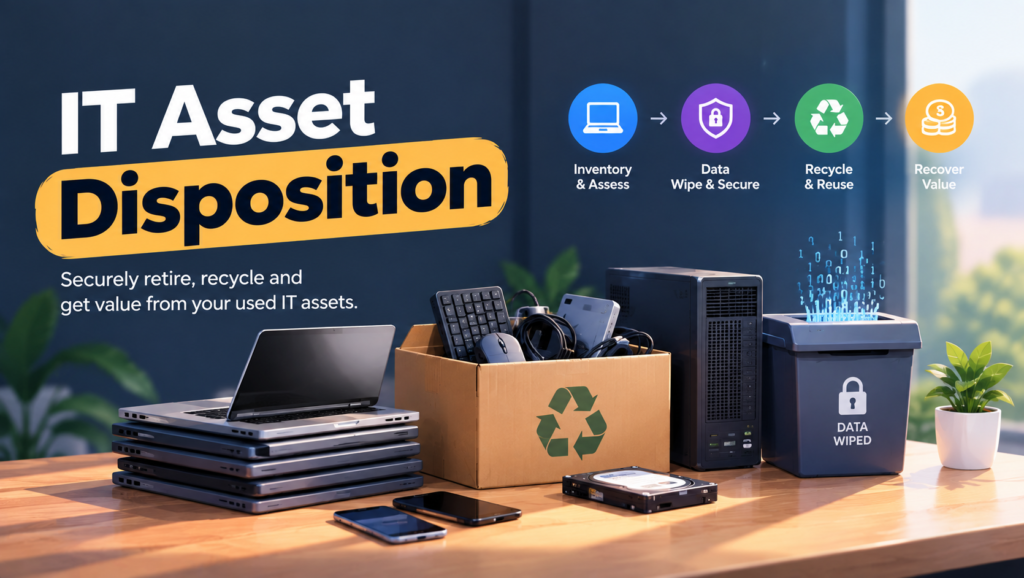
- A real ITAD process does four jobs: recover the device, sanitize the data, resell or recycle the hardware, and document every serial number.
- Providers fall into three camps: enterprise ITAD firms, regional recyclers with data destruction, and remote retrieval platforms that partner with ITADs.
- Choose based on where your devices physically sit today, not on who has the longest list of certifications.
- Done right, a laptop leaves your fleet and you can prove, serial by serial, what happened to it.
It’s week two of audit prep and your compliance lead asks what sounds like an easy question: what happened to the 63 laptops you retired last year? You know 41 went to a recycler in a van. Eleven are in a storage closet in the Austin office, waiting for someone to “wipe them later.” The other 11 belonged to people in Lisbon, Manila, Bogota and Toronto who left the company, and the best answer anyone can give is “I think they mailed them back?”
None of this is unusual. It’s a common pattern: a 90-person fintech finds out during SOC 2 fieldwork that “recycled” meant an office manager dropped a box at an electronics store. A startup sells old MacBooks on a marketplace to recover some cash, and nobody checks whether the drives were erased. And at the far end of the scale, Morgan Stanley paid a $35 million SEC penalty in 2022 after a moving company it hired, one with no data destruction experience, resold old hard drives that still held customer data. Some of them were auctioned online.
The real issue isn’t getting rid of old laptops. It’s proving where the data went after the laptops left your hands. Hardware is cheap to replace. A broken chain of custody isn’t. This is what IT asset disposition is supposed to solve.
When You Don’t Actually Need an ITAD Provider
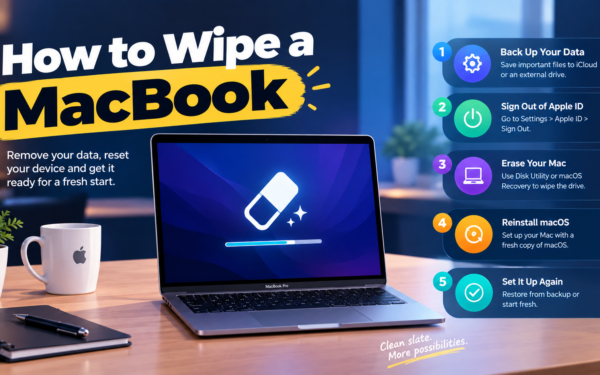
When the manual way is fine. You’re under 30 people, everyone works from one office, and you retire a handful of laptops a year. Run the built-in erase (Erase All Content and Settings on a Mac, or Windows’ Reset this PC with drive cleaning turned on), log the serial number in a sheet, and drop the device at an R2 or e-Stewards certified recycler. Keep the receipt. Done.
When friction shows up. Somewhere around 15 to 25 retirements a year, the sheet starts slipping. Laptops pile up “to wipe later.” The erase steps depend on who’s doing them that week. Nothing has broken yet, but nobody could rebuild last year’s disposals from memory if asked.
When it becomes a liability. Once you handle customer data under SOC 2, HIPAA or GDPR, “we erased it” without evidence stops counting. Auditors want proof per device, tied to a serial number and a method. If you can’t produce it, the finding lands on you, not on the recycler.
The edge case that breaks everything: a remote workforce. The moment laptops live in employees’ homes across several countries, the hard part stops being the wipe. It’s getting the device back at all, across customs rules, lithium battery shipping limits and people who have mentally left the company already. This is where do-it-yourself falls apart first.
What IT and People Ops Leads Actually Need from ITAD
“Can I prove this specific laptop was wiped?”
Only if you get a certificate of data destruction per serial number, not one bulk receipt.
Auditors sample individual devices, and “250 units recycled” doesn’t answer “what happened to this one?”
“How do I get laptops back from people who’ve already left?”
Send a prepaid return kit (box, label, deadline) the day notice is given, not after the last day.
Every week that passes after someone’s final day makes the device less likely to come home.
“Is any of this hardware worth money?”
Often, yes. Business laptops under four years old usually have resale value, and a decent ITAD shares it with you.
A value recovery credit can cover a big chunk of the program’s cost, which makes the budget conversation with finance a lot shorter.
“What happens to the stuff that’s worth nothing?”
It should go to a downstream recycler certified to R2v3 or e-Stewards, with no export to countries that ban e-waste imports.
The Global E-waste Monitor 2024 found only 22.3% of the 62 million tonnes of e-waste generated in 2022 was documented as properly collected and recycled. Your asset tag in an informal dump is a bad headline.
“Who’s on the hook if the vendor messes up?”
You are, mostly. Regulators treat disposal as your responsibility even when someone else does the work.
That’s exactly the Morgan Stanley story. The vendor made the mistake. The bank paid the fine.
The Three Types of ITAD Providers
1. Enterprise ITAD firms
What it is: Global companies that handle laptop fleets, data center decommissioning and resale at scale, with processing facilities in multiple countries.
When it’s right: You retire hundreds or thousands of devices a year, want one contract across regions, and have a procurement team willing to negotiate a master services agreement.
When it fails: A 150-person remote company retiring 30 laptops a year across ten countries is small change to them. Expect minimums, slow onboarding and pickup logistics designed for loading docks, not apartments.
2. Regional recyclers with data destruction
What it is: Certified recyclers (usually R2v3 or e-Stewards, often NAID AAA for destruction) serving one state or country, sometimes with on-site shredding trucks.
When it’s right: Most of your devices come back to one or two offices, and you want someone who’ll show up next Tuesday.
When it fails: They don’t do home pickups in Bogota. For a distributed team you’d end up juggling five of them, each with its own certificate format.
3. Remote retrieval platforms
What it is: Device lifecycle companies (Firstbase, GroWrk, Workwize and others) that ship return kits to employees’ homes, collect the laptop, then wipe, store, redeploy or pass it to an ITAD partner.
When it’s right: Your problem is distance. Laptops live in homes and you need someone chasing returns, clearing customs and holding devices between hires.
When it fails: Many of them subcontract the final erasure and recycling. If you don’t ask whose certificate you’ll receive and which standard it follows, you can end up with a nice dashboard and thin evidence.
How to Choose: Five Questions Before You Talk to Any ITAD Vendor
Where are your devices right now? Count them by country and by office versus home. If 80% sit in two offices, a regional recycler is probably enough. If they’re spread across eight countries and mostly in living rooms, retrieval is your real problem and erasure is the easy part.
How many do you retire in a year? Under 25, keep it simple and don’t sign anything long-term. Between 25 and 200, you need a repeatable process and probably a single main vendor. Over 200, value recovery and contract terms matter enough that a proper RFP pays for itself.
What will your auditor ask for? Ask them before you ask vendors. SOC 2 and ISO 27001 auditors typically sample a few retired assets and want evidence for each one. If a vendor can’t produce per-serial certificates, it doesn’t matter how cheap they are.
Which standard should erasure follow? In the US, NIST SP 800-88 is the usual reference. Revision 2, published in September 2025, reframes sanitization as a program with policies, roles and records rather than a single technique, points to IEEE 2883 for media-specific methods, and says one overwrite pass is enough. So if a vendor still pitches a “7-pass DoD wipe” as a selling point, they haven’t kept up.
What do you want back? Cash, refurbished laptops for your next hires, or just a clean exit? If you plan to redeploy returned devices, you want a partner who can wipe, store and reship. A vendor whose default is shredding is the wrong fit, no matter how secure it sounds.
Six ITAD Providers Worth Knowing
These are the names that come up most often for companies retiring laptops. We compare ten vendors in more depth, including pricing models and certifications, on our IT asset disposition tools page.
Iron Mountain (Asset Lifecycle Management)
Best for: Large companies that want one global contract covering IT assets alongside records.
Why companies choose it: Procurement already trusts the name, and its asset lifecycle business has grown quickly through acquisitions, including the Irish ITAD firm Wisetek. Multi-region coverage and chain-of-custody processes built for regulated industries are the main draw.
Where it struggles: It’s built for volume. If you’re retiring 40 laptops a year from homes in nine countries, the sales cycle and minimums can feel out of proportion to the job.
Sims Lifecycle Services
Best for: Enterprises and data center operators with large hardware volumes and real resale value.
Why companies choose it: It’s one of the longest-running ITAD brands, with global facilities and a strong resale and component recovery operation. That usually translates into better value recovery on newer hardware.
Where it struggles: Its recent growth has been concentrated in hyperscale data center decommissioning. A small laptop fleet won’t be its priority, and collecting from people’s homes isn’t its core model.
TES
Best for: Multinationals that need one ITAD process across Asia, Europe and the Americas.
Why companies choose it: A global footprint with in-country facilities and services ranging from on-site erasure to recycling. Useful when you want the same process and report format in Singapore as in Frankfurt.
Where it struggles: Like the other global players, its sweet spot is large contracts. Smaller teams may find onboarding heavier than their volume justifies.
ERI
Best for: US companies that want a large domestic recycler with broad certification coverage.
Why companies choose it: A national network of US facilities and hardware destruction services that satisfy most compliance teams without extra back-and-forth.
Where it struggles: It’s US-centric. International employees fall outside its main network, so a global remote team would need a second provider.
Securis
Best for: US offices that want drives shredded on-site while someone watches.
Why companies choose it: Mobile shredding trucks come to your building, which appeals to security teams that don’t want intact drives leaving the premises. Pickup with off-site processing is also available.
Where it struggles: On-site shredding only helps when devices are already in one place. A remote team still has to get laptops back to an office first.
Remote retrieval platforms (Firstbase, GroWrk, Workwize)
Best for: Remote-first companies whose real pain is getting laptops back from homes in several countries.
Why companies choose them: They ship return boxes to departing employees, chase them, deal with customs, and then wipe, store, redeploy or dispose of devices from one dashboard. That covers the part enterprise ITADs don’t touch.
Where they struggle: They’re logistics companies first. Final erasure and recycling are often handled by partners, so ask who issues the certificate, which standard it follows, and whether it lists serial numbers.
The Decision Table: Where Each Option Actually Fits
| Situation | Scale / Size | Setup | Primary Pain | Recommended Starting Point |
|---|---|---|---|---|
| Single office, low turnover | Under 30 people | In-office | Old laptops piling up in a closet | Built-in erase plus a local R2 or e-Stewards recycler |
| Two or three US offices | 50 - 300 people | Mostly in-office | Drives must be destroyed before leaving | Securis or ERI |
| Remote-first, several countries | 50 - 500 people | Home-based | Getting devices back at all | A retrieval platform (Firstbase, GroWrk, Workwize), after confirming its ITAD partner |
| Regulated industry, mostly US | 200 - 2,000 people | Hybrid | Audit evidence for every device | ERI or Iron Mountain |
| Global enterprise | 2,000+ people | Offices in many regions | One contract and one report format | Iron Mountain, TES or Sims Lifecycle Services |
| Server or data center refresh | Any | Racks, not laptops | Value recovery on high-end hardware | Sims Lifecycle Services or TES |
Most teams land in two or three of these rows at once. A common setup for a remote-first company is a retrieval platform for home-based employees plus a regional recycler for whatever comes back to the office. Start with your biggest failure and layer from there.
The Cost of Choosing the Wrong ITAD Setup
The obvious cost is a regulator’s fine, but that’s rare. The common cost is quieter. You pick an enterprise ITAD because the logo looks good in security questionnaires, then learn they won’t collect from homes. So laptops sit with former employees for months, your asset register shows them as “in transit,” and every quarter somebody loses a day chasing ghosts.
Or you go the other way. A cheap recycler takes everything, hands you one bulk receipt, and you find out at audit time there’s no serial-level record. Rebuilding that evidence after the fact is close to impossible. You can’t re-wipe a laptop that was shredded two states away six months ago.
Switching providers has its own tax: a new certificate format, a new portal, retraining whoever runs offboarding, and a messy stretch where nobody’s sure which process applies. So before you compare vendors, answer one question honestly. Is your problem getting devices back, proving the data is gone, or getting value out of old hardware? Each answer points to a different kind of provider.
When You’re Ready to Move Beyond Wipe-and-Recycle
You’ve outgrown the built-in erase and a trip to the recycler when a few of these are true: you retire more than 25 devices a year, your employees live in more than two countries, your first SOC 2 or ISO 27001 audit is on the calendar, or “status unknown” has quietly become a real category in your asset register.
At that stage, the right move is a provider (or a pairing of two) that covers retrieval, certified erasure and serial-level reporting as one process, instead of three people each owning a piece of it.
If that’s where you are, it’s worth looking at dedicated tools in this space. Our IT asset disposition comparison lays out ten vendors side by side, and our guide to remote device retrieval during offboarding covers the step that usually breaks first.
Frequently Asked Questions
What is IT asset disposition (ITAD)?
IT asset disposition is the process of retiring IT hardware safely: recovering it, sanitizing or destroying the data on it, then reselling, donating or recycling it. The part that separates ITAD from simply throwing things away is documentation. You end up with a record for each device showing what was done and when.
Is ITAD the same as e-waste recycling?
No. Recycling is one possible outcome of ITAD. ITAD also covers data sanitization, resale or reuse, and the chain-of-custody records that prove it all happened. A recycler that only melts down hardware isn’t giving you ITAD.
Is data wiping or physical destruction better for laptops?
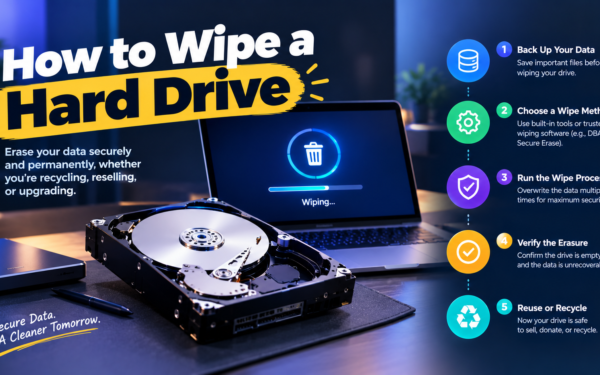
For modern laptops with SSDs, a verified cryptographic or firmware-level erase meets NIST’s Purge level and lets the device be reused or resold. Physical shredding makes sense when a drive is damaged, can’t be verified or your policy requires destruction. Skip degaussing for laptops: it doesn’t work on SSDs, and NIST SP 800-88 Rev. 2 says degaussing doesn’t currently count as a destroy technique.
Do I need an ITAD vendor or a laptop retrieval service?
It depends on where your devices are. If they come back to an office, an ITAD vendor or certified recycler is enough. If they sit in employees’ homes across countries, you need retrieval first, and you should check which ITAD partner handles the erasure behind the scenes.
Can we sell old company laptops ourselves?
You can, but you take on the risk. Sanitize to a recognized standard, keep a record per serial number, and release each Mac from Apple Business (formerly Apple Business Manager) and your MDM, or the next owner will hit a remote management screen. Most teams stop doing this once the volume passes a couple of dozen devices a year.
How much does ITAD cost?
Pricing usually combines per-device fees for logistics and erasure with a credit for any resale value. Newer business laptops can come out close to break-even or better, while old or broken hardware costs money to process. When you get quotes, compare both the fees and the resale share, not just one.
What certifications should an ITAD vendor have?
Look for R2v3 or e-Stewards for responsible recycling, NAID AAA (from i-SIGMA) for data destruction, and ISO 27001 for information security. Check that the certificate covers the specific facility that will handle your devices, not just the company’s headquarters.
What if an employee never returns their laptop?
Lock and wipe it remotely through your MDM, then follow the steps in your equipment agreement, and document each one. Payroll deductions are legal in some places and not in others, so check local rules before trying that. Log the device as lost so your asset register stays honest.
Retire every laptop with proof of where the data went.