TL;DR
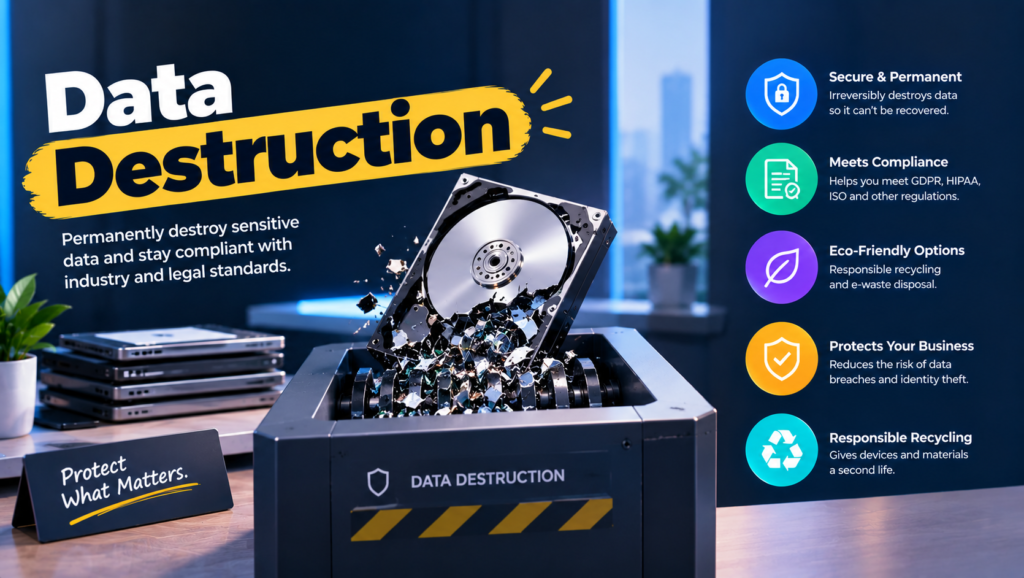
- Data destruction is making data permanently unrecoverable, by erasing it, cryptographically destroying its keys, or physically destroying the media it lives on.
- If you’re a small team with no regulated data and a few laptops a year, a built-in erase plus a simple log is enough. You don’t need a program yet.
- A real program does four jobs: decide the method per device, run it, verify it, and keep records you can hand to anyone who asks.
- Approaches fall into three camps: in-house sanitization, data destruction services, and full ITAD programs that bundle both.
- Pick the method by how sensitive the data is and whether the device leaves your control.
- Done right, you can answer “prove it” for any device in under five minutes.
An enterprise prospect sends over a security questionnaire. Question 41: “Describe your data destruction process and provide evidence for devices retired in the last 12 months.” The deal is worth $180,000 a year. What you have is a policy document from 2019 and three invoices from a recycler that say “IT equipment, assorted.”
This isn’t a rare situation. SOC 2 auditors look at it under criterion CC6.5. ISO 27001 covers it in Annex A controls on secure disposal and information deletion. Customer data processing agreements increasingly ask for it by name. And the question always comes at the worst possible time, halfway through a deal or two weeks before fieldwork.
The real issue isn’t destroying data. It’s being able to show, on demand, that you did it the right way for every device. That’s what a data destruction program is supposed to deliver.
When You Don’t Actually Need a Data Destruction Program
When a simple routine is fine. Under 30 people, no health, payment or regulated customer data, and a few laptops retired a year. Use the built-in erase, note the serial number and date in a sheet, recycle with a certified recycler.
When friction shows up. The first enterprise security questionnaire arrives. Suddenly you need a written policy and some evidence, and your sheet has gaps where people forgot to fill it in.
When it becomes a liability. You’re in scope for SOC 2, ISO 27001, HIPAA or PCI DSS. Auditors sample individual devices, and “we wipe everything” with no records turns into a finding.
The edge case: data in places you forgot about. Backup drives in a drawer. Old phones in a desk. The hard drive inside the office printer, which many multifunction printers have. And cloud storage, where there’s no physical media to destroy at all. Most programs miss at least one of these.
What Teams Actually Need from Data Destruction
“Which method is enough for this device?”
Use NIST’s three levels: Clear for devices staying in your control, Purge for devices leaving it, Destroy for anything broken or unusually sensitive.
Over-destroying wastes resale value. Under-sanitizing wastes trust.
“What do the regulations actually require?”
Most say the data must be unreadable or unrecoverable, and that you must document how. Very few name a specific method.
You get to choose the method, but you have to be able to justify it.
“Can we do this ourselves or do we need a service?”
Working devices can be sanitized in-house with the right tools. Failed drives and anything requiring physical destruction usually go to a certified service.
Most companies end up doing both.
“How do we prove it?”
A record per device: serial number, method, tool, who did it, how it was verified, date and location.
Those are the fields NIST SP 800-88 Rev. 2 lists for sanitization records, so auditors recognize them.
“What about data that isn’t on hardware we own?”
For cloud storage, destruction means deleting the data and destroying the encryption keys that protect it, then keeping a record of when.
NIST’s 2025 revision explicitly covers logical storage like cloud, so auditors will ask.
The Three Types of Data Destruction Approaches
1. In-house sanitization
What it is: Your IT team erases devices with built-in tools, BIOS secure erase or certified software like Blancco, and keeps the records.
When it’s right: Working laptops and phones you’ll reuse, resell or donate, at a volume your team can handle.
When it fails: Dead drives, devices that fail verification, and any policy that requires physical destruction. It also fails quietly when the person doing it stops writing things down.
2. Data destruction services
What it is: Certified vendors, ideally NAID AAA, that shred, crush or disintegrate media at their facility or on a truck at your office, then issue a certificate.
When it’s right: Failed drives, old backup media, and contracts that require witnessed destruction.
When it fails: It destroys hardware that could have been reused, and it assumes the media is already in one place.
3. Full ITAD programs
What it is: Providers that combine collection, sanitization, destruction, resale and recycling with per-device reporting.
When it’s right: You retire hundreds of devices a year and want one vendor and one report format.
When it fails: Minimums and contracts that don’t fit small or fully remote teams. See our IT asset disposition guide for how to handle that.
How to Choose: Five Questions Before You Write the Policy
What kinds of data do you hold? Customer PII, health data, card data and source code each come with different expectations. List them first. The method follows the data, not the other way around.
Where does that data actually live? Laptops, phones, servers, backups, printers, cloud buckets, SaaS tools. Walk the list honestly. The device nobody thought about is usually the one that causes the finding.
Who is going to ask for proof? Auditors, enterprise customers, regulators, your cyber insurer. Find out what format they expect before you pick a tool, because retrofitting records is miserable.
How many devices do you retire a year? Under 25, in-house tools and a clean log will do. Over 100, certified software or an ITAD provider pays for itself in hours saved.
Does the hardware need to live on? If you want resale value or plan to donate, Purge-level erasure is the answer. Destruction should be the exception, kept for what can’t be verified.
Six Data Destruction Options Worth Knowing
Blancco
Best for: Teams sanitizing working devices in-house at volume.
Why companies choose it: Certified erasure across laptops, phones and servers, with tamper-resistant reports auditors recognize.
Where it struggles: License costs and process overhead are hard to justify for a handful of devices a year.
Iron Mountain
Best for: Enterprises that want destruction, ITAD and records management under one contract.
Why companies choose it: Established chain-of-custody processes and global coverage through its asset lifecycle business.
Where it struggles: It’s built for volume, so small or remote-first teams can find the onboarding heavy.
Shred-it
Best for: Offices already using it for paper that want media destruction on the same contract.
Why companies choose it: One vendor for paper and drives, with on-site and off-site options.
Where it struggles: Destruction only. No erasure, resale or collection from employees’ homes.
Securis
Best for: US companies that want witnessed on-site destruction plus ITAD options.
Why companies choose it: Mobile shredding for failed media, and off-site services for everything else.
Where it struggles: US-focused, and on-site shredding only helps once devices are back in one place.
ERI
Best for: US companies wanting a large domestic provider that handles both destruction and recycling.
Why companies choose it: A national network of facilities and broad certification coverage.
Where it struggles: International employees fall outside its main network.
Cloud key management (AWS KMS, Azure Key Vault, Google Cloud KMS)
Best for: Destroying data in cloud storage, where there’s nothing physical to shred.
Why companies choose it: Deleting the encryption key makes every copy encrypted with it unreadable. AWS KMS, for example, enforces a 7 to 30 day waiting period before a key is deleted, which gives you a built-in safety window.
Where it struggles: It only works if the data was encrypted with keys you control from the start, and deleting the wrong key is permanent.
The Decision Table: Which Approach Fits Which Situation
| Situation | Scale / Size | Setup | Primary Pain | Recommended Starting Point |
|---|---|---|---|---|
| Small team, no regulated data | Under 50 people | Office or home | Old laptops piling up | Built-in erase plus a simple log |
| First enterprise security questionnaire | 50 - 200 people | Remote-first | Need a policy and evidence fast | NIST-based written policy plus Blancco |
| SOC 2 or ISO 27001 in scope | 100 - 1,000 people | Hybrid | Auditors sampling devices | Certified erasure plus a NAID AAA service for failed drives |
| Health or payment data | Any | Office | Regulator-grade proof | Witnessed on-site destruction (Securis or Shred-it) for failed media |
| Multi-region enterprise | 1,000+ people | Global | One process everywhere | Iron Mountain, or ERI for US-only fleets |
| Data in cloud storage | Any | Cloud | No physical media | Key deletion in your cloud KMS, with a record |
Most teams land in two or three of these rows at once. Start with your biggest failure and layer from there.
The Cost of Getting Data Destruction Wrong
The dramatic cost is a breach or a fine. Morgan Stanley paid a $35 million SEC penalty in 2022 after decommissioned hard drives with customer data ended up resold online. But most companies never get near that. Their cost is slower and more common.
It’s the deal that stalls for three weeks because security review can’t get a straight answer. It’s the SOC 2 finding that takes a quarter to close. It’s the engineer who spends two days rebuilding a year of disposal records from recycler invoices and Slack threads, and still can’t account for eleven laptops.
So ask yourself one question before choosing a vendor. Is your gap the destruction itself, the records, or the devices nobody has listed yet? Fix that one first.
When You’re Ready to Move Beyond Ad-Hoc Destruction
You’ve outgrown the ad-hoc approach when security questionnaires keep asking for evidence, when your first formal audit is on the calendar, or when you retire more than a few devices a month across more than one location.
At that stage you need three things working together: a short written policy mapped to NIST’s levels, a tool or provider that records every device, and a place where those records live that isn’t someone’s inbox.
If that’s where you are, it’s worth looking at dedicated tools in this space. Our ITAD vendor comparison and IT asset management policy template are good places to start.
Frequently Asked Questions
What is data destruction?
Data destruction is the process of making data permanently unrecoverable. It covers erasing storage, destroying encryption keys, and physically destroying media. A proper process also produces a record showing what was destroyed, how and when.
What are the main methods of data destruction?
NIST groups them into three levels. Clear uses standard overwriting, Purge uses stronger methods like cryptographic erase or drive sanitize commands, and Destroy physically shreds, crushes or disintegrates the media.
What’s the difference between data deletion and data destruction?
Deletion removes the pointer to data, so it can often be recovered. Destruction makes recovery impossible, either by erasing the data itself, destroying the keys that decrypt it, or destroying the media.
What is secure data destruction?
It’s data destruction done with a verified method and documented chain of custody, so you can prove each device was handled correctly. The “secure” part is really about evidence, not just the method.
Is data destruction required by law?
There’s no single law, but many require it in some form. HIPAA requires disposal and media reuse procedures, the FTC Disposal Rule covers consumer report information, PCI DSS requires cardholder data media to be destroyed when no longer needed, and GDPR requires personal data to be deleted once it’s no longer necessary.
How do you destroy data stored in the cloud?
Delete the data, then destroy the encryption keys that protected it, a technique called cryptographic erase. Keep a record of the key deletion. This only works well if the data was encrypted with keys you manage.
What should a certificate of data destruction include?
At minimum, each device’s serial number, the method used, the date and location, and who performed and verified it. See our guide to the certificate of data destruction for a full template.
Destroy the data, keep the proof, and answer question 41 in five minutes.