TL;DR
- Disposing of old company laptops safely means erasing the data, cutting every management tie, sending the hardware to the right place, and keeping a record of all three.
- If you only have one or two laptops and no sensitive data, a proper erase plus a certified recycler or retailer take-back is enough.
- The process has seven steps: sort, check holds, erase, unenroll, choose a route, get certificates, update your records.
- Every laptop goes one of three ways: resale, donation or recycling.
- The step people skip is unenrolling. A wiped laptop still registered to your company is useless to its next owner.
- Done right, the storage closet is empty and every serial number has an ending in your asset register.
There’s a closet in most offices, and it’s full of laptops. Some are from people who left, some died in 2023, a few still have sticky notes with passwords on them. Everyone agrees something should happen. Nobody owns it. Then an office move forces the issue and 47 laptops go out in a van on a Friday, with no list of what left.
This is how most company laptops get disposed of. A startup sells old MacBooks to employees for $200 each and forgets that they’re still enrolled in the company’s MDM. A charity receives donated ThinkPads that boot to the donor’s company login screen, because nobody deregistered them from Windows Autopilot. A recycler takes a pallet and hands back a receipt with a weight on it.
The real issue isn’t getting rid of laptops. It’s making sure each one leaves clean, unregistered and accounted for. That’s what a disposal process is supposed to guarantee.
When You Don’t Need a Formal Disposal Process
When it’s one or two personal-grade devices. No customer data, no MDM, no audit. Erase it, drop it at a certified recycler or retailer take-back, done.
When friction shows up. A dozen laptops a year, some still worth money, some dead. People start asking whether to sell, donate or recycle, and each answer depends on who you ask.
When it becomes a liability. Laptops held customer data, or you’re in SOC 2 or ISO 27001 scope. Now every device needs proof of erasure and a documented ending.
The edge case: laptops that never come back. A remote employee leaves and the laptop stays in their home. You can’t dispose of what you don’t have. That’s a retrieval problem first, and our guide to remote device retrieval during offboarding covers it.
What IT and Ops Teams Actually Need Before Disposal
“Is this laptop worth anything?”
Business laptops under about four years old usually have resale value. Older or broken ones usually don’t.
Sorting by age and condition first stops you from shredding money.
“Is anyone still legally required to keep its data?”
Check with legal or HR for litigation holds and retention rules before erasing.
Once a laptop is wiped, whatever was on it is gone for good.
“Is it still registered to us anywhere?”
Check your MDM, Apple Business for Macs, Windows Autopilot for PCs, and any firmware-level tracking tool.
Registration survives a wipe. The next owner hits your company’s setup screen if you skip this.
“Where should it go?”
Resell if it has value, donate if it works but won’t sell, recycle if it’s dead.
The right route depends on the device, not on whichever vendor is easiest to call.
“What do we need to keep afterwards?”
An erase or destruction record per serial number, a recycling certificate, and an updated asset register.
Finance also needs to record the disposal so the asset comes off the books.
The 7-Step Laptop Disposal Checklist
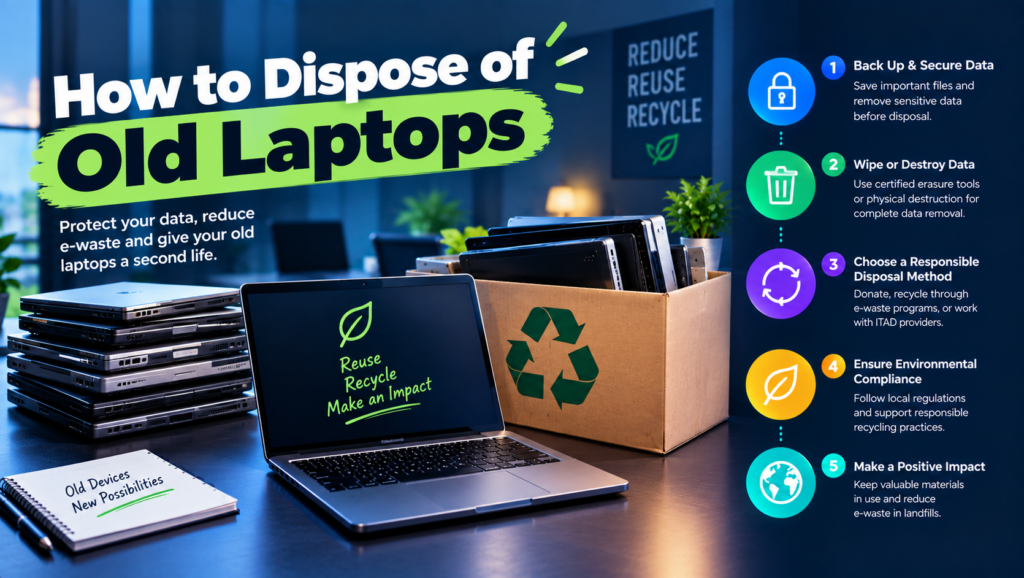
- Sort. List every laptop by serial number, age, condition and last user. Tag each one: reuse internally, resell, donate or recycle.
- Check holds. Confirm with legal or HR that no device is under a litigation hold or retention requirement. Back up anything policy requires.
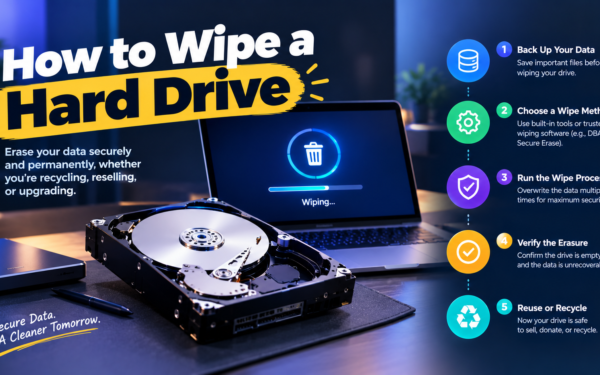
- Erase. Use the right method for the device. See our guides on how to wipe a MacBook and how to wipe a hard drive. Anything that won’t boot goes for destruction.
- Unenroll. Remove it from your MDM. Release Macs from Apple Business. Delete Windows PCs from Autopilot in the Intune admin center (Devices, then Windows, then Enrollment, then Windows Autopilot devices). Clear BIOS passwords and any firmware-level tracking.
- Choose the route. Send it to a buyer, a charity or a certified recycler based on the tag from step one.
- Get certificates. Collect a data destruction record per serial and a recycling certificate per batch.
- Close the record. Mark each device as disposed in your asset register, attach the certificates, and tell finance so the asset comes off the fixed asset list.
The Three Routes for Old Company Laptops
1. Resale
What it is: Selling working laptops through an ITAD provider, a manufacturer trade-in or directly to employees.
When it’s right: Laptops under roughly four years old in decent condition.
When it fails: When enrollment isn’t removed. A buyer who can’t set up the laptop will send it back or complain loudly.
2. Donation
What it is: Giving working laptops to schools, nonprofits or digital inclusion programs.
When it’s right: Older but working laptops with little resale value.
When it fails: When charities receive devices that aren’t wiped or unenrolled, or when they have no way to recycle the ones they can’t use. Ask what happens to rejects.
3. Certified recycling
What it is: Sending dead or obsolete laptops to an R2v3 or e-Stewards certified recycler.
When it’s right: Broken laptops, very old models and anything a charity won’t take.
When it fails: When data-bearing devices go in without a destruction step. Recycling certificates don’t prove the data is gone. See our ITAD recycling guide for how the certifications differ.
How to Choose: Five Questions Before the Van Arrives
How many laptops, and how old? Ten laptops a year can be handled in-house. Fifty or more, mixed ages, usually justifies an ITAD provider that sorts, resells and recycles in one pickup.
Where are they? In an office, one pickup handles everything. In homes across several countries, you need retrieval first, and local recycling to avoid cross-border e-waste rules.
Do you want money back? If yes, sort out the resellable devices first and get two quotes. Resale credits vary a lot between providers.
Would you rather donate? Choose a nonprofit that wipes devices itself or accepts your certificates, and that responsibly recycles what it can’t use.
Who will ask for proof later? If an auditor or customer might, keep per-device erase records and batch recycling certificates from the start. Rebuilding them later rarely works.
Six Disposal Options Worth Knowing
Full-service ITAD providers
Best for: Companies retiring 50 or more laptops a year from offices.
Why companies choose them: One pickup covers erasure, resale, recycling and reporting. Compare ten of them on our ITAD vendor comparison page.
Where they struggle: Minimums and home collection. Small or fully remote teams often don’t fit their model.
Manufacturer asset recovery programs (Dell, HP, Lenovo)
Best for: Single-brand fleets being refreshed with the same manufacturer.
Why companies choose them: Trade-in credit toward new hardware, with recycling handled as part of the deal.
Where they struggle: Mixed-brand fleets and one-off disposals outside a refresh cycle.
Remote retrieval platforms (Firstbase, GroWrk, Workwize)
Best for: Remote teams whose old laptops are in employees’ homes.
Why companies choose them: They collect laptops from homes, handle customs, then store, redeploy or dispose of them.
Where they struggle: Final erasure and recycling are often done by partners, so ask whose certificate you’ll get.
Human-I-T
Best for: US companies that want to donate working laptops to people who need them.
Why companies choose it: A nonprofit that takes corporate technology donations, handles data sanitization and puts devices back into use in low-income communities.
Where it struggles: It’s US-focused, so international teams need a local equivalent.
Employee buyback programs
Best for: Companies where staff want to buy their own old laptops.
Why companies choose them: Good for morale, simple logistics and no shipping.
Where they struggle: You still have to erase and unenroll every device, and discounted sales may have tax implications, so check with finance first.
Certified local recyclers
Best for: Dead, broken or obsolete laptops.
Why companies choose them: Fast, often cheap, and fine for devices with no resale value once data is handled.
Where they struggle: Check the facility’s R2 or e-Stewards certification yourself, and never skip the data step.
The Decision Table: Where Each Laptop Should Go
| Situation | Scale / Size | Setup | Primary Pain | Recommended Starting Point |
|---|---|---|---|---|
| One or two old laptops | Under 20 people | Office | Just want them gone | Erase, then a certified recycler |
| Closet backlog, mixed ages | 50 - 300 people | Office | Nobody owns the problem | Full-service ITAD provider, one pickup |
| Single-brand refresh | 100+ people | Office | Want trade-in value | Manufacturer asset recovery program |
| Working laptops with low resale value | Any | Office | Want them used, not scrapped | Donation to Human-I-T or a local nonprofit |
| Staff want their old laptops | Any | Any | Fair and simple process | Employee buyback, after erase and unenroll |
| Laptops in employees’ homes | 50 - 500 people | Home-based | Getting devices back | Retrieval platform, then local certified recycling |
Most teams land in two or three of these rows at once. Start with your biggest failure and layer from there.
The Cost of Getting Laptop Disposal Wrong
The expensive failures aren’t dramatic. A buyer can’t activate a MacBook still tied to your Apple Business account and sends it back. A charity spends a week trying to get donated PCs past your Autopilot screen, then gives up and recycles them. Finance still carries 47 laptops on the books that physically left a year ago.
And the risky failure stays invisible until someone finds it: one laptop in that van that was never wiped. Without a list of serials, you can’t even say which one it was.
So look at your closet and ask one question. Is your problem deciding where laptops go, doing the steps in the right order, or keeping records? Most backlogs exist because nobody owns the first one.
When You’re Ready to Move Beyond the Storage Closet
You’ve outgrown ad-hoc disposal when laptops retire every month, when devices sit in homes across several countries, or when finance and IT can’t agree on how many laptops the company owns.
At that stage, disposal should be a standard step in your device lifecycle, with an owner, a fixed checklist and a regular pickup, not an emergency every office move.
If that’s where you are, it’s worth looking at dedicated tools in this space. Our guides to device lifecycle management and your laptop refresh cycle policy help you plan disposal before the closet fills up.
Frequently Asked Questions
How do I dispose of old company computers safely?
Erase the data with a method that suits the drive, remove the device from your MDM and enrollment services, then resell, donate or recycle it through a certified provider. Keep an erase record per serial number and a recycling certificate per batch.
Can I throw old laptops in the trash?
No. Many US states and the EU restrict or ban putting electronics in regular waste, and a laptop in a dumpster is a data breach waiting to happen. Use a certified recycler.
How do I remove a laptop from Windows Autopilot?
In the Intune admin center, delete the device from your Windows devices, then go to Enrollment, Windows Autopilot devices, select it and delete it. Only the organization that registered the device can do this, and no wipe or reinstall removes it.
Should we sell old laptops to employees?
It’s common and works well if you erase and unenroll each device first and set a clear price. Check with finance, because discounted sales to staff can have tax implications.
What do I do with laptops that won’t turn on?
You can’t erase them, so send them for certified destruction and get a certificate for each serial number. Our guide to hard drive destruction covers the options.
What about laptops with swollen batteries?
Don’t ship them in regular mail, because damaged lithium batteries have strict shipping rules. Take them to a local certified recycler or ask your ITAD provider how they handle damaged batteries.
How old should a laptop be before we dispose of it?
Most companies retire laptops after three to four years, sooner for heavy users. Our laptop refresh cycle policy guide walks through how to set yours.
Every laptop leaves clean, unregistered and accounted for.