TL;DR
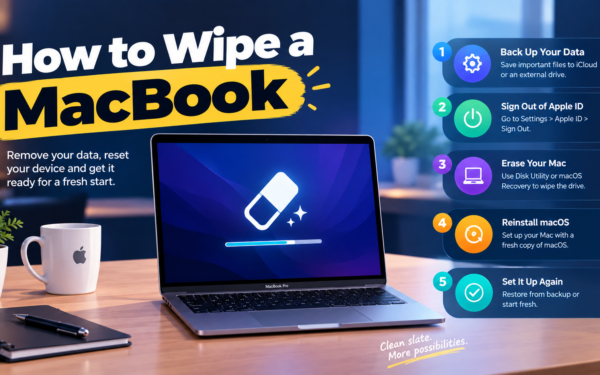
- Hard drive destruction means physically wrecking a storage device (shredding, crushing or disintegrating it) so nothing can be recovered. Wiping erases the data and keeps the device usable.
- If your laptops work, are under five years old and have encryption turned on, you probably don’t need to shred them. A verified erase is enough and keeps their resale value.
- The decision rests on four checks: drive type, device condition, what your policy or contracts demand, and whether you want the hardware back.
- Your options split three ways: software erasure, a destruction service (at their plant or on a truck in your parking lot), and destruction equipment you own.
- Wipe what you can verify. Shred what you can’t.
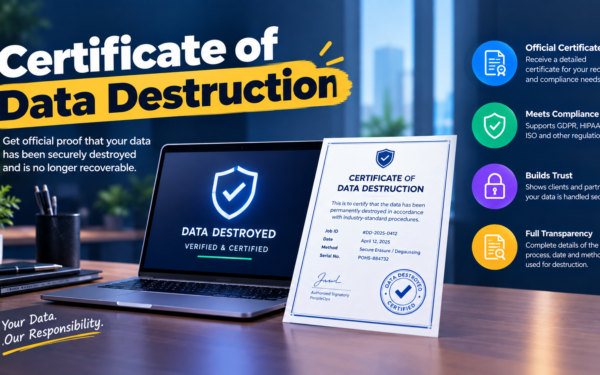
- Done right, every retired drive has a certificate that names the method used and the serial number it was used on.
The security team wants every drive shredded. Finance wants the 120 MacBooks from last year’s refresh resold, because at a few hundred dollars each that’s north of $25,000. Both of them email you on the same Tuesday, and both quote “policy.” Then someone points out that the storage on an Apple silicon MacBook is soldered to the logic board, so “shred the drive” really means “shred the whole laptop.”
This fight happens everywhere. Shred-everything rules often date from when laptops had spinning drives you could unscrew in two minutes. Wipe-everything habits come from trusting a progress bar. And plenty of companies have no written rule, so the answer depends on who’s holding the box that week.
The real issue isn’t shredding versus wiping. It’s matching the method to the device, then being able to prove you did it. This is what a hard drive destruction policy is supposed to settle.
When You Don’t Actually Need Hard Drive Destruction
When wiping is genuinely fine. Working laptops with full-disk encryption (FileVault on Macs, BitLocker on Windows) that you plan to redeploy or resell. A cryptographic erase or the manufacturer’s secure erase meets NIST’s Purge level. Shredding a healthy three-year-old laptop puts money into a shredder for no security gain.
When friction shows up. Your fleet gets mixed: older machines with spinning drives, a few without encryption, some that won’t boot. “Just wipe it” now fails for a slice of devices, and nobody owns that slice. So it sits in a closet.
When it becomes a liability. Drives that fail verification, dead devices that won’t power on, or data covered by customer contracts that explicitly require physical destruction. Some healthcare, finance and government contracts do. Here a wipe isn’t enough, and you need a destruction certificate.
The edge case: a dead laptop in an ex-employee’s home abroad. You can’t wipe it remotely or verify it, and shipping it across a border to a shredder takes weeks. Decide how you’ll handle this before it happens.
What IT Leads Actually Need from a Destruction Method
“Does this method actually work on this drive?”
Not always. Degaussing and many older overwrite tools assume magnetic platters.
Most business laptops now ship with SSDs, so a method built for spinning disks can quietly miss your whole fleet.
“Can I prove it happened?”
Only with a certificate listing each serial number, the method, the date and who did the work.
Auditors sample single devices. “We shredded a pallet in March” doesn’t answer their question.
“What does it cost per device?”
Published price guides put shredding at roughly $5 to $20 per drive, with on-site visits adding a trip fee of around $100 to $150.
But the bigger cost of shredding a working laptop is the resale value you destroy, not the $15 fee.
“Do I need to watch it happen?”
Only if your policy or a client contract says so.
Witnessed on-site shredding costs more, so don’t pay for it unless someone requires it.
“What about storage I can’t remove?”
Soldered storage means you either destroy the whole device or rely on cryptographic erase.
It changes the math on shredding completely, and it’s now the norm for thin laptops.
The Three Types of Hard Drive Destruction and Erasure
1. Software erasure (including cryptographic erase)
What it is: Built-in tools (Erase All Content and Settings on Macs, Windows reset with drive cleaning, drive sanitize commands) or certified software like Blancco that reports per device.
When it’s right: Working, encrypted devices you want to reuse, donate or resell.
When it fails: Dead devices, drives that throw errors halfway through, and anything you can’t verify afterwards. A wipe with no report is a rumor.
2. Destruction services (off-site or mobile)
What it is: Certified shredding companies, ideally NAID AAA, that either collect drives and shred them at their plant or bring a shredder truck to your building.
When it’s right: Failed drives, drives pulled from old desktops and servers, and anything a contract says must be destroyed.
When it fails: Laptops with soldered storage get destroyed whole, resale value included. And it assumes the drives are already in one place, which a remote team can’t promise.
3. In-house destruction equipment
What it is: Crushers, degaussers and disintegrators you buy and run yourself, from makers like SEM.
When it’s right: High-volume or classified environments where drives can’t leave the building.
When it fails: It’s a capital purchase that makes little sense for a 200-person company retiring 40 laptops a year. The details bite, too: degaussers do nothing to SSDs, and NSA/CSS rules for classified SSDs require 2mm particles, which ordinary hard drive shredders don’t reach.
How to Choose: Five Questions Before You Book a Shredder
What drive types are actually in your fleet? Pull a report from your MDM first. If 95% of devices are encrypted SSD laptops, your default should be cryptographic erase, with destruction reserved for dead or suspect hardware.
What does your written policy say, and when was it written? If it reads “all drives must be physically destroyed” and dates from 2016, it’s probably costing you resale value for no security gain. I’d rewrite it around NIST’s Clear, Purge and Destroy levels so the method follows the device, not habit.
Do any customer contracts require destruction? Check your ten biggest contracts. Some enterprise and healthcare customers require physical destruction for any device that held their data, and that overrides your preference.
Where are devices when they die? If dead laptops are sitting in homes, you need a return path before you need a shredder. Build that first.
What would you do with the hardware otherwise? If you’d redeploy or resell it, shredding costs you twice: once for the service, once for the device you just turned into confetti.
Five Hard Drive Destruction Options Worth Knowing
Blancco
Best for: Companies that want certified, auditable erasure while keeping their devices.
Why companies choose it: Tamper-proof erasure reports per device, support for laptops, phones and servers, and auditors recognize the name.
Where it struggles: It’s a license and a process someone has to run, which is a lot for a handful of laptops a year. And it can’t help a drive that won’t power on.
Shred-it
Best for: Offices that already use it for paper shredding and want drives handled on the same contract.
Why companies choose it: One phone call adds hard drives to a service you already trust, with on-site and off-site options.
Where it struggles: Its focus is destruction. There’s no resale credit, and it won’t collect laptops from employees’ homes.
Securis
Best for: US companies that want witnessed on-site shredding alongside wider ITAD services.
Why companies choose it: Mobile shredding trucks, off-site processing and ITAD under one roof, so dead drives and resellable laptops can go to the same vendor.
Where it struggles: It’s US-focused, and like any on-site shredder it can’t solve the problem of laptops scattered across employees’ homes.
SEM (Security Engineered Machinery)
Best for: Organizations that must destroy drives in-house, including classified environments.
Why companies choose it: NSA/CSS listed crushers, degaussers and SSD disintegrators, so drives never leave the building.
Where it struggles: It’s a capital purchase, overkill for most commercial companies, and you still have to document every destruction yourself.
Local NAID AAA certified shredders
Best for: Small and mid-size companies working from one office.
Why companies choose them: Usually cheaper, quick to schedule and flexible on small batches. You can confirm certification through i-SIGMA, which runs the NAID AAA program.
Where they struggle: Quality and certificate formats vary a lot from one shop to the next, and none of them cover remote employees.
For a wider comparison that includes resale and recycling, see our IT asset disposition vendor comparison.
The Decision Table: Which Method Fits Which Device
| Situation | Scale / Size | Setup | Primary Pain | Recommended Starting Point |
|---|---|---|---|---|
| Working, encrypted laptops for reuse or resale | Any | Office or home | Keeping resale value | Built-in cryptographic erase or Blancco |
| Dead or unverifiable laptops | A few per quarter | Office | Can’t wipe it, can’t prove it | Local NAID AAA shredder or Shred-it |
| Old desktops and servers with spinning drives | 50 - 500 drives | Storage closet | A growing pile of pulled drives | Off-site shredding (Securis or a local NAID AAA shredder) |
| Client contract requires witnessed destruction | Any | Office | Proof someone watched | Mobile on-site shredding (Securis or Shred-it) |
| Classified data that can’t leave the building | High volume | Secure facility | Drives can’t travel | In-house equipment from SEM |
| Remote team, dead devices in homes | 50 - 500 people | Home-based | Getting the device back first | A retrieval service, then a certified shredder |
Most teams land in two or three of these rows at once, usually erase-by-default for working laptops plus a certified shredder for the dead ones. Start with your biggest failure and layer from there.
The Cost of Choosing the Wrong Method
Shred-everything looks safe, and it’s expensive in a way no invoice shows. Every healthy laptop you destroy is resale value gone. Multiply that by a full refresh cycle and finance would argue about it, if anyone showed them.
Wipe-everything without verification is the opposite failure. It feels efficient until an auditor asks for proof on one serial number and all you have is a checklist ticked by someone who left in June. You can’t re-verify a laptop you already sold.
So before picking a vendor, ask a sharper question. Is your problem dead drives, unverified wipes, or a policy nobody has updated since spinning disks? Each one has a different fix.
When You’re Ready to Move Beyond Ad-Hoc Shredding
You’ve outgrown the “box in the closet, shredder twice a year” approach when you retire more than 25 devices a year, your fleet mixes SSDs and older hard drives, or a SOC 2 or ISO 27001 audit is coming and your destruction records live in someone’s inbox.
At that point you want one written rule (erase what works, destroy what doesn’t) and a provider who handles both with the same certificate format.
If that’s where you are, it’s worth looking at dedicated tools in this space. Start with our guide to IT asset disposition and the ITAD vendor comparison.
Frequently Asked Questions
What is hard drive destruction?
Hard drive destruction is physically damaging a storage device, usually by shredding, crushing or disintegrating it, so its data can’t be recovered. It’s the Destroy level in NIST’s media sanitization guidance. A proper service gives you a certificate listing each destroyed drive by serial number.
What’s the difference between hard drive destruction and data wiping?
Wiping removes the data and leaves the device usable, while destruction makes both the data and the device unusable. Wiping is the better default for working, encrypted laptops. Destruction is for dead drives, drives that fail verification, or cases where a contract requires it.
Can you shred an SSD the same way as a hard drive?
Not reliably. Flash chips are small, and a standard hard drive shredder can leave chips intact inside the fragments. For classified data, NSA/CSS rules require SSDs to be disintegrated to 2mm particles, so ask any vendor what particle size they use for flash storage.
Should I remove the drive from a laptop before shredding it?
If it’s removable, yes: shred the drive and recycle the rest. If storage is soldered to the board, as on every Apple silicon MacBook, the whole device goes in, so a verified cryptographic erase is usually smarter for working machines.
How much does hard drive destruction cost?
Most published price guides land between $5 and $20 per drive, dropping with volume. On-site shredding adds a visit fee, often around $100 to $150. Remember to count the resale value you give up on working hardware, too.
Is drilling a hole through a hard drive good enough?
No. On a spinning drive, undamaged areas of the platter may still hold readable data, and on an SSD a drill can miss the memory chips entirely. It also leaves you with no certificate, which is what an auditor actually asks for.
Wipe what you can verify, shred what you can’t, and keep proof of both.