TL;DR
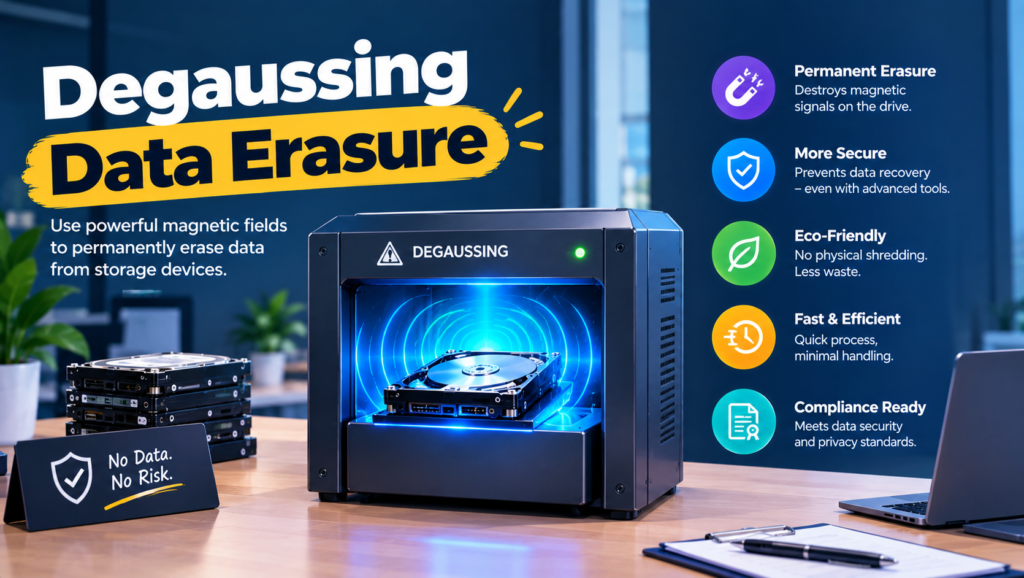
- Degaussing erases magnetic storage by hitting it with a magnetic field strong enough to scramble the stored data. It usually kills the drive in the process.
- If your fleet is modern laptops with SSDs, you don’t need a degausser. It does nothing to flash storage.
- It has one job left: erasing spinning hard drives and magnetic tape you never plan to reuse.
- Your options: own a degausser, pay a service that degausses and shreds, or skip it for SSD-native methods like cryptographic erase.
- Check the media first. If it isn’t magnetic, degaussing is theater.
- Done right, every drive gets a method that actually works on it, plus a record saying so.
The degausser in your server room hums for about ten seconds per drive. Your team has run 140 laptop drives through it since the last refresh, logged each one as “sanitized,” and shipped the lot to a recycler. Then someone checks the asset list and finds that 131 of those drives were SSDs. The degausser did nothing to them. The data is exactly where it was.
This isn’t a far-fetched mistake. NIST’s 2025 update to its media sanitization guidance uses almost this exact example: a degaussing run on an SSD can finish without a single error and sanitize nothing. Plenty of companies bought degaussers when every laptop had a spinning drive, and the process outlived the hardware it was built for. It’s an easy miss, too, because the machine hums the same way either time.
The real issue isn’t whether degaussing works. It does, on the right media. The issue is whether anything you still own is the right media. That’s the question a degaussing decision is supposed to answer.
When You Don’t Actually Need Degaussing
When your fleet is modern laptops. Anything bought in the last five or six years almost certainly has an SSD. A built-in cryptographic erase is the right tool, and a degausser is an expensive paperweight.
When friction shows up. You find a closet with old desktops, a retired NAS full of spinning drives and a box of backup tapes. Now there’s a real magnetic pile, and someone suggests buying a degausser. At this volume, a certified shredding service is usually cheaper.
When it becomes a liability. You’ve been degaussing everything, SSDs included, and logging it as sanitized. That’s a false record. If an auditor or incident investigator pulls one of those serial numbers, your log says one thing and the drive says another.
The edge case: high-density data center drives. NIST notes that many existing degaussers don’t have enough force for newer high-coercivity drives. The newest heat-assisted (HAMR) drives go further: engineering research on them concludes conventional degaussers can’t erase them at all. For those, physical destruction is the only real answer.
What IT Teams Actually Need to Know About Degaussing
“Does degaussing work on SSDs?”
No. SSDs store data as electrical charge in flash cells, not as magnetism.
Most laptops sold today use SSDs, so a degausser-only process misses them entirely.
“Can I reuse a drive after degaussing it?”
Almost never. A strong degausser also wipes the factory servo tracks a hard drive needs to find its own data.
If you care about resale value, degaussing is the wrong tool even for spinning drives.
“How do I know it actually worked?”
Match the degausser’s rated strength to the drive’s coercivity, keep the machine calibrated and log every drive.
You can’t easily check afterwards, because the drive won’t spin up. You’re trusting the machine’s rating, so the rating has to be right.
“Does degaussing count as destruction?”
Not under NIST SP 800-88 Rev. 2, even when the drive is dead afterwards.
If your policy or a customer contract says “destroy,” degaussing alone may not satisfy it. Pair it with shredding.
“Is it worth buying a degausser?”
Only if you handle a steady volume of magnetic media that can’t leave your building.
NSA-listed units run into thousands of dollars, and your pile of spinning drives shrinks every year.
The Three Ways to Handle Magnetic Media
1. Owning a degausser
What it is: Electromagnetic or permanent-magnet units from makers like Garner Products, Proton Data Security and SEM, several of them on the NSA/CSS Evaluated Products List.
When it’s right: Government sites, defense contractors or data centers with a steady flow of magnetic media that can’t leave the premises.
When it fails: It’s useless on SSDs, USB sticks and phones, and weak against the newest high-coercivity drives. Someone also has to maintain it and verify its field strength over time.
2. Degauss-and-shred services
What it is: NAID AAA certified vendors that degauss hard drives and then shred them, either on-site or at their plant.
When it’s right: A one-time pile of old spinning drives or tapes, or regulated data where you want two methods instead of one.
When it fails: You pay to destroy hardware that might have had resale value. And it assumes the drives are already in one place.
3. SSD-native methods
What it is: Cryptographic erase, drive sanitize commands and certified erasure software for flash storage, with disintegration into small particles when a device must be destroyed.
When it’s right: Any modern laptop fleet.
When it fails: Erasure needs a working device. Destroying an SSD needs a shredder built for flash, since standard hard drive shredders can leave memory chips intact.
How to Choose: Five Questions Before You Plug In a Degausser
What media do you actually have? Pull an inventory by type: SSD laptops, spinning drives in desktops and servers, tapes, hybrid drives. If magnetic media is under 10% of what you retire, don’t buy a degausser. Rent one through a service when the pile gets big enough.
Do you want the hardware back? Degaussing kills hard drives. If a device could be resold or redeployed, erase it instead.
Do you know the coercivity of your drives? NIST is blunt about this: degaussing only purges data when the degausser’s strength is matched to the media. If you can’t find the rating, or the drives are recent high-capacity enterprise models, shred them.
What do your policy and contracts call it? If they require destruction, degaussing on its own doesn’t meet NIST’s current definition. So either change the policy wording or add a shredding step.
Who signs the record? NIST’s Rev. 2 lists what a sanitization record should capture: the method, the tool and its version, how it was verified, and who verified it, when and where. If your degausser log is a clipboard with dates on it, fix that first.
Five Degaussing and Alternative Options Worth Knowing
Garner Products
Best for: Organizations that want to own an NSA-listed degausser.
Why companies choose it: Its TS-1XT series appears on the NSA/CSS degausser list, and it sells a field verification device so you can confirm the machine still hits its rated strength.
Where it struggles: It’s magnetic-only, like every degausser. For an SSD-heavy fleet, it solves a shrinking slice of the problem.
Proton Data Security
Best for: High-security sites that need a listed degausser for hard drives and tape.
Why companies choose it: Its T-4 and T-5 models appear on the NSA/CSS list, which settles most procurement questions in government and defense work.
Where it struggles: A capital purchase built for high-security volume, and no help at all with flash storage.
SEM (Security Engineered Machinery)
Best for: Sites that want degaussing and physical destruction from one vendor.
Why companies choose it: It makes degaussers alongside crushers and SSD disintegrators, so you can follow a degauss with a destroy step using matching equipment.
Where it struggles: Buying the full set is serious money, and most commercial companies don’t retire enough magnetic media to justify it.
Blancco
Best for: Laptop fleets where the drives are SSDs and you’d like to keep the hardware.
Why companies choose it: Certified erasure with a report per device, which gives auditors the paper trail a degausser log can’t.
Where it struggles: It needs a working device, and it’s a license plus a process someone has to own.
Local NAID AAA degauss-and-shred services
Best for: One-off cleanups of old spinning drives and tapes.
Why companies choose them: No equipment to buy, and many offer on-site service so drives never leave your sight.
Where they struggle: Quality and certificate formats vary a lot. Ask exactly which step each drive gets and whether SSDs are shredded to a flash-safe particle size.
The Decision Table: When Degaussing Makes Sense
| Situation | Scale / Size | Setup | Primary Pain | Recommended Starting Point |
|---|---|---|---|---|
| Modern laptop fleet with SSDs | Any | Office or home | Retiring laptops safely | Built-in cryptographic erase or Blancco. No degausser. |
| One-off pile of old spinning drives | 20 - 200 drives | Storage closet | Clearing out old hardware | NAID AAA degauss-and-shred service |
| Retiring backup tapes | Any | Office or off-site storage | Tapes nobody can read anymore | Degauss-and-shred service |
| Defense or government contractor | Steady volume | Secure facility | Media can’t leave the site | NSA-listed degausser (Garner, Proton or SEM) plus physical destruction |
| Data center refresh with high-capacity drives | Hundreds or more | Racks | Degaussers may not be strong enough | Shredding. Skip degaussing. |
| Dead laptops, drive type unknown | A handful | Office | Can’t tell what’s inside | Check the model’s specs, then shred |
Most teams land in two or three of these rows. For a typical remote-first company, the first row covers almost everything, and a service handles the occasional closet cleanout. Start with your biggest failure and layer from there.
The Cost of Getting Degaussing Wrong
The expensive mistake isn’t buying the wrong degausser. It’s trusting one on media it can’t touch. A log full of “sanitized” entries for SSDs is worse than no log, because it tells everyone downstream (your recycler, your auditor, you in six months) that the risk is gone when it isn’t.
The quieter cost runs the other way. Degaussing spinning drives that could have been wiped and resold turns working hardware into scrap. And a degausser bought in 2015 and never re-verified may not hit its rated strength today, so the drives it “purged” last quarter might not be purged at all.
So ask yourself one thing before the next batch goes in. Is your problem magnetic media you can’t let leave the building, or a laptop fleet that’s been SSD-based for years? The first needs a degausser. The second needs you to stop using one.
When You’re Ready to Move Beyond Degauss-Everything
You’ve outgrown a degausser-first process when most of what you retire is SSD-based, when an audit asks for per-device evidence your degausser log can’t give, or when you realize nobody has checked the machine’s field strength in years.
At that point the better setup is simple: cryptographic erase for working devices, certified destruction for dead ones, and degaussing kept only for the magnetic media that genuinely needs it.
If that’s where you are, it’s worth looking at dedicated tools in this space. Our guides to hard drive destruction and IT asset disposition cover the rest of the retirement process.
Frequently Asked Questions
What is degaussing?
Degaussing is reducing or removing a magnetic field. For data storage, it means exposing a hard drive or tape to a strong magnetic field so the recorded data is scrambled beyond recovery. The term also covers unrelated uses, like removing color distortion from old CRT monitors or reducing a ship’s magnetic signature.
What does degaussing do to a hard drive?
It scrambles the magnetic patterns that store your data, and on modern drives it also erases the factory servo tracks. The drive can’t find its own data afterwards, so it’s effectively dead. That’s why degaussing and resale don’t mix.
Is degaussing better than shredding?
Neither is better across the board. Degaussing is fast for spinning drives and tape but does nothing to SSDs. Shredding works on everything if the particle size is right, which is why many services do both for magnetic drives, and why NIST no longer treats degaussing alone as destruction.
Does degaussing work on SSDs or USB drives?
No. SSDs, USB sticks, SD cards and phones store data in flash memory, which isn’t magnetic. NIST’s 2025 guidance says outright that a degaussing run on an SSD can complete successfully while sanitizing no data at all.
Can data be recovered from a degaussed hard drive?
Not in practice, if the degausser is strong enough for that drive. The risk is a mismatch: an older or weaker degausser against a newer high-coercivity drive can leave data readable. The newest heat-assisted (HAMR) drives are generally considered impossible to degauss with conventional equipment.
Is degaussing NIST compliant?
Degaussing can count as a Purge technique for magnetic media under NIST SP 800-88 Rev. 2, provided the degausser is matched to the media’s coercivity. It doesn’t count as Destroy, even if the drive stops working. It should never be used on non-magnetic media.
What does “degauss” mean on a computer monitor?
On old CRT monitors, the degauss button cleared stray magnetism that caused color blotches on screen. It has nothing to do with erasing data, and modern flat-panel monitors don’t need it.
Check the media first, then use the method that actually works on it.