TL;DR
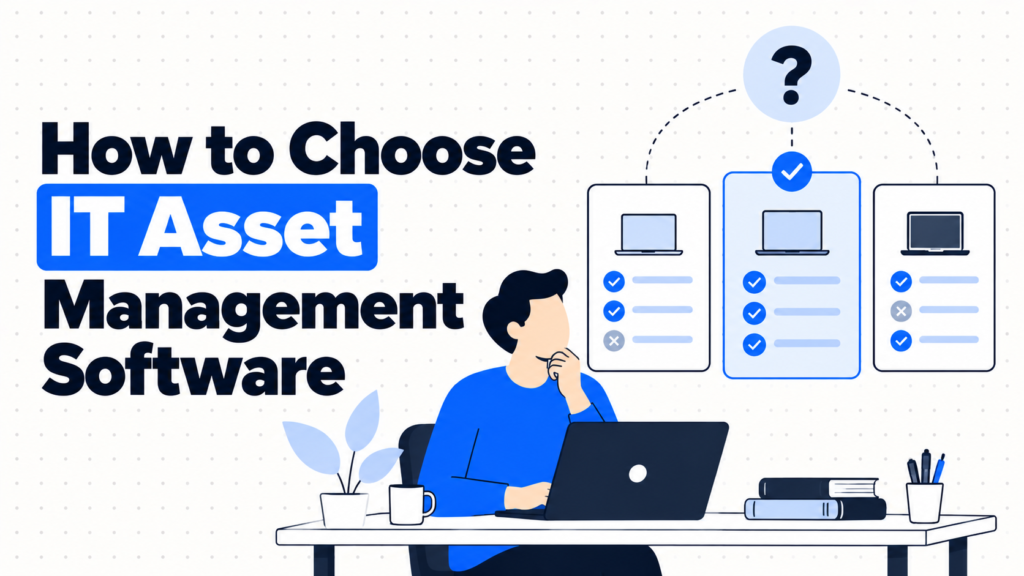
- Choosing IT asset management software means matching a tool to where your device data already lives, how devices move in your company, and what evidence you need to produce.
- If a spreadsheet still works and nobody is asking for audit evidence, wait. The best time to buy is when the sheet starts failing, not before.
- Good tools do four jobs: pull data in automatically, track assignments and history, produce audit-ready exports and close records at retirement.
- Options split into free and open-source tools, dedicated ITAM platforms, and asset features inside RMM or help desk software.
- Ask every vendor the same twelve questions in writing. The answers matter more than the demo.
- Done right, the tool keeps itself mostly up to date and you spend minutes a month checking it.
You’ve booked four demos in one week. Every vendor shows a clean dashboard, a pie chart of device types and an impressive discovery scan. Every rep says the tool integrates with “all the major platforms.” Six weeks after signing, you learn the Intune integration is one-way, monitors can’t be imported in bulk, and exporting your data requires a support ticket.
This happens because demos show the best path through a product, and buyers rarely ask about the awkward parts. Integration depth, pricing that grows with device count, how retired devices are handled, and how to leave if it doesn’t work out are almost never on the slides.
The real issue isn’t finding an ITAM tool. It’s asking the questions that reveal how it behaves with your data, your devices and your audits. That’s what this guide is for.
When You Shouldn’t Buy ITAM Software Yet
When the sheet still works. Under about 100 devices, one owner, few changes per month. A clean spreadsheet is cheaper and simpler.
When friction shows up. Several people edit the inventory, devices ship to homes and updates lag reality. Now it’s worth comparing tools.
When it becomes a liability. Auditors, insurers or customers ask for device lists with owners and histories. A tool pays for itself in hours saved.
The edge case: you’re about to change MDM or HR systems. Buying an ITAM tool right before switching core systems means building integrations twice. Settle those first.
What Teams Actually Need from ITAM Software
“Will it stay accurate without constant typing?”
It needs real integrations with your MDM and HR system, not just CSV import.
Automatic updates are the whole point of moving off a sheet.
“Can it track things that don’t check in?”
Monitors, docks, spares and devices in transit need records too.
Agent-based tools alone leave these blind spots.
“Will it handle remote devices?”
Statuses for in transit and in repair, plus shipment details.
Remote fleets lose devices between people, not on desks.
“Can I hand an auditor what they ask for?”
Exports with owners, encryption status, assignment history and disposal proof.
If producing evidence takes a day, the tool isn’t doing its job.
“What happens if we leave?”
Full data export without a support ticket, and a contract you can exit.
Your asset history is yours. Make sure you can take it with you.
The Three Types of ITAM Software
1. Free and open-source tools
What it is: Snipe-IT is the best known, free when self-hosted with hosted plans from $39.99 a month.
When it’s right: Small IT teams that want real asset tracking without license fees.
When it fails: No built-in discovery, and self-hosting needs a technical owner.
2. Dedicated ITAM platforms
What it is: Commercial tools like Asset Panda, Lansweeper or ManageEngine AssetExplorer, built around inventory, discovery or lifecycle.
When it’s right: Teams of 100 to 1,000 people with devices across locations and regular audits.
When it fails: If integrations are shallow, you’re back to manual updates in a more expensive place.
3. Asset features in RMM or help desk tools
What it is: Inventory inside platforms like Atera, NinjaOne or Freshservice.
When it’s right: You already use the platform and mostly need to know what’s managed and connected.
When it fails: Unmanaged items stay invisible, and lifecycle details like cost and warranty are often thinner.
How to Choose: The 12 Questions to Ask Every ITAM Vendor
Send these in writing to every vendor on your shortlist, then compare answers side by side.
Data and discovery
1. Which systems do you integrate with, and in which direction? Ask specifically about your MDM (Jamf, Intune, Iru), your HR system and your procurement or finance tool. One-way imports and two-way syncs are very different things.
2. How do you discover devices? Agent, agentless network scanning, cloud connectors or MDM sync. Remote laptops that rarely touch the office network need an agent or MDM sync to be seen.
3. How do we track items that never check in? Monitors, docks, spares and devices in transit. Ask to see bulk import and manual entry for these.
Workflows
4. How are assignments handled? Can a new hire in your HR system create a device request automatically? Can a leaver trigger a return task?
5. How do you handle remote shipments? Look for in-transit statuses, tracking numbers and alerts for devices that sit in transit too long.
6. How does retirement work? You should be able to record the disposal method and attach a certificate to each retired asset. See our guide to the certificate of data destruction for what it should contain.
Reporting and compliance
7. Do you keep a full history per device? Who had it, when, what was repaired and when its status changed. Auditors and offboarding disputes both need this.
8. Can I export audit evidence myself? Device lists with owners, encryption status and return proof, in CSV or via API, without contacting support.
9. How flexible are fields and reports? Custom fields for things like lease end dates, plus saved reports for finance and security.
Commercial
10. How is pricing calculated? Per asset, per device, per technician or per help desk agent. Model the cost at today’s size and at twice your size.
11. How long does implementation take, and who does it? Ask for a realistic timeline for a company your size, and what’s included versus paid services.
12. How do we leave? Full export of assets, history and attachments, contract term and notice period. Avoid tools that make leaving hard.
Six ITAM Tools Worth Knowing
Compare these in more depth on our IT asset management tools page.
Snipe-IT
Best for: Teams that want a dedicated tool without license costs.
Why companies choose it: Open source with no asset limits when self-hosted, plus an API and CSV import. Hosted plans start at $39.99 a month.
Where it struggles: No built-in discovery, and integrations with MDM tools often rely on community projects.
Lansweeper
Best for: Discovering everything on your network and in the cloud.
Why companies choose it: Agentless scanning, an agent for remote laptops and connectors for AWS, Azure and Google Cloud.
Where it struggles: Assignment and lifecycle workflows are lighter than its discovery features.
Asset Panda
Best for: Flexible tracking of IT and non-IT assets with mobile scanning.
Why companies choose it: Highly customizable fields and phone-based barcode scanning.
Where it struggles: Configuration takes time, and pricing scales with asset count.
Freshservice
Best for: Teams that want ITAM tied to their help desk.
Why companies choose it: Assets link to tickets and users, giving a full service history per device.
Where it struggles: Pricing follows help desk agents, so it’s more tool than you need if you don’t want ticketing.
Atera
Best for: Small IT teams wanting monitoring, help desk and inventory together.
Why companies choose it: Per-technician pricing with unlimited endpoints keeps costs flat as devices grow.
Where it struggles: Lifecycle tracking, like warranty and assignment history, is less central than in dedicated ITAM tools.
NinjaOne
Best for: Endpoint management with accurate inventory for managed devices.
Why companies choose it: A per-device agent keeps hardware, software and patch data current.
Where it struggles: Anything without its agent, like monitors and spares, needs tracking elsewhere.
The Decision Table: Which Tool Type Fits
| Situation | Scale / Size | Setup | Primary Pain | Recommended Starting Point |
|---|---|---|---|---|
| First tool, tight budget | 50 - 200 devices | Hybrid | Sheet keeps drifting | Snipe-IT |
| Unknown devices everywhere | 200 - 1,000 devices | Office network plus cloud | Shadow IT | Lansweeper |
| IT and non-IT assets | 100 - 500 assets | Offices and warehouses | Many asset types | Asset Panda |
| Help desk is the center of IT | 100 - 1,000 people | Mixed | Assets disconnected from tickets | Freshservice |
| Small team managing endpoints | 20 - 300 devices | Remote-first | Patching and inventory split | Atera or NinjaOne |
Most teams land in two or three of these rows at once. Start with your biggest failure and layer from there.
The Cost of Choosing the Wrong ITAM Tool
The first cost is time. A tool with shallow integrations turns into a second spreadsheet that someone updates by hand, while the original sheet lives on “just in case.” Now you have two records to keep in sync.
The second cost is lock-in. Contracts with minimum terms and data that’s hard to export make switching painful, so teams stay with a tool that doesn’t fit for years. And pricing that grows per asset or per agent can double your bill as the company grows.
So before signing, ask one question. Is your biggest gap data accuracy, remote device movement or audit evidence? Weight the twelve answers toward that gap.
When You’re Ready to Buy
You’re ready when the spreadsheet regularly drifts from reality, when several people edit it, or when audits and customers ask for device histories you can’t produce quickly.
At that point, shortlist three tools, send the twelve questions, trial the top choice with your real MDM and HR data, and run it in parallel with your sheet for a month before switching.
If that’s where you are, it’s worth looking at dedicated tools in this space. Our ITAM tools comparison and guide to IT inventory software vs spreadsheets help you narrow the list.
Frequently Asked Questions
How do I choose IT asset management software?
Start with where your device data already lives and what evidence you need to produce. Then ask every shortlisted vendor the same written questions about integrations, discovery, workflows, exports and pricing, and trial the best fit with your real data.
What features should ITAM software have?
Integrations with your MDM and HR system, device discovery, assignment and check-in workflows, full history per device, audit exports, retirement tracking with certificates and easy data export.
What’s the cheapest IT asset management software?
Snipe-IT is free when self-hosted, with hosted plans from $39.99 a month. Remember to count the time to run and maintain it, not just the license.
How is ITAM software usually priced?
Common models are per asset, per managed device, per technician or per help desk agent. Model your costs at your current size and at double, since some models grow much faster than others.
Do we need ITAM software if we have an MDM?
Often yes. An MDM tracks enrolled laptops and phones well, but misses monitors, docks, spares and devices that aren’t powered on. Many teams use the MDM to feed a dedicated ITAM tool.
How long does it take to implement ITAM software?
For a 100 to 500 device fleet, two to six weeks is typical: clean the data, import, connect integrations and run in parallel before switching fully.
Ask twelve questions, trial with real data, then sign.