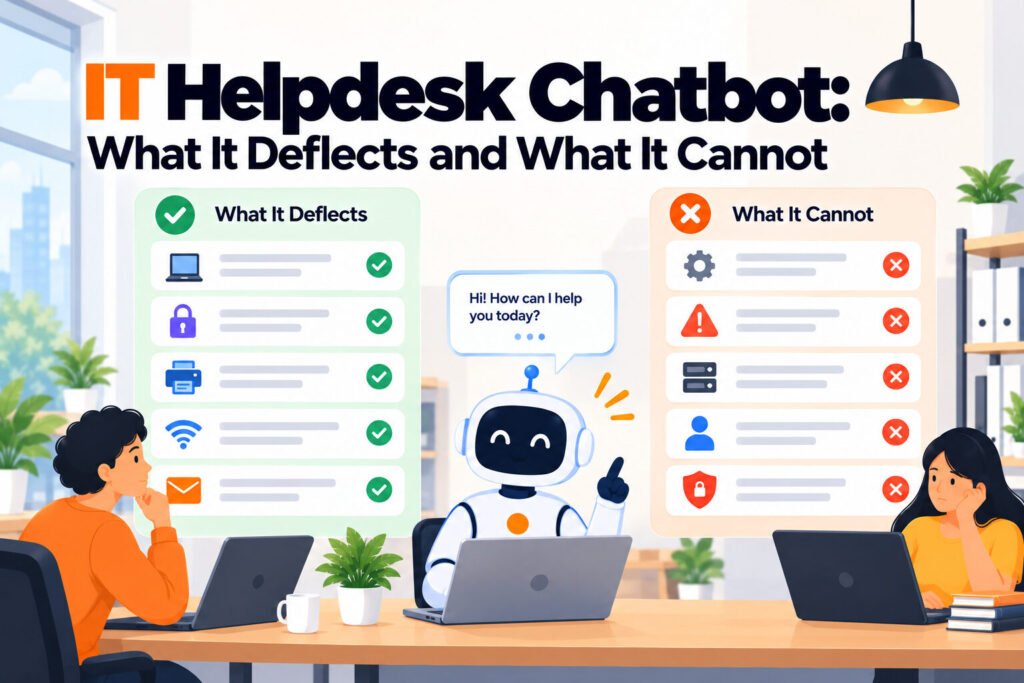
An IT helpdesk chatbot answers staff IT questions automatically by reading your own runbooks and help pages. It removes the repeat questions about VPN access, printer setup and software requests, and hands anything else to a person. It does not replace a service desk, and it cannot close a ticket.
TL;DR
- A helpdesk chatbot answers from your documentation; it does not track cases, so it sits in front of a service desk rather than replacing one.
- The questions worth deflecting are the ones already answered in writing, and most teams have never counted how many of those they get.
- Deployment takes hours. Getting your runbooks current takes weeks, and that is the real project.
- Published pricing ranges from nothing to $55 per agent per month, and the billing model matters more than the feature list.
- Flat pricing suits distributed teams because the bill does not move when you hire; per agent pricing punishes exactly that.
- The test that decides it: ask what broke last month, a bad answer or a lost request.
What an IT helpdesk chatbot actually does
It reads the documentation you already have and answers questions from it. Point it at your IT runbooks, onboarding guides and internal wiki, and when somebody asks how to get on the VPN it replies with your instructions rather than a generic answer from the internet.
The distinction that matters is answering versus acting. An answering bot explains how to request a replacement laptop. An acting bot raises the request on the employee’s behalf, which needs integration with your service desk and turns an afternoon into a project. Most distributed teams need the first and are sold the second.
For a company whose staff are spread across time zones, the appeal is availability rather than cost. A question asked at 11pm in Manila gets an answer immediately instead of waiting for someone in London to wake up. That is the benefit distributed teams actually feel, and it rarely appears in a vendor’s feature list.
What it cannot do
It cannot close a ticket. If your problem is that requests get lost, nobody owns them and you cannot report on resolution time, that is case management and a chatbot will not touch it.
It cannot tell you where a laptop is. A chatbot knows what is in your documents. It has no idea which device is assigned to whom, whether the machine issued to somebody who left in March came back, or what hardware you own but never recorded. That is asset management, a separate category, and no amount of chatbot configuration addresses it.
It cannot be better than your runbooks. A bot pointed at instructions last reviewed two years ago will confidently repeat two year old instructions, and staff will follow them. The quality of the answers is the quality of the documents, which is the finding most teams meet in week one.
How to tell whether you need one
Count one month of IT requests and mark each as either already answered in writing or genuinely new. The ratio decides this, and it takes an afternoon.
What to do:
- Pull one month of requests from wherever they arrive, including Slack direct messages
- Mark each W if the answer existed in a document a colleague could have found, N if not
- Count repeats separately, because they tell you which five documents carry your volume
- Above sixty per cent W, a chatbot removes real work. Below thirty per cent, it will not
- Note how many arrived somewhere a tool would never see, which is your reporting blind spot
The common mistake is skipping this and buying on impression. A deflection tool bought against a volume of genuinely novel requests will answer almost nothing, and the conclusion drawn will be that the category does not work.
What the options cost
Every figure below was read from the vendor’s own pricing page on 5 October 2026. Where a vendor publishes no rate card, that is stated rather than estimated.
| Tool | Entry price | Billed per | Half of the market |
|---|---|---|---|
| Crisp | Free, then $45/mo | Workspace | Answering, AI metered |
| Matram | $29/mo | Flat, unlimited seats | Answering |
| SiteGPT | $468/yr | Chatbot, page limits | Answering |
| Freshservice | $19/agent/mo | Agent, AI costs $29 extra | Case management |
| Zendesk | $55/agent/mo | Agent, Copilot $50 extra | Case management |
| Moveworks | Not published | n/a | Both, enterprise |
Read the last column before the second. Comparing an answering tool’s price against a case management licence compares two different purchases, and it is the most common error here. The per agent options also behave differently as you grow: at three IT staff the gap is small, and at twelve it is the whole decision.
Two notes on the figures. Freshservice’s AI layer, Freddy AI Copilot, is a separate $29 per agent per month, so a team wanting deflection pays twice. And Zendesk shows pricing by region, so confirm the currency you will actually be billed in before budgeting.
A distributed team of 120, in practice
Consider a company of 120 across six countries with two people handling IT. Their request log for one month shows 94 items. Marked up, 61 are answerable from existing runbooks, 22 are genuinely new, and 11 are laptop requests or returns.
The 61 are the deflection opportunity. At roughly two thirds of volume, a tool reading their runbooks removes real work. The 22 still need a person, which is fine, because those were always going to. The 11 are the interesting ones: they are not questions at all, they are logistics, and no chatbot addresses them.
With two IT staff, per agent pricing is cheap: Freshservice at $19 each is $38 a month. But the AI add-on at $29 each takes it to $96, which is more than a flat plan covering unlimited seats. That inversion is the thing to model, and it is invisible if you compare entry prices alone.
Before you deploy
Checklist:
- Runbooks reviewed and current, because the bot will faithfully repeat whatever is in them
- One named owner for correcting a wrong answer, agreed before launch rather than after
- The escalation path tested by actually escalating, including whether context travels with it
- Sensitive requests routed to a person by design and confirmed by asking
- Deployed where staff already are, which for most distributed teams means Slack rather than a portal
- A baseline count taken, so the after number means something
The item teams skip is the first one, and it is the one that decides the outcome. Everything else on that list takes minutes. Getting the runbooks current takes weeks, and it is work you benefit from whether or not you buy anything.
Final thoughts
An IT helpdesk chatbot solves one problem well: questions whose answers already exist but nobody can find. For a distributed team that problem is worse than it is in an office, because there is no colleague to lean over and ask, and the answer arrives hours later across time zones.
It solves nothing else. Lost requests need case management. Missing laptops need an asset register. Ask what broke last month. If somebody could not find an instruction that existed, this category is right. If a request vanished or a device never came back, spend the budget elsewhere.
For a ranked side by side comparison of eight tools on published pricing, including where each one loses, see our IT support chatbots comparison.
What is an IT helpdesk chatbot?
It is software that answers staff IT questions automatically, normally in a chat window or inside a tool people already use such as Slack. Most are pointed at your existing runbooks and internal pages and answer from that content rather than from general knowledge. A smaller group also act inside a service desk, raising or resolving tickets rather than only explaining how to. The two are sold under the same name and represent very different deployments, so establish which you are buying before comparing prices.
Does it replace our service desk?
No, it sits in front of one. A chatbot answers questions and hands over what it cannot answer; it does not raise, assign, track or report on tickets. If your problem is that requests get lost and nobody can say how long anything takes, that is a service desk requirement and a chatbot will not address it. The arrangement that works for most teams is deflection in front and ticketing behind, so the ticket volume you pay to manage is the volume that genuinely needed a person.
How much does an IT helpdesk chatbot cost?
Published entry prices range from nothing to $55 per agent per month, verified on 5 October 2026. Crisp starts free and then $45 a month per workspace, Matram is $29 a month flat with unlimited seats, SiteGPT is $468 a year, Freshservice is $19 per agent per month with its Freddy AI add-on a further $29 per agent, and Zendesk is $55 per agent per month with Copilot a further $50. Moveworks publishes no rate card at all. The billing model matters more than the entry figure, because per agent pricing and flat pricing diverge sharply as a team grows.
Will it work with our existing runbooks?
That is exactly what most of these tools do, and it is also the main risk. They read the documentation you already have, so the quality of the answers is the quality of your documents. A bot pointed at instructions last reviewed two years ago will confidently repeat two year old instructions, and staff will follow them. Audit the runbooks before deployment rather than after the first complaint, and prioritise the five documents behind your most frequently asked questions.
What happens when it does not know the answer?
The behaviour you want is a clean handoff to a named person with the conversation attached, so the employee does not repeat themselves. The behaviour to avoid is a confident guess, which matters more for internal IT than for customer support because staff act on what they are told about access, security and equipment. Test this during a trial by deliberately asking something outside your documentation, and separately confirm that the person receiving the handoff was actually told to expect it.
Can it tell us which laptops are unaccounted for?
No, and this is the most common category error in distributed teams. A chatbot knows what is in your documents and nothing about your hardware. It cannot say which device is assigned to whom, whether the laptop issued to somebody who left in March came back, or what you own but never recorded. That is asset management, a different category entirely, and the fix is a register alongside the chatbot rather than a better chatbot.