TL;DR
Rmm vs mdm gets argued as though one were a better version of the other. They solve different problems, were built for different buyers, and price on different units. Which one you need depends almost entirely on what your devices are and who is looking after them.
- RMM assumes an admin. MDM assumes a policy.
- RMM reaches into a machine; MDM enforces state.
- Mobile is MDM territory, effectively always.
- They price on different units, which decides cost.
- Many teams genuinely need both, and overlap is fine.
- Neither reaches a device that stops checking in.
The actual difference
Both manage devices. They assume different things about who is doing the managing.
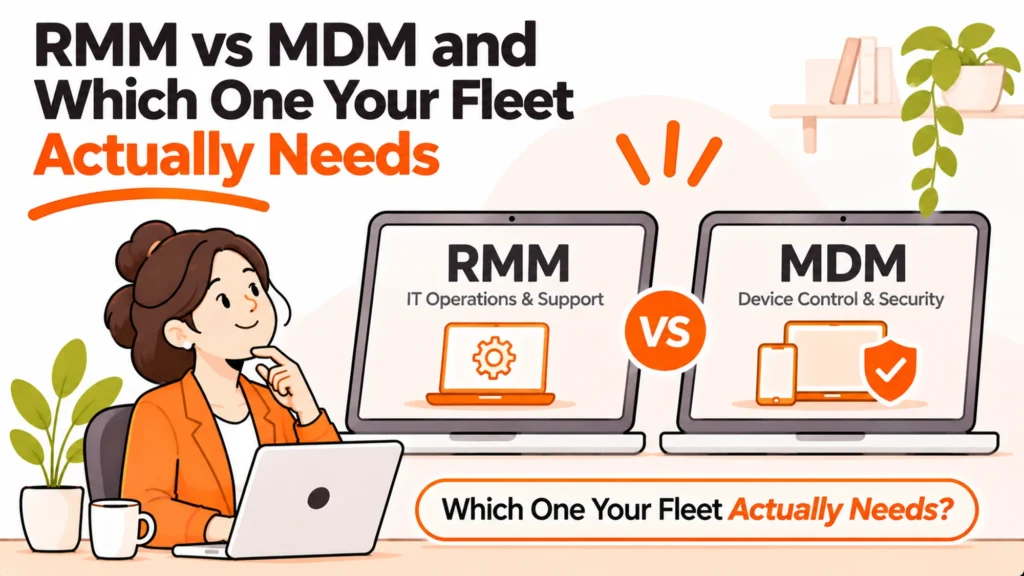
Remote monitoring and management was built for people who fix things. It assumes an administrator who wants to see what a machine is doing, run a script on it, take remote control, deploy software and get alerted when something breaks. It is hands-on tooling.
Mobile device management was built for enforcing a state. It assumes a policy that says what a device must look like: encrypted, passcoded, on a current operating system, with these applications and not those. It is declarative rather than interactive.
That is why an RMM feels powerful and an MDM feels restrictive. They are doing different jobs.
The sentence that settles most arguments
An RMM answers what is happening on this machine. An MDM answers whether this machine is allowed to be in this state. Neither answer substitutes for the other.
Your fleet decides more than your preference
Three situations, and most companies recognise themselves immediately.
Windows laptops and servers, with an IT person. RMM territory. The work is patching, scripting, remote support and alerting, and an MDM alone will leave that person without the tools they reach for daily.
Phones, tablets, and company-owned devices handed to non-technical staff. MDM territory, effectively always. Mobile operating systems are built around a management framework rather than around remote administration, so an RMM has limited purchase there.
Mac laptops in a company with no IT team. MDM, usually an Apple specialist, because enforcing a good default state matters more than being able to intervene.
| Your fleet | Reach for |
|---|---|
| Windows plus servers, IT staff on hand | RMM |
| Phones and tablets | MDM |
| Macs, no IT team | MDM |
| Mixed, 100+ devices | Usually both |
endpoint management software covers how the vendor options split along the same line.
Many teams need both, and that is normal
Worth saying because the comparison framing implies a choice that frequently is not one.
A company with Windows laptops, company phones and a couple of servers has two genuinely different problems. Trying to solve both with one tool usually means accepting a weak version of one of them.
The overlap between the two categories is real but shallow. Both can report an inventory. Both can push some software. Only an RMM gives you a shell and a script. Only an MDM reliably enforces a configuration a user cannot remove.
So the practical question is not which to buy but which is the primary tool and which covers the remainder. Decide that, then accept some duplicate reporting rather than paying for a tool that half fits everything.
What you should not do is buy both and run neither properly. Two half-configured consoles are worse than one well-run tool plus a documented gap.
They price on different units
And that, more than any feature, decides what you pay.
Verified across this category: MDM tools mostly price per device or per endpoint. One Apple specialist publishes per device with a thirty licence minimum. A cross-platform tool publishes four tiers per device. A large suite publishes per endpoint with annual figures at fifty.
RMM tools split. One publishes per technician with endpoints unlimited. Another publishes a per-device range where the unit price falls as the fleet grows. Several publish nothing at all.
Microsoft, meanwhile, prices its management per user with no device option anywhere, which is a third basis again.
So a two person team with four hundred endpoints pays dramatically differently under per-technician and per-device models, and a company whose people each carry two devices pays differently under per-device and per-user. Run your own counts through each basis before reading any comparison table. RMM software covers which vendors sit where.
Choosing without a demo
Five questions that settle it faster than a trial.
Who will use the console daily? If nobody, you want enforcement rather than tooling, which points at MDM.
What proportion of the fleet is mobile? Above a quarter, you need MDM regardless of what else you buy.
Do you have servers? They push you toward RMM, and they count as endpoints in most pricing.
How many admins versus devices? This decides which pricing basis favours you.
Is anything already included in a productivity suite you pay for? Frequently device management is, and the marginal cost of using it is zero.
MDM for remote teams covers the MDM half across a mixed estate, which is where most of the genuine difficulty sits.
What neither one does
Three gaps, and they are the same three whichever you buy.
Both assume a device that is powered on, connected and enrolled. Neither buys hardware, ships it to a joiner in another country or clears customs.
Neither recovers anything physical. Remote wipe in either category is an instruction that needs the device to check in, and a machine that never reconnects shows a command sent and nothing more. RemoAsset’s laptop lifecycle management covers that side.
Neither produces disposal evidence. NIST Special Publication 800-88 on media sanitization is the standard such evidence is judged against, and it concerns the completed operation rather than the request. the EPA on electronics and batteries management covers handling at end of life.
CISA’s known exploited vulnerabilities catalogue is worth pairing with whichever you choose, since both exist largely to deliver a patch cadence and the cadence is what actually reduces risk.
A sensible order for a small team
Four steps, and the first costs nothing.
Count what you have, by platform, and count how many devices have not reported in for thirty days. That second number decides whether your problem is tooling or custody.
Check what is already included in your existing agreements before buying anything.
Buy the primary tool for whatever the majority of your fleet is, and configure it properly before adding a second.
Document the gap you are leaving, explicitly, rather than assuming somebody will notice it.
the NIST Cybersecurity Framework is a reasonable frame for that last step, because it separates configuration, identity and physical custody, and writing down which of the three you have not covered is more useful than a feature comparison.
The overlap worth accepting
If you end up running both, two things will be duplicated and neither is worth engineering away.
Inventory, because each tool will report the devices it can see and the two lists will not match exactly. And basic software deployment, which both can do and only one should be allowed to.
Pick one as the source of truth for inventory and write that down. The reconciliation between them is a quarterly job rather than a daily one, and teams that try to make the two agree continuously spend more on that than the second licence cost.
The honest summary
Neither category is better. One assumes somebody is watching and the other assumes nobody is, and most companies are somewhere in between and end up with both. The mistake is not choosing wrongly; it is choosing one and then expecting it to do the other job, which is how a team ends up with a tool it quietly resents.
Whichever you choose, it reaches devices that connect. RemoAsset reaches the rest. See RemoAsset’s laptop lifecycle management or RemoAsset’s pricing.
Frequently asked questions
What is the real difference in rmm vs mdm?
They assume different things about who is managing. Remote monitoring and management was built for people who fix things, assuming an administrator who wants to see what a machine is doing, run scripts, take remote control and get alerted. Mobile device management was built for enforcing a state: encrypted, passcoded, on a current operating system, with these applications and not those. One is interactive, the other declarative.
Which one does my fleet need?
Three situations cover most companies. Windows laptops and servers with an IT person is RMM territory, since the work is patching, scripting, remote support and alerting. Phones and tablets handed to non-technical staff is MDM territory effectively always, because mobile operating systems are built around a management framework. Macs with no IT team usually want an MDM, often an Apple specialist.
Do some teams need both?
Many do, and the comparison framing implies a choice that frequently is not one. A company with Windows laptops, company phones and a couple of servers has two genuinely different problems. The overlap is real but shallow: both report inventory and push some software, but only an RMM gives you a shell and a script, and only an MDM enforces a configuration a user cannot remove.
How do the two price differently?
On different units, which decides cost more than features do. MDM tools mostly price per device or endpoint, with one Apple specialist publishing per device with a thirty licence minimum. RMM tools split, with one publishing per technician and endpoints unlimited and another a per-device range where the unit price falls as the fleet grows. Microsoft prices per user with no device option.
How do I choose without running a trial?
Five questions. Who will use the console daily, since if nobody will you want enforcement rather than tooling. What proportion of the fleet is mobile, since above a quarter you need MDM regardless. Do you have servers, which push you toward RMM. How many admins versus devices, which decides the pricing basis. And is anything already included in a suite you already pay for.
What does neither category do?
Three things, identical whichever you buy. Both assume a device that is powered on, connected and enrolled, so neither buys hardware, ships it to a joiner abroad or clears customs. Neither recovers anything physical, since remote wipe needs the device to check in and a machine that never reconnects shows a command sent and nothing more. And neither produces disposal evidence.
What order should a small team do this in?
Four steps. Count what you have by platform, and count how many devices have not reported in for thirty days, since that decides whether your problem is tooling or custody. Check what is already included in existing agreements. Buy the primary tool for whatever the majority of the fleet is and configure it properly before adding a second. And document the gap you are leaving.
PeopleOpsHQ covers remote IT operations. RemoAsset recovers laptops from offboarded employees across 25+ countries. RemoAsset’s laptop retrieval.

