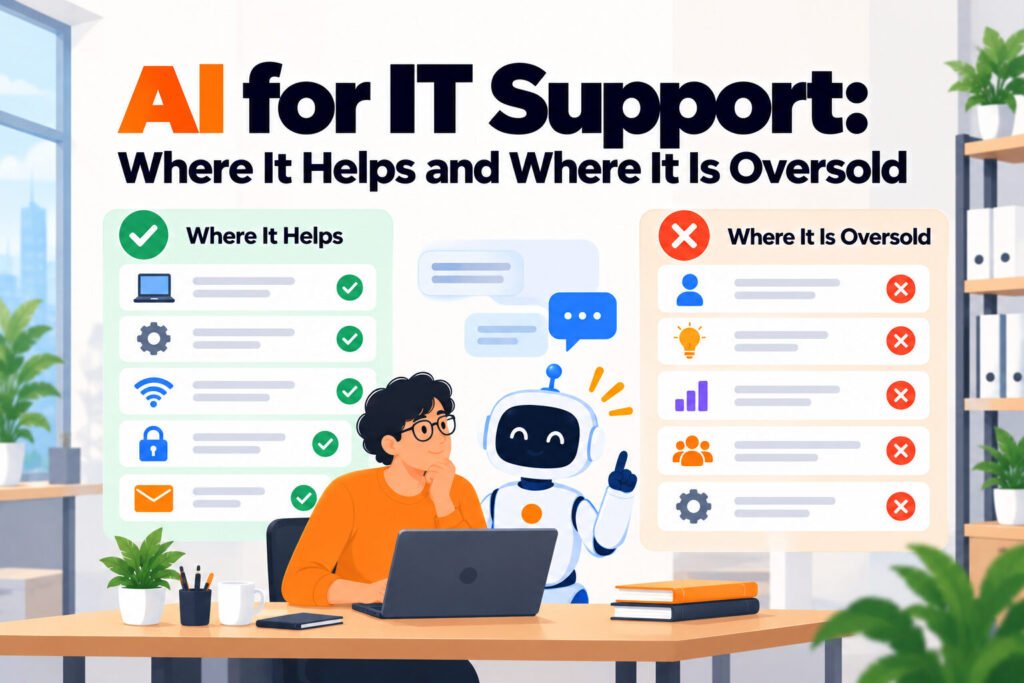
AI helps IT support in three narrow places: answering documented questions, triaging incoming requests, and drafting replies for a person to approve. It is oversold everywhere else. It cannot find hardware you never recorded, and it cannot fix a process nobody owns.
TL;DR
- Three jobs AI does well in IT support: answer documented questions, triage and route, draft replies for approval.
- Three it is sold for and does badly: finding unrecorded assets, fixing broken process, and replacing judgement on access decisions.
- The honest ceiling is your documentation. AI applied to undocumented knowledge produces confident invention.
- Start with triage rather than answering if your runbooks are weak, because triage needs no content.
- Per agent pricing and flat pricing diverge sharply for distributed teams; model both at your real headcount.
- Measure deflection against a baseline you took before switching anything on, or the number means nothing.
The three jobs AI genuinely does well
Answering documented questions. An agent reading your runbooks replies to the VPN question, the printer question and the software request question without a person. This is the most mature use and the easiest to evaluate, because you can check the answer against the document it came from.
Triage and routing. Reading an incoming request and deciding what it is, how urgent it is and who should see it. This is underrated because it needs no documentation at all, only examples of past requests. For a team whose runbooks are thin, triage delivers value where answering cannot.
Drafting replies for approval. The agent writes the response, a person reads it and sends it. Less impressive than full automation and considerably safer, because the human stays in the loop on anything consequential. For access requests and security questions this is often the right permanent arrangement rather than a stepping stone.
The three it is oversold for
Finding assets you never recorded. No AI layer knows about a laptop that was bought on a company card and never entered a register. This is the most expensive misunderstanding in distributed IT, because the problem feels like an information problem and is actually a process one. The fix is a register and a purchasing rule, not a model.
Fixing a process nobody owns. If requests vanish because no one is accountable for them, AI will summarise the vanishing elegantly. Ownership is an organisational decision and software cannot supply it.
Replacing judgement on access. Whether a contractor should get production access is not a documentation lookup. Anything with a security or employment consequence belongs with a person, and a tool that answers those confidently is a liability rather than a feature.
Which job to start with
The usual advice is to start with answering, and it is wrong for about half of teams. Answering depends entirely on documentation quality, so a team with thin runbooks gets a poor result and concludes the category does not work.
| If your situation is | Start with | Why |
|---|---|---|
| Runbooks current, questions repetitive | Answering | Fastest visible result, easy to verify |
| Runbooks thin or stale | Triage | Needs past requests, not documents |
| Requests arrive unsorted and unowned | Triage | Routing is the bottleneck, not answers |
| Security or access questions dominate | Drafting for approval | Keeps a person on consequential calls |
| Nobody can say what volume you have | None yet, count first | No baseline means no way to judge it |
The last row is the most common and the least acted on. Without a month of counted requests, split into documented and novel, any result you get afterwards is uninterpretable. That count takes an afternoon and it is the only step on this page that cannot be bought.
What it costs, and why the model matters more than the price
Figures below were read from each vendor’s own pricing page on 5 October 2026. Where a vendor publishes nothing, that is stated rather than estimated.
| Tool | Published price | Billed per | AI included? |
|---|---|---|---|
| Matram | $29/mo | Flat, unlimited seats | Yes |
| Crisp | Free, then $45/mo | Workspace | Metered credits |
| SiteGPT | $468/yr | Chatbot, page limits | Yes |
| Freshservice | $19/agent/mo | Agent | No, $29/agent extra |
| Zendesk | $55/agent/mo | Agent | No, $50/agent extra |
| Moveworks | Not published | n/a | Yes |
The fourth column is where budgets break. Two of the platforms above treat AI as a paid add-on per agent, which means a team of eight pays the licence and then pays again for the thing it actually wanted. A flat plan with AI included does not move at all when the ninth person joins.
This matters more for distributed teams than office-based ones, because support headcount grows with geography rather than ticket volume. You add a person in a new time zone to cover hours, not load, and per agent pricing charges you for the coverage.
A worked example at eight support staff
Take a company with eight people touching IT support across four time zones. On Freshservice Growth at $49 per agent per month that is $392, and adding Freddy AI at $29 per agent brings it to $624 a month. On Zendesk Suite Team at $55 plus Copilot at $50 the same eight staff cost $840.
A flat plan with AI included sits at $199 a month for the top published tier regardless of how many of those eight use it. That is not an argument that flat pricing is always right, because neither of those platforms is only an AI layer and both do ticketing the flat tools do not. It is an argument for pricing your own headcount rather than comparing entry figures.
The honest reading: for most distributed teams the cheaper arrangement is a flat answering tool in front of fewer ticketing seats. Only people who work tickets need a seat; everyone benefits from deflection.
How to evaluate it without wasting a quarter
What to do:
- Count one month of requests and split them into documented, novel, and logistics
- Pick the job to pilot from the table above rather than defaulting to answering
- Write down what success means with a number, before you switch anything on
- Test a deliberately undocumented question and confirm it hands off rather than invents
- Test a sensitive access request and confirm it routes to a person
- Price the pilot at your real headcount, including any per agent AI add-on
Two weeks is enough. What it will not tell you is whether your documentation holds up over time, which is a quarterly review rather than a pilot finding.
Final thoughts
AI in IT support is neither a revolution nor a gimmick. It reliably removes documented repeat questions, it reliably sorts incoming work, and it reliably drafts text a person approves. Those three are worth having and they are narrower than the marketing suggests.
The failure mode is always the same shape: applying it to a problem that was never an information problem. Unaccounted laptops, unowned requests and access decisions all look like things a clever system should handle. None of them is. Diagnose first, pick the narrow job that matches, and measure against a number you wrote down beforehand.
For a ranked comparison of eight tools on published pricing, see our IT support chatbots comparison. If you want the narrower question of what a chatbot specifically deflects, start with IT helpdesk chatbot.
What can AI actually do for IT support?
Three things well. It answers questions whose answers already exist in your runbooks, which removes repeat volume. It triages and routes incoming requests, deciding what something is and who should see it, which needs no documentation at all and only examples of past requests. And it drafts replies a person reviews before sending, which keeps a human on anything consequential. Everything beyond those three is either immature or is being sold for a problem that is not an information problem, such as finding hardware that was never recorded anywhere.
Should we start with answering or triage?
Start with triage if your runbooks are thin or stale, because triage learns from past requests rather than from documents and therefore works even when your documentation does not. Start with answering if your runbooks are current and your volume is repetitive, because it gives the fastest visible result and you can verify each answer against the document behind it. The default advice to start with answering is wrong for roughly half of teams, and those teams get a poor result and wrongly conclude the whole category does not work.
How much does AI for IT support cost?
Verified on 5 October 2026: Matram is $29 a month flat with unlimited seats and AI included, Crisp starts free then $45 a month per workspace with AI metered through credits, SiteGPT is $468 a year, Freshservice is $19 per agent per month with its Freddy AI add-on a further $29 per agent, and Zendesk is $55 per agent per month with Copilot a further $50 per agent. Moveworks publishes no rate card. The pattern to watch is whether AI is included or charged separately per agent, because that decides the bill far more than the entry price does.
Can AI tell us which laptops are missing?
No, and this is the most expensive misunderstanding in distributed IT. An AI layer reads documents and request history. It has no knowledge of a laptop bought on a company card that never entered a register, and no way to know whether the machine issued to somebody who left in March came back. That is an asset management problem, solved by a register and a purchasing rule rather than by a model. Teams that buy AI to solve it deploy the tool perfectly and find the problem completely untouched.
Is it safe to let AI answer access requests?
Not autonomously. Whether a contractor should receive production access is a judgement with a security consequence, not a documentation lookup, and a tool that answers it confidently is a liability rather than a feature. The appropriate arrangement for anything touching access, security or employment is drafting for approval: the agent writes the reply, a person reads and sends it. That is less impressive than full automation and it is the right permanent design rather than a temporary caution while you build trust.
How do we know whether it worked?
By comparing against a baseline you took before switching anything on, which is the step most teams skip and cannot recover afterwards. Count one month of requests and split them into documented, novel and logistics. The documented share is the ceiling on what any answering tool can remove, and if that share is small, no configuration will make the project look good. After thirty days, measure questions resolved without a person as a share of total requests reaching IT by any route, not just the ones the tool saw.