An ITSM chatbot is connected to your service desk, so it can raise, update and close tickets rather than only answer questions. That integration buys you status lookups and self-service actions. It costs a longer deployment, a security review, and a dependency that breaks during incidents.
TL;DR
- Integration is the whole difference: an unintegrated bot answers, an ITSM chatbot acts inside the ticket system.
- What it genuinely buys: ticket status without asking a human, self-service for a small set of safe actions, and cleaner ticket data.
- What it costs: weeks rather than hours, a security review, and one more thing to debug when the service desk is already down.
- Only integrate the actions you would let somebody self-serve on a bad day. Everything else should still route to a person.
- Published pricing: Freshservice from $19 per agent per month with AI a further $29, Zendesk $55 with Copilot a further $50.
- If nobody can say what your ticket volume is, integration is premature. Count first.
What integration actually means
An unintegrated chatbot reads your documentation and replies. It can explain how to request a replacement laptop. It cannot tell you whether your request was approved, because it has no connection to the system holding that answer.
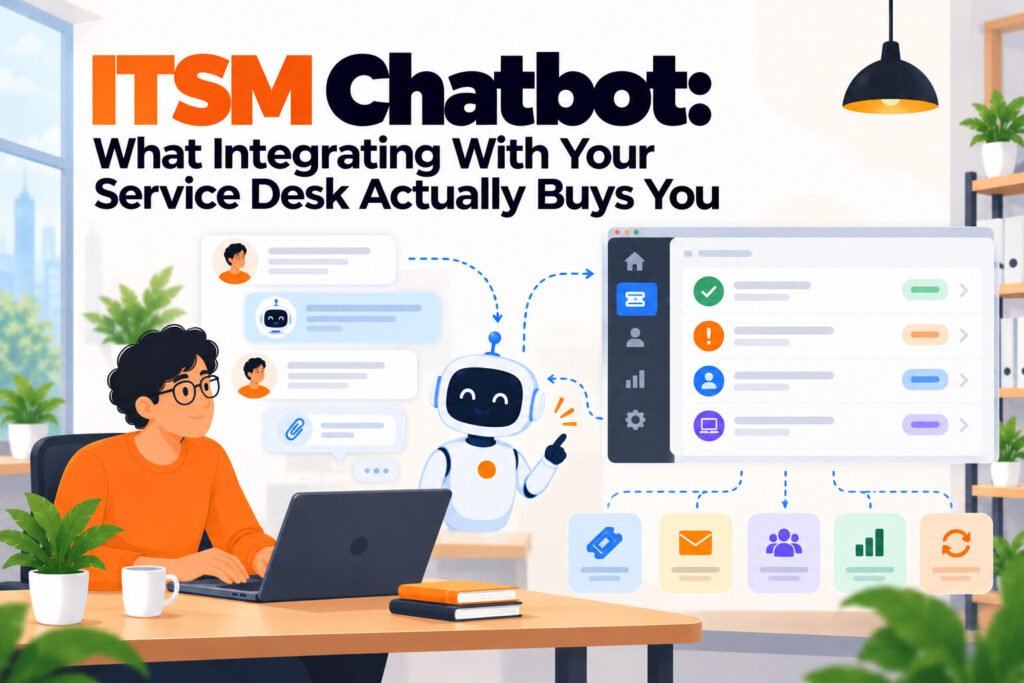
An ITSM chatbot is wired into the service desk. It can look up a ticket, report its status, add a comment, raise a new one with the right category already set, and in some configurations close one. That is a different product shape with a different deployment profile, even when the vendor sells both under the same name.
The practical test is one question: can it tell an employee something only your service desk knows? If yes, it is integrated. If it can only repeat what is in a document, it is not, whatever the feature list says.
The three things it genuinely buys
Status without a human. The most underrated benefit. A large share of follow-up contact is somebody asking where their request got to, and that contact is pure overhead: it adds no information and consumes a person. Integration removes it entirely.
Self-service on a narrow set of actions. Password resets, distribution list membership, re-sending a setup link. Small, reversible, low consequence. These are worth automating precisely because they are boring, and because they arrive at inconvenient hours for a distributed team.
Cleaner ticket data. A bot raising tickets sets the category and priority consistently, which humans do not. After a quarter your reporting becomes usable because the fields are populated the same way every time, and that is a genuine side benefit nobody buys it for.
The three things it costs
Time measured in weeks. An answering bot is live in an afternoon. An integrated one needs API access, field mapping, a decision about which actions are permitted, and testing on each. Budget weeks and a named owner, not an afternoon.
A security review. You are granting a system write access to the place your access requests live. That is a legitimate review, it will ask who can trigger what, and it is the step most likely to stall a rollout for a month.
A dependency that fails at the worst time. When the service desk is degraded, the chatbot in front of it is also degraded, and it will fail confusingly rather than cleanly. Decide now what it says when the integration is down, because the default is usually something unhelpful during the exact hour people need help most.
Which actions to integrate, and which to leave alone
The useful rule is to automate only what you would let somebody self-serve on a bad day, when they are rushed and the stakes are high. Everything else should create a ticket for a person.
| Action | Integrate? | Why |
|---|---|---|
| Check ticket status | Yes | Read only, removes pure overhead contact |
| Raise a ticket with category set | Yes | Improves data quality, no risk |
| Password reset | Yes, with identity checks | Reversible, high volume, arrives at odd hours |
| Distribution list membership | Usually | Low consequence, easily undone |
| Software licence assignment | Only within a budget cap | Spends money, needs a ceiling |
| Production or admin access | No | Security judgement, belongs with a person |
| Closing a ticket | Rarely | Premature closure is worse than an open ticket |
The last row surprises teams. Letting a bot close tickets looks like the natural end state and produces a specific failure: tickets marked resolved because the employee stopped replying, which destroys your resolution-time reporting and hides unresolved problems. Leave closure with a person.
What it costs
Figures read from each vendor’s own pricing page on 5 October 2026. Integration-capable platforms are priced per agent, and the AI layer is charged separately on both of the main ones.
| Platform | Licence | AI layer | Integrated actions? |
|---|---|---|---|
| Freshservice | $19 to $99/agent/mo | $29/agent/mo extra | Yes, native |
| Zendesk | $55/agent/mo | $50/agent/mo extra | Yes, native |
| Moveworks | Not published | Included | Yes, across departments |
| Matram | $29/mo flat | Included | No, answers only |
| Crisp | Free, then $45/mo | Metered credits | No |
Read the last column as a dividing line rather than a feature gap. The bottom two are not deficient versions of the top three, they are the other half of the market, and for a team whose volume is documented questions they are the cheaper correct answer.
The arrangement worth pricing is a flat answering tool in front of a smaller number of ticketing seats. Only people who work tickets need a seat, while everyone benefits from deflection, and that split is usually cheaper than putting every support person on an integrated platform with a per agent AI charge.
Before you integrate
Checklist:
- One month of tickets counted, so you know whether the volume justifies the work
- The permitted action list written down and approved, not decided during configuration
- Identity verification agreed for anything touching credentials
- A named owner for the integration, separate from whoever owns the chatbot content
- Behaviour defined for when the service desk is unreachable
- Ticket closure explicitly excluded unless you have a specific reason
The item teams skip is the second one. Deciding permitted actions during configuration means they get decided by whoever is clicking, and the list grows quietly until something consequential is automated that nobody approved.
Final thoughts
Integration is worth it when a real share of your contact is people asking for status, or when a handful of boring reversible actions arrive at hours nobody covers. Both are common in distributed teams and both are genuinely solved by wiring the bot into the service desk.
It is not worth it as a first step. If your volume is mostly questions answerable from documentation, an unintegrated tool delivers most of the benefit in an afternoon with no security review, and you can integrate later once you know which actions actually matter. Starting with integration means spending weeks before learning anything about your own demand.
For a ranked comparison of eight tools on published pricing, see our IT support chatbots comparison. For the narrower question of what an unintegrated bot deflects, see IT helpdesk chatbot, and for where AI fits across support generally, AI for IT support.
What is an ITSM chatbot?
It is a chatbot wired into your IT service management platform, so it can act on tickets rather than only answer questions from documentation. A typical integrated bot can look up a ticket and report its status, raise a new one with the category already set, add a comment, and in some configurations perform a small number of actions such as a password reset. The practical test is whether it can tell an employee something only your service desk knows. If it can only repeat what is in a document, it is not integrated regardless of what the feature list claims.
Is integration worth the extra work?
It depends on what your contact volume looks like. If a real share of it is people asking where their request got to, integration removes that entirely, because status lookups are pure overhead that add no information and consume a person. If a handful of boring reversible actions arrive at hours nobody covers, that is also a strong case for a distributed team. If your volume is mostly questions answerable from your runbooks, an unintegrated tool delivers most of the benefit in an afternoon without a security review, and you can integrate later.
How long does an ITSM chatbot integration take?
Weeks rather than hours, and the variable is rarely the technical work. You need API access, field mapping between the bot and the ticket schema, a decision on which actions are permitted, and testing on each one. The step most likely to extend the timeline is the security review, because you are granting a system write access to the place access requests live, and that review will reasonably ask who can trigger what. Budget a named owner for it, separate from whoever owns the chatbot content, because the two jobs need different access and different attention.
Which actions should we let it perform?
Only the ones you would let somebody self-serve on a bad day, when they are rushed and the stakes are high. Ticket status lookups and raising tickets are safe and read-mostly. Password resets are worth automating with identity checks because they are reversible and arrive at odd hours. Software licence assignment needs a budget ceiling because it spends money. Production or administrative access should always route to a person, because that is a security judgement rather than a lookup, and a tool answering it confidently is a liability.
Should the bot be allowed to close tickets?
Rarely, and this surprises teams because automatic closure looks like the natural end state. The failure it produces is specific: tickets marked resolved because the employee stopped replying rather than because the problem was fixed. That destroys the resolution-time reporting you bought the service desk for, and it hides unresolved problems behind a clean-looking queue. Leave closure with a person, or at minimum require an explicit confirmation from the requester rather than treating silence as agreement.
What happens when the service desk goes down?
The chatbot in front of it degrades too, and by default it usually fails confusingly rather than cleanly, during the exact hour people most need help. Decide the behaviour before go-live: the bot should say plainly that it cannot reach the ticket system, give an alternative route to a human, and avoid pretending a request was logged when it was not. This is a five minute configuration decision that nobody makes until the first outage, and it is the difference between a degraded service and an actively misleading one.