TL;DR
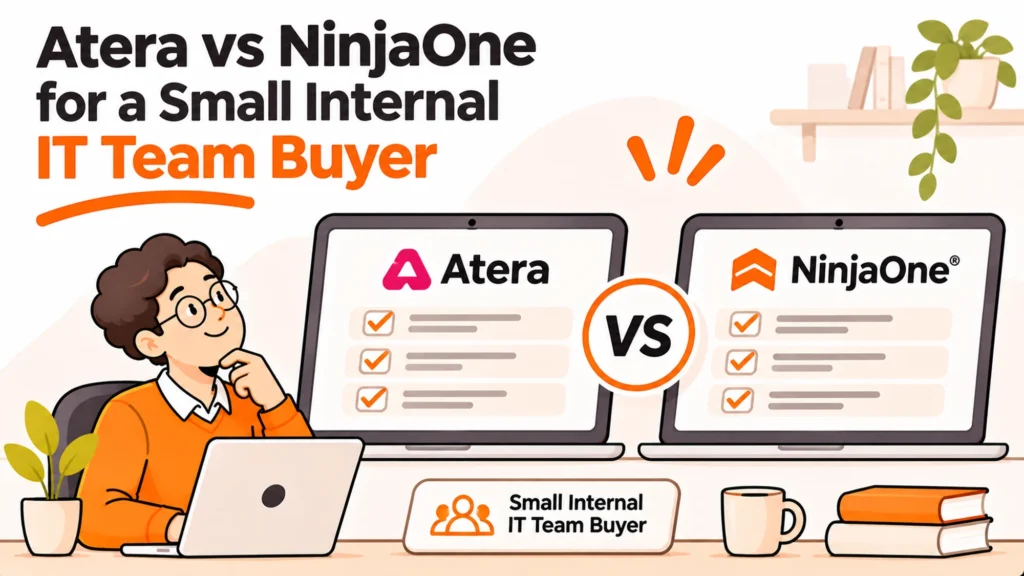
Atera vs ninjaone is usually presented as a feature comparison and it is really a billing-basis comparison. The two price on different units, which means the cheaper one depends entirely on your ratio of admins to machines rather than on anything in a capability grid.
- The unit decides the bill, not the feature list.
- NinjaOne publishes a per-device range, not tiers.
- Its unit price falls as the fleet grows.
- Atera’s page would not return a readable figure.
- Count admins and devices before any demo.
- Neither reaches a device that stops checking in.
The billing basis, before anything else
Two tools doing a broadly similar job can produce bills that differ by a multiple, and the cause is almost never the feature set.
This category prices on four different units. Per device or per endpoint, where every managed machine is a line. Per user, where somebody with three machines costs once. Per technician, where endpoints are unlimited and you pay for admin seats. And unpublished, where you cannot calculate anything without a call.
So the first question is not which has better scripting. It is how many devices you manage and how many people will log in to the tool, because those two numbers decide the answer before any demo starts.
Get the two counts first
Devices by platform, from your asset register rather than an estimate. And the named list of people who need a seat, which is usually shorter than the list you were handed. our guide to IT asset management covers making the first number trustworthy.
What NinjaOne publishes
A range rather than a tier table, and the shape of it is unusual enough to be worth reading carefully.
NinjaOne’s own pricing page states that it uses per-device pricing, which varies, and gives two bounds: as low as $1.50 USD per month at 10,000 endpoints, increasing to $3.75 USD at 50 or fewer endpoints. It adds that pricing varies by region and by products purchased.
Note the direction. The unit price falls as the fleet grows, so a forty device company pays more per device than a ten thousand device one. That is the opposite of what most buyers assume when they see a per-device model, and it matters because the people reading this comparison are usually at the small end.
Two things follow. Neither bound is “the price”, so quoting $1.50 for a small team is wrong by a wide margin. And there are no published plan names, so a comparison table listing NinjaOne tiers has invented them.
What Atera returned, and what that does not mean
Its pricing page returned 403 Forbidden to a browser user agent, and a second independent fetcher got the same with no body retrieved. Three URL variants behaved identically.
So the honest statement is that it did not return a readable figure. That is not the same as publishing no price, and the distinction is not pedantry.
A tool in this same category was recorded for months as publishing nothing on exactly that reasoning. It publishes in full, as plain text, and the real cause was a wrong URL returning a 404 that was read as a rendering problem.
What you can do in two minutes: open the page in an ordinary browser and look. Automated blocking of fetchers says nothing about what a human visitor sees, and the figure you read with your own eyes, with its unit and term beside it, is worth more than any comparison article including this one.
What is structurally true regardless
Atera’s model is built around technician seats rather than device counts, which is the structural difference that drives the comparison. How the current rate is set is a question for the page itself.
Where each model wins
You can reason about this without either figure, which is the useful part.
Per-device pricing tracks your fleet. Hire fifty people, add fifty devices, and the bill rises. Per-technician pricing tracks your team. Hire fifty people and the bill does not move at all.
So the crossover is simply where device count times the per-device rate exceeds seat count times the seat rate. For a two person IT team supporting several hundred endpoints, per-technician usually wins and often by a lot. For eight part-time admins supporting forty devices, per-device wins.
| Your shape | Per device | Per technician |
|---|---|---|
| 2 admins, 400 devices | Expensive | Strongly favourable |
| 2 admins, 40 devices | Favourable | Poor value |
| 8 part-time admins | Favourable | Expensive |
| Fleet growing, team static | Worsens over time | Improves over time |
RMM software covers which vendors in the category sit on which basis.
Both are built for MSPs, and that shows
Worth saying plainly if you are an internal IT team rather than a service provider.
Both products are aimed at managed service providers, and a share of each assumes multiple client organisations: client separation, per-client billing, margin reporting. None of that is useful in house, and you are buying a product that carries it.
Against that, MSP tools are frequently strong on exactly what a small internal team needs, because they are built for people managing a great deal with very few hands. Remote access, scripting, patching, alerting and ticketing are the parts you would actually use.
So judge the overlap rather than the feature count. A long capability list that is mostly multi-tenancy is a shorter list than it looks.
endpoint management software compares the MSP tools against the ones built for internal departments, which is a more useful split than vendor by vendor.
What to ask both of them
Six questions, and the first two change the rest.
What is the billing unit, exactly? Per device, per endpoint, per technician, per site. Get it in writing, because the words are used loosely.
What is the current rate at our size? Not the headline. Yours.
What is the minimum commitment, in both count and term?
What is excluded, named specifically rather than as a category.
What is the renewal uplift, and can it be capped?
Can we reduce seats or devices mid-term? Growth is easy; shrinking is where contracts bite.
Normalise both answers to one basis on your own spreadsheet: annual total including every line, divided by endpoint count, with seat count noted beside it. the NIST Cybersecurity Framework is a reasonable frame for checking which parts of your actual risk picture neither tool touches.
What neither one reaches
Three gaps, identical across both, and they are where the unbudgeted spend turns up.
Both manage a device that is powered on, connected and enrolled. Neither buys hardware, ships it to a new joiner in another country, or clears customs.
Neither recovers anything physical. A leaver’s laptop in a drawer is outside the reach of any agent, and that set grows quietly after every departure. RemoAsset’s laptop lifecycle management covers that side.
Neither produces disposal evidence. the EPA on electronics and batteries management covers handling at end of life and NIST Special Publication 800-88 on media sanitization is the sanitization standard the paperwork is judged against, which concerns the completed operation rather than the command issued.
CISA’s known exploited vulnerabilities catalogue is worth pairing with the patching side of either tool, since an RMM is only as useful as the cadence you commit to running.
The number to check before buying either
How many devices have not checked in for thirty days. If a tenth of the fleet has gone quiet, your first problem is custody rather than tooling, and neither of these licences addresses it.
Remote management reaches devices that connect. RemoAsset reaches the rest, in 80+ countries. See RemoAsset’s laptop lifecycle management or RemoAsset’s pricing.
Frequently asked questions
What actually decides atera vs ninjaone on cost?
The billing unit, before any feature comparison. This category prices on four different units: per device or endpoint, where every managed machine is a line; per user, where somebody with three machines costs once; per technician, where endpoints are unlimited and you pay for admin seats; and unpublished. So the first question is how many devices you manage and how many people will log in.
What does NinjaOne publish?
A range rather than a tier table. Its page states per-device pricing that varies, with two bounds: as low as $1.50 USD per month at 10,000 endpoints, increasing to $3.75 USD at 50 or fewer endpoints, and it adds that pricing varies by region and by products purchased. Note the direction: the unit price falls as the fleet grows, which is the opposite of what buyers usually assume.
Can I quote the $1.50 figure?
Not for a small team. Neither bound is the price; they are the ends of a range tied to fleet size, and $1.50 applies at ten thousand endpoints while the small end of the range is $3.75 at fifty or fewer. There are also no published plan names, so any comparison table listing NinjaOne tiers has invented them.
Why is there no Atera figure here?
Its pricing page returned 403 Forbidden to a browser user agent and to a second independent fetcher, across three URL variants, so it did not return a readable figure. That is not the same as publishing no price. A tool in this category was recorded for months as publishing nothing on that reasoning when the real cause was a wrong URL. Open the page in a browser and read it yourself.
Which billing model wins for us?
You can reason about it without either figure. Per-device pricing tracks your fleet, so hiring fifty people adds fifty devices and the bill rises. Per-technician tracks your team, so the bill does not move. The crossover is where device count times the per-device rate exceeds seat count times the seat rate. Two admins and four hundred devices favours per technician heavily.
Does it matter that both are built for MSPs?
It does if you are an internal team. A share of each product assumes multiple client organisations, covering client separation, per-client billing and margin reporting, none of which is useful in house. Against that, MSP tools are often strong on what a small internal team needs, since they are built for managing a lot with few hands. Judge the overlap rather than the feature count.
What does neither tool reach?
Three things, and they are where unbudgeted spend turns up. Both manage a device that is powered on, connected and enrolled, so neither buys hardware, ships it to a joiner abroad or clears customs. Neither recovers anything physical, and a leaver’s laptop in a drawer is outside the reach of any agent. And neither produces disposal evidence at end of life.
PeopleOpsHQ covers remote IT operations. RemoAsset recovers laptops from offboarded employees across 25+ countries. RemoAsset’s laptop retrieval.