TL;DR
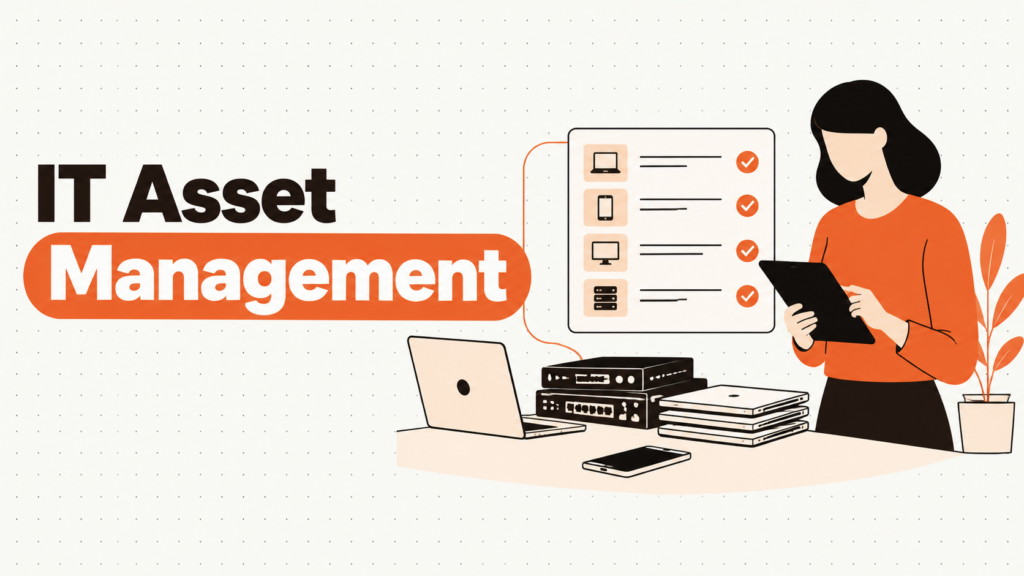
- IT asset management (ITAM) is knowing what hardware and software your company owns, who has it, where it is, what it costs, and what happens to it at the end.
- If you’re 25 people in one office and your IT lead can name every laptop’s owner from memory, a shared sheet is enough. You don’t need ITAM software yet.
- A working ITAM practice does four jobs: keeps an accurate inventory, ties every asset to a person, tracks cost and warranty, and closes the loop when devices leave.
- Tools fall into three camps: spreadsheets and free tools, dedicated ITAM platforms, and asset features built into help desk, RMM or MDM tools.
- Pick the approach that fixes your most expensive gap today, not the one with the most features.
- Done right, you can answer “where is that laptop?” for any device in under a minute.
The finance team asks for the hardware number for next year’s budget, and the first question is simple: how many laptops do we own? The spreadsheet says 212. Your MDM shows 187 devices checking in. Payroll has 196 employees. Nobody can explain the gap, and three of the “active” laptops in the sheet belong to people who left in 2024.
This is normal, which is the problem. It’s a common pattern: a 150-person remote company hires fast, ships laptops straight from a vendor to new hires, and records them “later.” Another team tracks devices in the MDM but forgets that monitors, docks and phones never enroll in anything. And during offboarding, laptops drift into a gray zone where nobody is sure if they’re shipped, lost or sitting in someone’s closet in Lisbon.
The real issue isn’t missing software. It’s that nobody owns the full record of a device from the day it’s bought to the day it’s retired. That’s what IT asset management is supposed to fix.
When You Don’t Actually Need IT Asset Management Software
When a sheet genuinely works. Under 30 people, one office, low turnover, and someone who updates the sheet the day anything changes. A Google Sheet with ten columns will do the job, and paying for software would be overkill.
When friction shows up. Somewhere around 40 to 60 employees, or the first time people start working from home full time. The sheet goes stale within weeks, and you start finding out about laptops when someone files a ticket about them.
When it becomes a liability. You’re preparing for SOC 2 or ISO 27001, a cyber insurer asks for an asset inventory, or finance needs accurate depreciation. Now an inventory you can’t trust is a real cost, not an annoyance.
The edge case: a remote team in several countries. Devices are shipped direct to homes, repaired locally and returned through couriers. If nobody records each handoff, assets vanish in transit. This is where ITAM stops being optional for most companies.
What IT and Ops Leads Actually Need from IT Asset Management
“Do we actually know what we own?”
You need one inventory covering laptops, monitors, phones, peripherals and software licenses, not three partial lists.
Every other decision (budget, refresh, audit) starts from this number being right.
“Who has each device right now?”
Every asset should be assigned to a named person or a location, with the date it changed hands.
When someone leaves, that assignment is your recovery list.
“What is this hardware costing us?”
Purchase price, warranty end date and expected replacement date per device.
Without these, refresh budgets are guesses and warranty claims get missed.
“Can we prove it to an auditor?”
Frameworks like SOC 2 (CC6.1), ISO 27001 and CIS Control 1 all expect a maintained inventory of assets.
An inventory you can export with owners and dates is much easier to defend than a sheet nobody has opened in months.
“What happens when a device leaves?”
Retrieval, data wiping and disposal should close out each record, with a certificate attached.
This is where most inventories fall apart, and it connects straight to IT asset disposition.
The Three Types of IT Asset Management Tools
1. Spreadsheets and free tools
What it is: Google Sheets, Excel or a free, self-hosted tool like Snipe-IT, which is open source under the AGPL license with no asset limits.
When it’s right: Small teams with low turnover and someone disciplined about updating records.
When it fails: Updates depend on memory. The day someone forgets to log a laptop swap, the record starts drifting, and nobody notices until an audit or an offboarding.
2. Dedicated ITAM platforms
What it is: Tools built specifically for tracking assets, such as Snipe-IT’s hosted version, Asset Panda, Lansweeper or ManageEngine AssetExplorer.
When it’s right: Teams of roughly 50 to 1,000 people who need checkout and check-in, assignment history, warranties and audit-ready exports.
When it fails: When nobody connects it to the systems that already know about devices, like your MDM and HR tool. Then it becomes a nicer-looking spreadsheet that still goes stale.
3. ITAM inside help desk, RMM or MDM tools
What it is: Asset features built into broader platforms like Freshservice, Atera, NinjaOne, or the device inventory in Jamf and Intune.
When it’s right: You already pay for the platform and mostly need to know what’s connected and healthy.
When it fails: These tools see devices that run their agent. Monitors, docks, phones without enrollment and devices sitting in a drawer are invisible to them, so the inventory has blind spots.
How to Choose: Five Questions Before You Talk to Any Vendor
What broke in the last quarter? Name one specific failure: a lost laptop, a failed audit request, a budget nobody could justify. If you can’t name one, you’re shopping too early. If you can, choose the tool that fixes that first.
Which systems already know about your devices? Your MDM knows which laptops check in. Your HR system knows who joined and left. Your procurement or finance tool knows what was bought. The best ITAM setup pulls from these instead of asking people to type the same data twice.
What do you need to track besides laptops? Monitors, phones, docks, software licenses, SaaS seats. If the answer is “everything,” an MDM inventory won’t be enough on its own.
How do devices move in your company? If laptops go straight from vendor to employee’s home and back through couriers, you need a tool that handles assignments and shipments well. If everything passes through an office, check-in and check-out at a desk works fine.
Who will own the data? A tool nobody owns goes stale within a quarter. Before you buy, name the person responsible for the inventory, and give them a monthly hour to reconcile it.
Seven IT Asset Management Tools Worth Knowing
These are the tools we compare in more depth on our IT asset management tools page.
Snipe-IT
Best for: Budget-conscious teams that want a dedicated ITAM tool without license fees.
Why companies choose it: Free and open source when self-hosted, with no caps on assets or users. Hosted plans start at $39.99 a month for teams that don’t want to run a server. It covers assets, licenses, accessories and consumables, with check-in and check-out history.
Where it struggles: There’s no built-in network discovery, so data arrives through imports, the API or community integrations with your MDM. Self-hosting also means someone owns updates and backups.
Lansweeper
Best for: Teams that want to discover what’s actually on the network before tracking anything else.
Why companies choose it: Agentless scanning finds devices on your network, an agent covers laptops that are off the network, and cloud connectors pull in AWS, Azure and Google Cloud assets.
Where it struggles: It’s a discovery and inventory engine first. Assignment, checkout and procurement workflows are lighter than in tools built around the asset lifecycle.
Asset Panda
Best for: Teams that want a flexible, mobile-friendly tracker for IT and non-IT assets.
Why companies choose it: Barcode scanning from a phone app and highly customizable fields, so the tool fits your process rather than the reverse.
Where it struggles: That flexibility means more setup time, and pricing is quote-based and tied to how many assets you track.
ManageEngine AssetExplorer
Best for: Mid-size IT teams that want discovery, software license tracking and hardware inventory in one product.
Why companies choose it: A broad feature set, with on-premises and cloud options, from a vendor many IT teams already use for other tools.
Where it struggles: The depth comes with a steeper setup, and it fits best if you already use other ManageEngine products.
Freshservice
Best for: Teams that want asset management tied directly to their help desk.
Why companies choose it: Assets link to tickets, so you can see a laptop’s repair history and its owner in the same place.
Where it struggles: You’re buying a help desk to get ITAM. If you don’t need ticketing, it’s more tool than you need.
Atera
Best for: Small IT teams and MSPs that want remote monitoring, help desk and inventory together.
Why companies choose it: Pricing is per technician with unlimited endpoints, which is easy to budget as your device count grows.
Where it struggles: It’s built for monitoring and support. Lifecycle details like purchase cost, warranty and assignment history are less central than in a dedicated ITAM tool.
NinjaOne
Best for: Teams that want endpoint management, patching and device inventory in one console.
Why companies choose it: A per-device pricing model and a strong agent that keeps hardware and software inventory current for managed endpoints.
Where it struggles: Like any agent-based tool, it can’t see monitors, docks or devices sitting unpowered in a closet.
The Decision Table: Where Each Option Actually Fits
| Situation | Scale / Size | Setup | Primary Pain | Recommended Starting Point |
|---|---|---|---|---|
| Single office, low turnover | Under 30 people | In-office | Occasional mix-ups | A shared Google Sheet with ten columns |
| Growing team, tight budget | 30 - 150 people | Hybrid | Sheet is always out of date | Snipe-IT (self-hosted or hosted) |
| Need to find unknown devices | 100 - 1,000 people | Office network plus remote | Shadow IT and unknown hardware | Lansweeper |
| IT and non-IT assets together | 50 - 500 people | Offices and warehouses | Many asset types to track | Asset Panda |
| Help desk already in place | 100 - 1,000 people | Mixed | Assets disconnected from tickets | Freshservice |
| Small IT team managing endpoints | 20 - 300 people | Remote-first | Patching and inventory in one place | Atera or NinjaOne |
Most teams land in two or three of these rows at once. A common setup is an MDM for laptops plus a dedicated ITAM tool as the single record for everything else. Start with your biggest failure and layer from there.
The Cost of Getting IT Asset Management Wrong
The obvious cost is lost hardware. A laptop that walks out with an ex-employee is a replacement purchase plus a security risk. But the quieter costs add up faster.
Finance buys 40 new laptops because the inventory says the fleet is old, when 15 perfectly good ones are sitting unassigned in a closet. Warranty repairs get paid out of pocket because nobody knew the warranty was still active. An auditor asks for proof that every laptop is encrypted and you can’t produce a complete list of laptops to check against. And switching tools after a bad choice means another migration, another cleanup and another quarter of half-trusted data.
So before buying anything, ask yourself one thing. Is your problem record-keeping, visibility into what’s connected, or what happens when devices move between people? The answer points to a different kind of tool.
When You’re Ready to Move Beyond Spreadsheets
You’ve outgrown the spreadsheet when updates lag reality by weeks, when you have employees working remotely in more than one country, when an audit or insurer asks for an asset inventory, or when offboarding regularly ends with a laptop nobody can locate.
At that point, the goal is one source of truth that pulls data from your MDM and HR system, assigns every asset to a person, and closes out records with a disposal certificate when devices retire.
If that’s where you are, it’s worth looking at dedicated tools in this space. Our IT asset management tools comparison and guide to IT asset tracking for remote teams are good next steps.
Frequently Asked Questions
What is IT asset management?
IT asset management is the practice of tracking every piece of hardware and software a company owns across its full life, from purchase to disposal. It covers what you own, who has it, where it is, what it costs and when it should be replaced.
What’s the difference between ITAM and IT asset tracking?
Asset tracking is one part of ITAM: knowing where each device is and who has it. ITAM is broader, adding cost, warranty, licensing, refresh planning and disposal. Our guide to IT asset tracking for remote teams covers the tracking piece in depth.
What’s the difference between hardware and software asset management?
Hardware asset management covers physical devices like laptops, monitors and phones. Software asset management covers licenses and subscriptions, making sure you’re compliant and not paying for unused seats. Most ITAM programs include both.
Is there a standard for IT asset management?
Yes. ISO/IEC 19770-1:2017 sets out requirements for an IT asset management system. Security frameworks like CIS Control 1, ISO 27001 and SOC 2 also expect you to maintain an inventory of assets, even if they don’t prescribe a specific tool.
Can our MDM replace an ITAM tool?
Partly. An MDM like Jamf or Intune keeps an accurate list of enrolled laptops and phones, but it can’t see monitors, docks or devices that aren’t enrolled or powered on. Many teams use the MDM as a data source feeding a dedicated ITAM tool.
How much does IT asset management software cost?
It ranges from free (self-hosted Snipe-IT) to per-device or per-technician pricing for platforms like NinjaOne or Atera, to quote-based enterprise contracts. For a 100 to 300 person company, the bigger cost is usually the hours spent keeping data accurate, not the license.
Who should own IT asset management?
Usually IT, with finance and People Ops as partners. IT owns the inventory, finance owns cost and depreciation, and People Ops triggers assignments and returns when people join and leave.
Know what you own, who has it, and where it goes next.