TL;DR
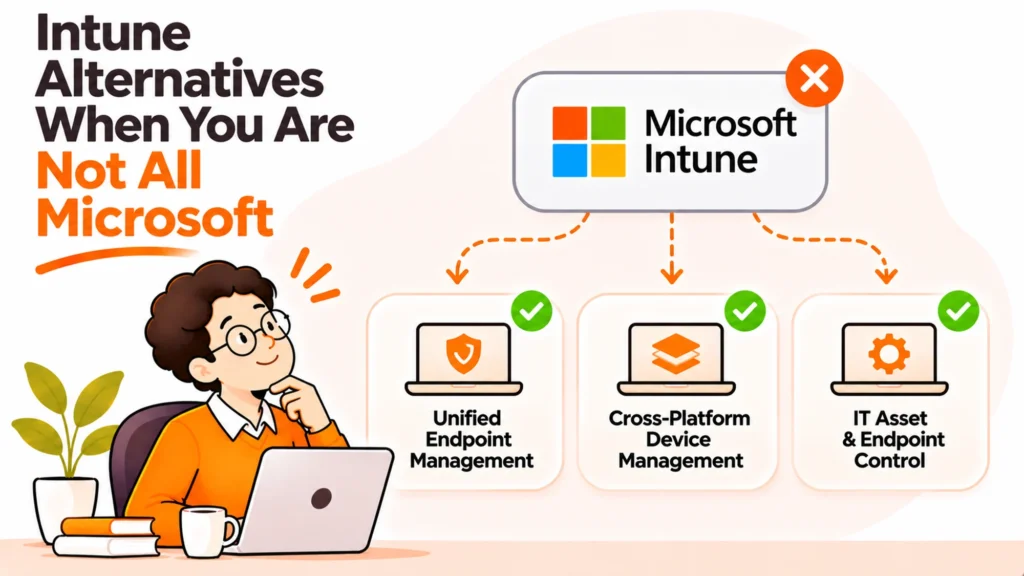
Looking at intune alternatives usually starts with one of two complaints: the Apple experience is weaker than a specialist, or the licensing is tangled up in a suite nobody can explain. Both are reasonable, and the second one often turns out to mean you are already paying for it.
- Check whether it is already included before shopping.
- Intune prices per user, with no device option.
- Its real product price sits in an FAQ, not a card.
- Apple specialists price per device, and do Apple better.
- A mixed fleet is the genuinely hard case.
- Switching costs more than the rate difference.
First, check whether you already have it
The step that removes the purchase more often than any comparison, and it takes one conversation.
Microsoft includes device management in its larger productivity suites. If your organisation licenses Microsoft 365 at E3 or E5, it is already paid for and the marginal licensing cost of adopting it is zero.
That turns the question from which is cheaper into whether the alternative is materially better, which is a much higher bar.
Ask whoever owns the Microsoft agreement which suite you are on and how many people it covers. Two cautions: not every seat is necessarily on the same suite, so the answer can be mixed, and what is included changes over time, so an agreement signed two years ago may not describe today. Microsoft Learn on Intune licensing covers how the licensing is structured.
What Intune actually costs, for comparison
Necessary to state properly, because most comparison tables get it wrong in the same way.
Every published plan is per user per month, paid yearly, and there is no device-based plan at all. The standalone product, Intune Plan 1, is $8.00 per user per month, and that figure appears only in an FAQ with no pricing card of its own. The Intune Suite is $10.00, also FAQ only.
The visible pricing cards show Microsoft 365 E5 at $60.00, E5 without Teams at $51.45, E3 at $39.00 and E3 without Teams at $30.45. Those are suite prices that include Intune as one component.
So a comparison built from the visible cards attaches $39.00 to “Intune” and overstates it by a wide margin. If a table quotes you that, it scraped the page rather than reading it.
Add-ons are per user too: Remote Help $3.50, Endpoint Privilege Management $3.00, Advanced Analytics $5.00, Enterprise Application Management $2.00, Cloud PKI $2.00, Intune Plan 2 $4.00.
The alternatives price on different units
Which is the comparison that actually matters, and it is not a feature comparison.
Per user, like Intune, means somebody with three devices costs once. One identity platform also prices this way, with no device option.
Per device or endpoint means the bill tracks hardware. An Apple specialist publishes per device with a thirty licence minimum and a free tier to thirty devices. A cross-platform tool publishes four tiers per device. A large suite publishes per endpoint with annual figures stated at fifty endpoints.
Per technician means endpoints are unlimited and you pay for admin seats, which suits a small team with a large estate.
| Your shape | Favours |
|---|---|
| Two devices per person | Per user |
| One device per person | Either, compare directly |
| Shared or kiosk devices | Per device |
| Small admin team, big fleet | Per technician |
Run your own two counts through each basis. endpoint management software covers which vendors sit where.
The Apple case is the strongest one
And it is the most common honest reason to look elsewhere.
Intune manages Apple devices. Apple specialists manage them better, with deeper support for platform-specific capabilities and a management model built around how those devices actually work rather than adapted to them.
Two of those specialists publish their pricing in full, which is unusual in this category and makes the comparison easy. One offers a genuinely free tier up to thirty devices with no stated term, which for a small Apple-only company is an answer rather than a trial.
Where the estate is genuinely Apple-only, a specialist is usually the better product and frequently the cheaper one, and it will tell you the price without a call.
MDM for remote teams covers that comparison in more detail.
The mixed fleet is the hard case
And it is where most of these decisions actually sit.
If you run meaningful numbers of Windows, macOS, iOS and Android, you have three options and none is clean.
Use the Microsoft stack and accept less Apple depth, which is usually fine if Apple is a minority and already included in your suite. Use a cross-platform specialist and pay per device. Or run two tools, which means two consoles, two policy models and two sets of reporting to reconcile, and that is a real operational cost nobody puts in the business case.
The deciding number is the platform split, taken from your register rather than from memory. A fleet that is ninety per cent one platform should optimise for that platform and handle the remainder manually rather than buying breadth it barely uses.
our guide to IT asset management covers getting that split out of the register reliably.
What switching actually costs
Rarely in the quote and always in the quarter, which is why a small rate difference is not a reason to move.
Four costs. Re-enrolling every device, which for machines already in the field means reaching their owners one at a time. Rebuilding policies, since they do not port between products. Retraining whoever runs it. And a period of running both, because you cannot cut over a fleet in an evening.
That overlap is the one people forget to budget and it is usually a month or more of paying twice.
So the switches that pay are driven by a capability gap or a basis mismatch, not by a few per cent on the unit price. The honest test: would you still switch if the price were identical? If yes, the reason is real.
CISA and the Secure Our World guidance is a reasonable baseline for the practices that should survive any migration unchanged.
What no alternative closes
Three gaps, identical whichever tool wins.
Every option here manages a device that is enrolled, powered on and connected. None buys hardware, ships it to a new joiner in another country or clears customs.
None recovers anything physical. A leaver with a laptop at home is a logistics problem, and that set grows quietly after every departure. RemoAsset’s laptop lifecycle management covers it, published at 25+ countries for retrieval.
None produces disposal evidence. NIST Special Publication 800-88 on media sanitization is the standard and it concerns the completed operation rather than the command.
Put all three in the same business case as the licence. Otherwise the tool looks like the answer to a problem it half covers, and the other half arrives unplanned in whichever quarter somebody leaves.
What to do if you are staying
Most of these evaluations end with staying put, and that is a legitimate outcome worth doing deliberately rather than by drift.
If you stay, fix the specific thing that prompted the search. If it was Apple depth, find out whether the gap is a configuration you have not set or a capability that genuinely is not there. If it was licensing confusion, get the suite and seat position written down once so nobody re-litigates it next quarter.
The number to check before shortlisting
How many devices have not checked in for thirty days. If it is a tenth of the fleet, no alternative on your list addresses your actual problem.
Whichever tool wins, it cannot ship a laptop or get one back. RemoAsset does both. See RemoAsset’s laptop lifecycle management or RemoAsset’s MDM platform.
Frequently asked questions
What should I check before looking at intune alternatives?
Whether you already have it, which removes the purchase more often than any comparison. Microsoft includes device management in its larger productivity suites, so if your organisation licenses Microsoft 365 at E3 or E5 it is already paid for and the marginal cost of adopting it is zero. That turns the question from which is cheaper into whether the alternative is materially better.
What does Intune actually cost?
Every published plan is per user per month paid yearly, with no device-based plan at all. The standalone Intune Plan 1 is $8.00 per user per month and appears only in an FAQ with no pricing card. The Intune Suite is $10.00, also FAQ only. The visible cards show Microsoft 365 E5 at $60.00, E3 at $39.00 and the no-Teams variants, which are suite prices rather than Intune prices.
Why do comparison tables get the price wrong?
Because they scrape the visible cards rather than reading the page. Those cards are Microsoft 365 suite prices that include Intune as one component, so a table quoting $39.00 for Intune overstates it by a wide margin and describes a different product. The product figure sits in an FAQ, which is a level of commitment from the vendor worth noting in its own right.
How do the alternatives differ on price?
By billing unit, which matters more than features. Per user, like Intune, means somebody with three devices costs once, and one identity platform also prices this way. Per device or endpoint means the bill tracks hardware, and an Apple specialist publishes per device with a thirty licence minimum plus a free tier to thirty devices. Per technician means endpoints are unlimited.
Is the Apple case a good reason to switch?
It is the strongest one. Intune manages Apple devices and Apple specialists manage them better, with deeper support for platform-specific capabilities and a management model built around how those devices work rather than adapted to them. Two of those specialists publish pricing in full, and one offers a genuinely free tier up to thirty devices with no stated term.
What if we run a genuinely mixed fleet?
That is the hard case and none of the three options is clean. Use the Microsoft stack and accept less Apple depth, which is fine if Apple is a minority and already included. Use a cross-platform specialist and pay per device. Or run two tools, meaning two consoles, two policy models and two sets of reporting, which is a real operational cost nobody budgets. The platform split decides it.
What does switching cost?
Four things rarely in the quote. Re-enrolling every device, which for machines in the field means reaching owners one at a time. Rebuilding policies, since they do not port. Retraining whoever runs it. And a period of running both, usually a month or more of paying twice. The honest test is whether you would still switch if the price were identical.
PeopleOpsHQ covers remote IT operations. RemoAsset procures, deploys and retrieves laptops in 80+ countries. RemoAsset’s laptop procurement.