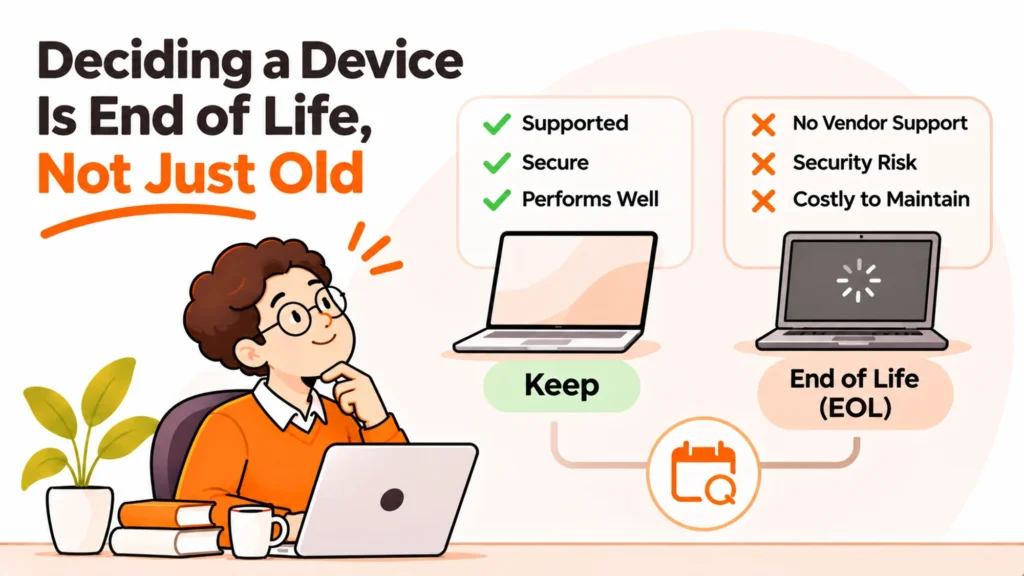
TL;DR
Device end of life gets decided by a refresh cycle, which is a calendar rather than a judgement. Four tests tell you far more than age does, and three of them cost nothing to check.
- Age is the weakest signal available.
- Security support ending is the hard stop.
- Repair cost against residual value is the second.
- Lost productivity beats both and is never counted.
- Retired is not the same as disposed.
- Decide the destination before the collection.
Why the refresh cycle is the weakest test
Most organisations replace machines on a fixed cycle, and it is an administrative convenience rather than an assessment.
A fixed cycle does two things wrong at once. It replaces machines that are working perfectly well, which wastes money and creates disposal volume you did not need. And it keeps machines that should have gone, because a heavily used laptop in a demanding role can be finished well before the calendar says so.
Age correlates with the things that matter, loosely. It is not one of them, and treating it as the decision means never examining the things that are.
The clearest sign that a cycle has become a substitute for judgement is when nobody can say why the interval is what it is. Three years, four years, whatever the number happens to be, it is usually inherited from a previous employer or borrowed from a finance depreciation schedule rather than derived from how these particular machines behave in these particular roles.
Why cycles persist anyway
Because they are easy to budget and easy to administer, which are real advantages. The suggestion here is not to abandon the cycle but to treat it as a prompt to assess rather than as the decision itself.
Test one: has security support ended
The only test that is a hard stop rather than a judgement.
When a device can no longer receive the current operating system, or the vendor has ended security updates for it, the decision is effectively made. A machine that cannot be patched is a machine that accumulates known vulnerabilities permanently.
CISA’s known exploited vulnerabilities catalogue is a useful reality check here, because it catalogues vulnerabilities being exploited in the wild rather than theoretical ones. The gap between unpatched and exploited is not hypothetical and it is not long.
Two practical points. Vendors publish support end dates well in advance, so this is forecastable rather than a surprise, and it should sit in your planning as a dated event per model. And it applies regardless of how well the machine runs; a fast laptop that cannot be patched is still finished for business use.
the NIST Cybersecurity Framework is the wider frame if somebody needs the argument in governance language rather than operational terms.
Test two: repair cost against residual value
A straightforward comparison that teams rarely actually perform.
When something fails, the question is whether repairing it costs more than the machine is now worth, plus what a replacement would cost. Put like that it is obvious, and the reason it goes unasked is that nobody knows the residual value.
Finding out is not hard. Resale channels will quote, and a quote on a representative machine from your estate gives you a number you can reuse across the whole model line for a year.
A caution that matters more than the arithmetic. Repairing a machine whose security support ends in six months is usually wrong even when the repair is cheap, because you are buying six months. Test one governs test two rather than sitting beside it.
| Test | What it asks | Cost to check |
|---|---|---|
| Security support | Can it still be patched? | Free, published |
| Repair economics | Is repair worth more than the machine? | One quote |
| Productivity | Is it costing somebody time daily? | Ask them |
| Role fit | Is it wrong for this job, not just old? | Free |
Test three: what it costs the person using it
The largest cost in this whole decision and the one almost never counted, because it does not appear on any invoice.
A machine that takes several minutes to become usable, that stalls during calls, that cannot run the tools the role requires, is costing you salary every day. That cost is spread thinly enough to be invisible and it accumulates faster than the price of a replacement.
Nobody needs a study to find it. Ask people whether their machine is slowing them down, and ask specifically rather than generally, because most will not raise it unprompted. There is a widespread assumption that complaining about equipment is not worth the trouble.
The related signal worth watching is support tickets by device. A machine generating repeated tickets is usually telling you something before anybody says it out loud, and the pattern is visible in data you already have.
Test four, briefly
Whether the machine is wrong for the role rather than simply old. A perfectly healthy laptop can be the wrong tool after somebody changes jobs, and the answer there is reassignment rather than retirement. Which brings us to what retirement actually means.
Device end of life is not the same as disposal
The distinction that saves the most money, and the one most often collapsed into a single step.
A machine leaving one person’s hands has four possible destinations and only one of them is disposal.
- Redeployment. Still perfectly adequate for a lighter role. The cheapest machine you will ever provide is one you already own.
- Spares. Held against failure, which removes an emergency purchase at full price and poor lead time.
- Resale. Real residual value, and it drops every month the machine sits waiting for somebody to decide.
- Disposal. Genuinely finished, and the only one where nothing comes back.
Decide the destination before the collection, not after, because the decision changes what should happen to the machine on the way. A device for redeployment needs a clean build, one for resale needs a certified wipe to be worth anything to a buyer, and NIST Special Publication 800-88 on media sanitization is what a serious channel will expect. the EPA on electronics and batteries management covers the responsible route for the fourth case.
sizing a spare pool is relevant for the second destination. If you have nowhere to hold machines between these decisions, that gap is usually what forces a premature disposal: a device nobody can store becomes a device nobody redeploys.
Making the decision happen at all
The practical failure is not getting these tests wrong. It is never performing them, so machines drift until something breaks.
What works is a prompt attached to an event that already happens. Three good ones:
- When a device comes back from a leaver. It is already in your hands and the assessment costs nothing extra.
- When somebody raises a hardware ticket. The machine is already under examination.
- When a model’s support end date is a year away. Forecastable and dated, so it can sit in a plan.
Those three catch most machines without any standing review process at all. The annual sweep then handles whatever is left over, which is a far smaller job than assessing an entire estate against a calendar nobody consults in between.
Whichever route, record the reason. A register showing why each device was retired is the difference between a defensible decision and an assertion, and it is also what stops the same argument being had again next year.
When not to retire something
Three cases where keeping a machine is the better answer.
It still patches and somebody is happy with it. Replacing a working machine because the calendar says so is the most common waste in this area. If tests one to four all pass, leave it alone.
A lighter role would take it. Reassignment is almost always cheaper than a purchase plus a disposal, and the receiving person usually gets an upgrade on what they had.
You cannot yet handle the data properly. If you have no way to produce a certified wipe, retiring a machine is just moving an unresolved data question into a cupboard. Sort the disposal route first, then start retiring things. certified data wiping at offboarding is one route and the general point is that disposal without evidence is not completion.
One last thought on the sustainability argument, which is increasingly in these conversations. The most environmentally sound machine is nearly always the one you already own and keep using. That tends to align with the financial answer, which makes it an easy case to make and one worth making explicitly when somebody proposes a blanket refresh.
Four destinations, and three of them need somewhere to go. See storage and redeployment for returned laptops or certified data wiping at offboarding.
Frequently asked questions
How do we decide if a device is end of life?
Four tests beat age. Whether it still receives security updates, whether repair costs more than the machine is worth, whether it is costing the user time every day, and whether it is simply wrong for their current role. The first is a hard stop; the others are judgements.
Is a fixed refresh cycle wrong?
As the decision itself, yes, because it replaces working machines and keeps finished ones. As a prompt to assess, it is useful and easy to budget. Treat the cycle as the trigger for the four tests rather than as the answer.
What if a machine runs fine but no longer gets updates?
It is finished for business use regardless of how well it runs. A device that cannot be patched accumulates known vulnerabilities permanently, and support end dates are published in advance so this should be a dated event in your plan rather than a surprise.
How do we know what a used laptop is worth?
Ask a resale channel to quote on one representative machine from your estate. That single number is reusable across the model line for a year and turns the repair decision from an argument into arithmetic.
What is the biggest cost we are missing?
Lost productivity. A slow machine costs salary every day in amounts too small to notice and large enough in aggregate to exceed the replacement price. Ask people directly, because most will not raise it unprompted.
Does end of life mean disposal?
No, and collapsing the two is expensive. A machine leaving somebody’s hands can be redeployed, held as a spare, resold or disposed of, and only the last returns nothing. Decide which before collection, because it changes what should happen to the device on the way.
How do we stop machines drifting past the point of retirement?
Attach the assessment to events that already happen: a device returning from a leaver, a hardware ticket being raised, and a model’s support end date approaching. Those three catch most machines without a standing review process.
PeopleOpsHQ covers remote IT operations. RemoAsset collects and routes devices through a managed laptop lifecycle service.