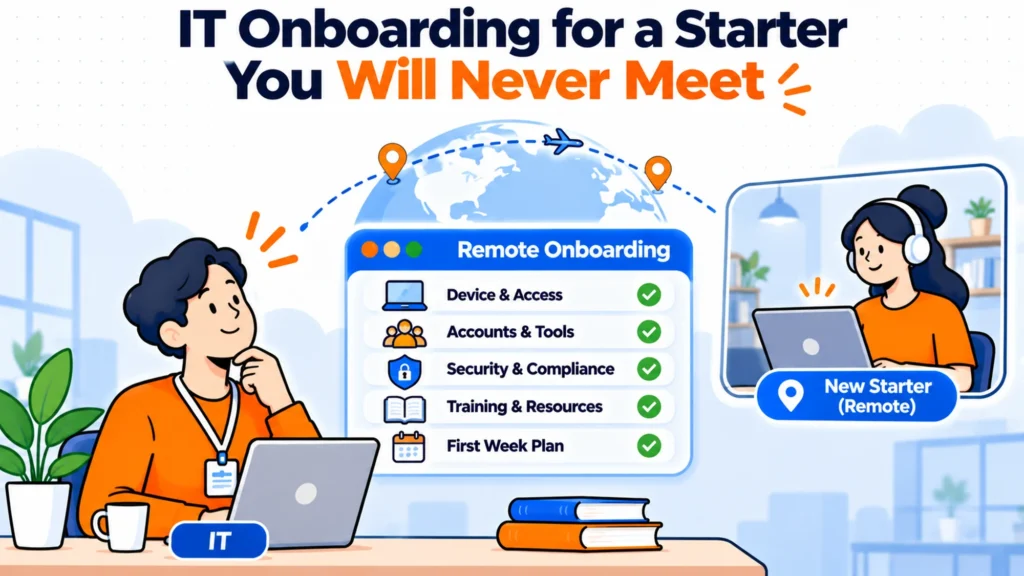
Remote IT onboarding removes something nobody wrote down: the moment an administrator handed a laptop to a person they could see, in a building they had both been admitted to. That moment did identity checking, handover and a first conversation at once, and distributed teams have to replace all three deliberately.
TL;DR
- The desk-side handover quietly did three jobs. Remote onboarding has to replace each one on purpose.
- Identity: you are shipping a configured device to an address a stranger gave you, before they have worked a day.
- Handover: nobody watches the first login, so a failure at that step is invisible until the person reports it.
- Relationship: the starter no longer meets anyone from IT, so they do not know who to ask when something breaks.
- Enrolment before shipping solves most of the device risk and costs nothing extra.
- A named human on day one beats any amount of documentation for the first week.
What the desk-side moment was actually doing
In an office, a starter collected their laptop from a person. That interaction verified they were who they claimed to be, because they had got past reception and somebody recognised the name on the list. It confirmed the device worked, because the first login happened with an administrator standing there. And it created a relationship, because the starter now knew one person in IT by face.
None of those were anybody’s stated objective. They were side effects of the physical arrangement, which is exactly why they disappear silently when the arrangement goes away.
The identity problem nobody likes discussing
You are posting a configured machine with access to company systems to a residential address supplied by somebody who has not yet started. For most hires this is entirely fine and the risk is theoretical. It stops being theoretical at scale, and it is worth having a deliberate position rather than an accidental one.
The practical controls are modest and none of them is dramatic. Ship to the address held in the HR record rather than one supplied by email, because an emailed change of address is the cheapest attack available. Require a signature on delivery. Do not send credentials in the same channel as the device tracking. And separate the two halves: the laptop arrives, and the means of signing in to it arrives another way.
The one that matters most is enrolling the device in management before it ships. A machine that is enrolled before it leaves can be configured, locked or wiped remotely regardless of who opens the box. A machine that is enrolled during first login by the recipient cannot, and the window between dispatch and enrolment is the only genuinely uncontrolled period in the process.
Nobody is watching the first login
In an office, a failed first login was fixed in ninety seconds by the person standing next to it. Remotely, it is a starter alone with a machine that does not work, on the morning they are trying to make a good impression, deciding how long to wait before admitting there is a problem.
Most of them wait too long. The social cost of reporting a problem is highest on day one, and the result is that a thirty second fix becomes half a lost day. This is the single most common avoidable failure in remote IT onboarding and it is not a technical fault at all.
What to do:
- Book a fifteen minute first login call rather than offering one if needed.
- Test the account yourself on the Friday before, not the morning of.
- Send the fallback contact method before the device arrives, not inside it.
- Tell the starter explicitly that reporting a problem on day one is expected.
- Have a second route that does not require the new laptop to work.
That last point catches the circular failure that embarrasses everyone: the instructions for what to do when you cannot log in, sent to the email address you cannot log in to.
A team that found the gap by accident
A seventy person company with staff across four countries believed its remote onboarding was working. Devices arrived on time and nobody complained.
Then somebody asked the last six starters a direct question: was there anything in your first week you could not do and did not report. Four of the six said yes. Two had worked around a missing application for over a fortnight. One had been using a personal password manager because the company one never activated. None had raised a ticket, because each assumed the gap was their own misunderstanding of a new system.
The fix was a scheduled check at the end of week one, asked as a direct question rather than an open invitation. Ticket volume went up, which was the intended outcome and looked briefly like a regression.
Replacing the relationship
The third thing the desk-side moment did was give the starter a person. Remotely they get a shared inbox, which is not the same and everybody knows it.
A named contact for the first two weeks costs very little and changes behaviour measurably. It converts a decision about whether a problem is worth a ticket into a message to somebody who is expecting it. After the first fortnight the named contact can fade into the normal channels, by which point the starter has enough context to use them properly.
An answering layer helps with the volume that follows, and it is worth being clear about what it does. Matram is our own product, and it reads your documentation and answers the questions that arrive once someone is working. It has no free tier, it is not an HRIS, and its actions reach HubSpot, Zendesk and webhooks only, so it can open a ticket but will not provision anything or reset a password. WhatsApp is coming soon rather than available. Flat pricing runs $29, $69 and $199 a month with unlimited seats. For the first login problem specifically it is the wrong tool, because the starter cannot reach it.
What to get right in order
| Stage | What replaces the office version | Cost if skipped |
|---|---|---|
| Before dispatch | Enrol the device in management | An unmanaged machine in transit |
| Dispatch | Ship to the HR record address, signature required | Delivery to an unverified address |
| Credentials | A separate channel from the device | One intercepted message is enough |
| First login | A booked call, not an offer | Half a day lost, unreported |
| Week one | A named person and a direct check | Silent gaps lasting weeks |
The checklist worth keeping
Checklist:
- Device enrolled in management before it leaves the building.
- Shipping address taken from the HR record, not from an email.
- Credentials delivered separately from the hardware.
- Account tested by an administrator before the start date.
- A first login call in the calendar.
- A contact route that works without the new device.
- A direct question at the end of week one about what is not working.
Final Thoughts
Remote IT onboarding is rarely worse than the office version because the technology is harder. It is worse because three useful things used to happen for free and now have to be designed, and the easiest of the three to forget is the one where a nervous new starter decides not to mention that something does not work.
Enrol before you ship, book the call rather than offering it, and ask a direct question at the end of week one. Those three cover most of what the desk used to do.
Frequently asked questions
What is IT onboarding?
It is the work of giving a new starter a working identity, a working device and the right application access, plus the support needed to make all three usable on their first day. In a distributed team it also covers shipping and enrolling hardware, which adds a lead time that cannot be compressed on the morning somebody starts.
Should we enrol devices before shipping them?
Yes, and it is the highest value single change available for remote onboarding. A machine enrolled before dispatch can be configured, locked or wiped regardless of who opens the box, which closes the only genuinely uncontrolled window in the process. Enrolling during first login leaves that window open for the whole time the device is in transit.
How do we verify a remote starter is who they say they are?
Use the address held in the HR record rather than one supplied by email, require a signature on delivery, and send credentials through a different channel from the device. These are modest controls and they remove the cheapest attacks without adding meaningful friction for a legitimate starter.
Why do new starters not report problems?
Because the social cost of raising a problem is highest when you have been employed for one day and cannot tell whether the fault is the system or your own misunderstanding. Most people wait, and a thirty second fix becomes a lost morning. Asking a direct question at the end of week one surfaces these far more reliably than inviting people to get in touch.
Does a chatbot help with day one problems?
Not with the first login, because a starter who cannot sign in usually cannot reach it either. An answering layer is useful for the questions that arrive once somebody is working and asking about tools, access routes and who owns what. Treat it as a week two onward tool rather than a day one one.
How long should a named IT contact last?
About two weeks is enough for most teams. The purpose is to lower the cost of asking during the period when a starter cannot yet judge whether something is broken or normal. After that they have enough context to use the standard channels sensibly, and keeping a personal route open indefinitely just moves the bottleneck onto one person.