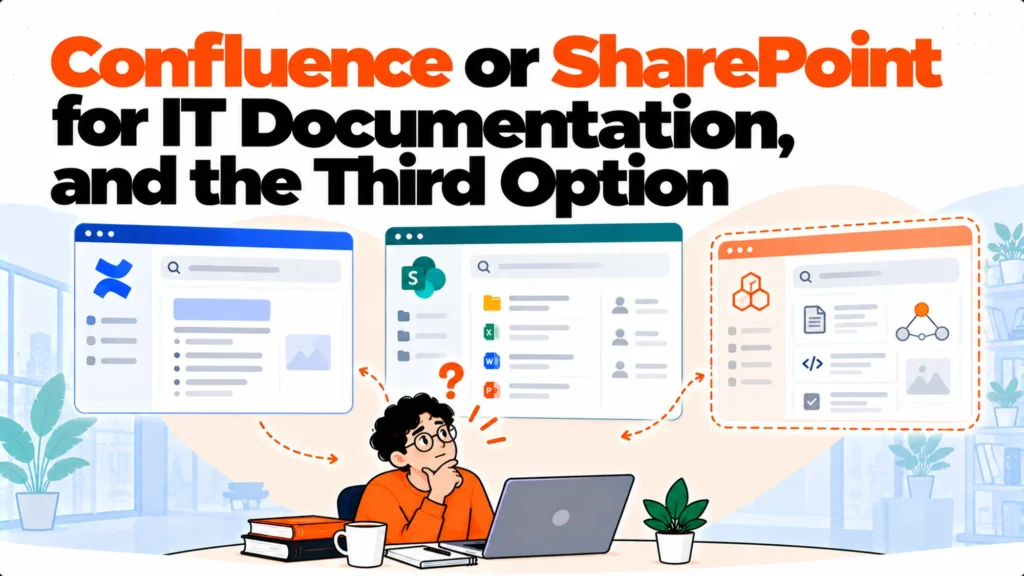
The short version. Confluence vs SharePoint is usually settled by which suite your company already runs, and that is a reasonable way to settle it. Confluence is better for written process documentation and integrates with Jira. SharePoint arrives free inside Microsoft 365 and is better at file storage. Both return documents rather than answers, which is the complaint most teams actually have, and that is the third option worth considering before migrating either way.
Confluence vs SharePoint is mostly a suite decision
Before any feature comparison, the honest observation about how this gets decided.
If your company runs on Microsoft 365, SharePoint is already paid for and already holds files. If it runs on Atlassian, Confluence is already paid for and already holds pages. Very few teams evaluate both from nothing, and the incumbent has a large advantage that has nothing to do with capability.
That advantage is habit. Documentation in the tool people already open beats better documentation in a tool they have to remember exists, and adoption follows habit far more reliably than it follows quality.
The exceptions are specific: when the team genuinely cannot edit comfortably, or when permissions cannot express a rule you need. Those are worth moving for. A preference for a nicer editor usually is not.
What each one costs
The pricing shapes are completely different, which makes a direct comparison misleading unless you are careful.
Confluence is a configurator rather than a price list. At 25 seats Standard is $7.15 per user per month and Premium is $14.10. At 300 seats the same plans are $5.78 and $11.16, so the per-user rate falls as the team grows. Any Confluence figure quoted without its seat count belongs to somebody else’s company. There is also a genuine free tier for up to 10 users.
SharePoint is not sold separately for most buyers. It arrives inside Microsoft 365, where Business Basic is $7.00 per user per month paid yearly, Business Standard with Copilot is $23.50 and Business Premium with Copilot is $32.00. Those are bundle prices covering email, Office applications and Teams, so attributing any of them to SharePoint alone will make your comparison wrong.
For most companies the practical answer is that one of them is already paid for and the other is additional spend. Atlassian publishes its rates behind a seat-count field, so type your own headcount in rather than trusting a figure from any comparison article, including this one.
Where Confluence is stronger
Three areas, and they all follow from what it was built for.
Written process documentation. Confluence was designed for runbooks, architecture notes and specifications. Pages, spaces and page trees suit that content and SharePoint’s document-library model does not, quite.
Jira integration. Documents and tickets reference each other natively. For a team that lives in Jira this is the whole argument, and it is a strong one.
Editing. Writing and maintaining a page is lighter work in Confluence than in SharePoint, which means it happens more often, which is the thing that actually determines whether documentation stays current.
Where SharePoint is stronger
Three areas, equally genuine.
Files. SharePoint handles documents, spreadsheets and large binary files properly. If a meaningful share of your documentation is attachments rather than pages, that matters.
It is already there. For a Microsoft-centric company the marginal cost is nothing, and the account provisioning, offboarding and compliance tooling is already in place and already understood.
Breadth of integration inside the Microsoft estate. Teams, Outlook, Entra and the rest connect without any additional work, which is a real reduction in administration.
What both do badly
The thing most Confluence vs SharePoint comparisons skip, and the complaint most teams actually have.
Both return documents. Somebody asks how to rotate a certificate, searches, and gets a ranked list of pages that mention certificates. The answer is four screens into one of them under a heading nobody would have searched for.
Both have added answering layers, and both are strongest inside their own boundary. Confluence answers well over Confluence content and less well over documents kept elsewhere. SharePoint answers within the Microsoft estate and not outside it. If your documentation is split across both, which happens more often than anybody plans for, neither answers across the whole set.
So the migration that moves documentation from one to the other improves editing, structure and integration, and leaves the original complaint intact. You will know within a quarter because ticket volume on documented questions will not have moved.
The split-estate problem
A specific situation worth naming because it is common and quietly expensive.
Many companies end up with both. Engineering documents live in Confluence because Jira is there, and everything else lives in SharePoint because Microsoft 365 is there. Nobody decided this; it accumulated.
The cost is not the two licences. It is that people have to guess which system holds the current version of anything, and sometimes both do with different dates. That is worse than either tool alone and it is the single most damaging arrangement in this comparison.
If you have both, the useful work is drawing a boundary and stating it plainly, rather than migrating everything into one. Process documentation in one, files and records in the other, written down where people can see it.
The third option
If the documents are adequate and nobody can get an answer, there is a shape that is neither of these.
An answering layer reads documents wherever they sit, including across both systems at once, and returns a sentence with a link to the source. There is no migration, no new editor and no decision about which suite wins.
Matram is one of these, and it is owned by the same people who publish this site, which you should weigh against this section. It publishes flat pricing at $29, $69 and $199 per month with unlimited seats, so cost does not rise as more of the team starts asking.
Its limits are specific. There is no free tier, only a 30 day trial without a card. It answers rather than actioning tickets, so it will state what the runbook says and will not run the procedure. And it is not an ITSM or service desk platform, so there is no ticket queue, routing or case management in it.
For a split estate this shape is unusually well suited, because it addresses the guessing problem without requiring anybody to agree which suite should win.
How to decide
Three questions, in order, and they resolve most cases without a feature matrix.
Which suite does the company already run, and does the team you are documenting for already live in it. If the answer is clear, that is usually the decision and the rest is detail.
Can you express your hardest permission rule in it. Try the specific case where a document must be visible to one group and hidden from an overlapping one, in the product rather than in a slide.
And do your last twenty questions get answered by either, as answers rather than page lists. Run that count before committing to a migration, because if both score low the gap is retrieval and moving between them changes nothing.
Which is better for IT documentation?
Confluence, for written process documentation specifically. It was designed for runbooks and specifications, it integrates with Jira natively, and editing is lighter so pages actually get maintained. SharePoint is stronger on file storage and on everything inside the Microsoft estate. For most teams the decision is settled by which suite the company already runs, and that is a reasonable basis given how much adoption depends on habit.
How do the costs compare?
They are not directly comparable. Confluence is a configurator whose per-user rate falls as seats rise, with a genuine free tier to 10 users. SharePoint arrives inside Microsoft 365 bundles that also cover email, Office and Teams, so no part of that price is attributable to SharePoint alone. In practice one of them is usually already paid for and the other is additional spend, which settles it more often than any feature.
We have both. Should we consolidate?
Not necessarily, and the consolidation is usually more expensive than it looks. The real cost of having both is that people must guess which system holds the current version, and occasionally both do with different dates. Drawing a clear boundary and publishing it, with process documentation in one and files in the other, fixes the guessing without a migration and keeps the integrations each suite gives you.
Will either stop people asking in chat?
Only partly. Both return ranked lists of documents when somebody searches, and the answer usually sits inside one of them. Both have added answering layers and both are strongest within their own boundary, so a split estate is poorly served by either. If ticket volume on documented questions is the complaint, measure it before and after rather than assuming a migration will move it.
What about permissions?
Both are mature and they model access differently, so permissions do not transfer between them. Before committing, try your hardest real rule in the product: a document that must be visible to one group and hidden from an overlapping one. That test takes ten minutes, it is where evaluations should get difficult, and it is the thing most likely to rule one of them out for a specific team.
What does a migration between them cost?
Far more than the licence difference. The time goes into deciding what not to move, rebuilding permissions by hand, fixing links from tickets and onboarding material, and telling people repeatedly that documentation has moved. Budget the communication as the largest line rather than the smallest, and expect a worse month immediately afterwards while people cannot find things they previously could.