TL;DR
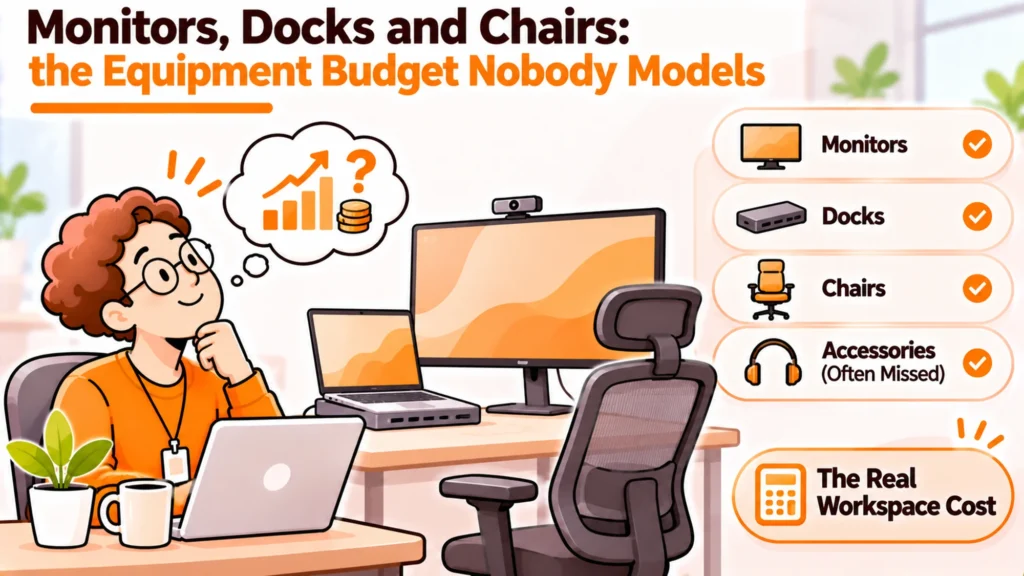
Docks and peripherals are the part of the equipment budget that gets approved one request at a time and never gets modelled. Individually each item looks small. Collectively they rival the laptop, they generate more support tickets than the laptop, and almost none of them come back when somebody leaves. Standardising two items fixes most of it.
- The accessories around a laptop can approach the cost of the laptop once you count them all.
- A dock is the single biggest source of support tickets in a home setup.
- Thunderbolt 4 requires 40 Gbps and 100W charging as a minimum, which removes most guesswork.
- Standardise the dock and the monitor. Let people choose the things that touch their body.
- Accessories rarely come back, so decide now whether you will chase them.
- Write down what you will not ship. That list saves more than any negotiation.
The cost nobody models
Equipment budgets usually have a line for laptops. They rarely have a line for everything else, because everything else arrives as individual requests that each look too small to plan for.
A monitor here. A dock when somebody complains about cables. A keyboard after a wrist problem. A headset before a customer call. Each one is approved on its own and none of them is ever counted together.
Add them up for one person and the total is uncomfortable. Add them up across a distributed team and it is a budget line that should have existed from the start.
Why it stays invisible
Three reasons, and they compound.
The approvals are split. A laptop goes through procurement. A keyboard goes on somebody’s card. The two never meet in a report.
The items have no refresh cycle. Laptops get replaced on a schedule. Nobody plans monitor replacement, so it happens on failure and lands as a surprise.
They are not in the asset register. Most registers track machines with serial numbers. A dock usually has one and almost never gets recorded.
Standardise two things, open up the rest
Disclosure: RemoAsset, named below, is owned by the same people who publish PeopleOpsHQ. It is described with its limitations stated, on the same terms as every other supplier. This site takes no vendor money.
The instinct is to standardise everything or nothing. Both are wrong, and the split is more obvious than it looks.
Standardise what plugs into the computer. Leave open what touches the person.
Standardise the dock
The dock is the component most likely to generate a ticket. It sits between the laptop, the power supply, the screens and the network, and when it misbehaves it looks like five separate faults.
One dock model across the fleet means one set of firmware, one known behaviour and one support article. The saving is in tickets, not in purchase price.
Standardise the monitor
Not for cost. For predictability. A known resolution and connector means the dock question is already answered and the cable question never arises.
Let people choose the rest
Keyboards, mice, chairs and headsets touch somebody’s body for eight hours. Imposing one model generates genuine discomfort, some of it the kind you should be accommodating rather than standardising.
Set a value and a short list, then stop managing it. The administrative cost of policing a mouse choice exceeds the price of the mouse.
Getting the dock right once
Docking is where most of the technical trouble lives, and the specifications are clearer than the marketing suggests.
Thunderbolt 4 sets minimums rather than maximums. A compliant device must provide 40 Gbps of bandwidth, must supply 100W of charging to the computer, and must support two monitors at up to 4K. Those are floors, which is what makes the standard useful for buying.
Thunderbolt 5 raises the ceiling to as much as 240W of charging and dual 8K displays. The 240W figure comes from Extended Power Range cabling running at 48V and 5A, against the 100W that earlier USB Power Delivery cables carried.
You can read the requirements at Intel’s Thunderbolt requirements, which set the minimum bandwidth and charging figures, and the power side is set out by the USB Implementers Forum on USB Power Delivery.
| What you need | What to specify | Why |
|---|---|---|
| One screen, light use | USB-C dock with adequate wattage | Cheapest option that will not cause tickets |
| Two 4K screens | Thunderbolt 4 certified | Dual 4K is part of the minimum requirement |
| Charging a power hungry laptop | Check the wattage against the laptop | Underpowered docks charge slowly or not at all |
| Future proofing | Thunderbolt 5 if the budget allows | Higher ceilings on power and displays |
| Mixed laptop fleet | Specify to the most demanding machine | One model beats two part-compatible ones |
Two things the specification will not tell you
Dual 4K at 60Hz needs a compatible dock or hub in the chain, so the dock alone is not the whole answer. And actual performance depends on what the host computer and the peripheral can each do, which means a certified dock attached to a limited laptop still gives you the laptop’s limits.
Test with the actual machine your people use before buying a hundred of anything.
Docks and peripherals do not come back
Here is the part that turns a procurement question into a lifecycle question.
When somebody leaves, the laptop usually comes back. It is valuable, it is tracked, and asking for it is a normal conversation. The dock, the monitor, the keyboard and the headset frequently do not.
Partly that is practical. Returning a monitor needs a large box most people do not have. Partly it is social. Chasing a leaver for a mouse feels petty and often is.
So decide the policy before it happens, rather than improvising per leaver.
- Decide a threshold. Above a value you recover, below it you write off. Write the number down.
- Say it at issue, not at exit. People accept a rule they were told about when they received the item.
- Make returning easy or do not ask. A monitor with no packaging and no collection booked will not come back, and asking without providing those two things just creates bad feeling.
- Record what you chose not to chase. Written off is a decision. Lost is an accident. They should not look the same in a report.
The monitor is the awkward case. It is usually worth recovering and it is the hardest single item to ship back. If you decide to recover them, packaging and a booked collection have to be provided, which is the same mechanism that makes laptop returns work. Retrieval with packaging and collection arranged covers that, and the limitation worth stating is that bulky items cost more to move than a laptop, so the economics are genuinely tighter.
The decision table
| Situation | Scale | Setup | Primary pain | Recommended starting point |
|---|---|---|---|---|
| Requests arriving one by one | Under 50 | No policy | No budget visibility | Write one list of what you ship by default |
| Support tickets about screens | 50 to 200 | Mixed docks | Faults hard to diagnose | Standardise on one certified dock model |
| Accessories never returned | Any | No stated threshold | Silent write offs | Set a recovery threshold and say it at issue |
| Accessibility requests rising | Any | One approved model | Standard kit does not fit | Keep a separate route, do not force the standard |
| Office reopening part time | Any | Kit at home and desk | Buying everything twice | Decide which set is duplicated before buying |
Write down what you will not ship
The most useful document here is not a catalogue. It is the short list of things you do not provide, and the reason for each.
Without it, every request is a negotiation and every answer is a precedent. With it, the answer takes ten seconds and is the same for everybody, which is the part people actually care about.
Keep it short and give reasons. A list of refusals with no reasoning reads as meanness and gets appealed. The same list with one line of explanation per item mostly does not.
Two things belong outside this list entirely. Accessibility and health related requests should never travel through the standard kit process, because the answer there is a clinical or legal question rather than a budget one, and routing them together is the mistake that causes real harm.
The part that is genuinely a judgement call
Desks and chairs split opinion and there is no correct answer. A chair is the item most likely to affect somebody’s comfort over years, and it is also the item most likely to be already owned, least likely to come back, and most expensive to ship.
Teams that provide chairs usually do it through a local supplier rather than central shipping, which sidesteps the freight problem. Teams that do not provide them usually fold the cost into a stipend and let people buy locally. Both work. Drifting between them does not.
Whatever you choose, storing returned accessories is the piece that is easy to forget. A monitor that comes back and sits in somebody’s spare room is not available to the next joiner. Storage and redeployment of returned equipment exists for that gap, though for low value items the storage cost can exceed the replacement cost, and it is worth doing that sum rather than assuming.
For the shipping side, our guide to shipping monitors to remote employees covers what makes bulky items expensive. For keeping the model list manageable, see laptop spec standardisation.
See how returned equipment is stored and reissued with device storage and redeployment, or read our guide to shipping monitors to remote employees.
Frequently asked questions
How much should we budget for docks and peripherals?
Build it from your own list rather than a benchmark, because the total depends entirely on what you choose to provide. Take one standard setup, price every item you would ship by default, and multiply by expected joiners. The number usually surprises people because the accessories collectively approach the laptop. Do the sum once a year and the surprise stops being annual.
Which dock specification should we standardise on?
Thunderbolt 4 if you need two 4K screens, because the standard sets minimums rather than maximums: a compliant device must deliver 40 Gbps, supply 100W of charging and support dual monitors at up to 4K. That removes most of the guesswork from a purchase. A single screen and light use does not need it, and a plain USB-C dock with enough wattage will be cheaper without causing tickets.
Will a certified dock guarantee dual 4K at 60Hz?
Not on its own. Dual 4K at 60Hz needs a compatible dock or hub in the chain, and actual performance is determined by what the host computer and the peripheral can each do. A certified dock attached to a laptop with lower limits still gives you the laptop’s limits. Test with the exact machine your people use before buying in volume, because the specification describes the dock rather than the combination.
Should we standardise keyboards and chairs too?
Standardise what plugs into the computer and leave open what touches the person. A dock and a monitor benefit from being identical, because that gives you one firmware, one known behaviour and one support article. Keyboards, mice, chairs and headsets sit against somebody for hours, and imposing one model creates real discomfort. Set a value and a short list, then stop managing the choice.
Do accessories come back when someone leaves?
Mostly not. The laptop usually returns because it is valuable, tracked and normal to ask for. Docks, keyboards and headsets frequently do not, and monitors are the hardest of all because returning one needs a large box most people do not have. Set a value threshold above which you recover and below which you write off, say it when the item is issued rather than at exit, and record write offs as decisions rather than losses.
Should accessibility equipment go through the same process?
No. Accessibility and health related requests should have their own route, because the answer is a clinical or legal question rather than a budget one. Routing them through the standard kit list means somebody who needs a specific item is queued behind somebody who wants a larger monitor, which is both slower and wrong. Keep the two processes separate and say so in the policy.
Is it worth storing returned monitors and docks?
Do the arithmetic rather than assuming. Storage has a monthly cost and low value accessories can cost more to keep than to replace, so the answer differs by item. Monitors usually justify it and cheap peripherals usually do not. The failure to avoid is the middle case, where returned items sit in somebody’s spare room, count as neither stored nor written off, and are unavailable to the next joiner.
PeopleOpsHQ covers the operational side of distributed work. Where we have not verified a figure we say how to measure it rather than quoting someone else’s benchmark, and we take no vendor money.