TL;DR
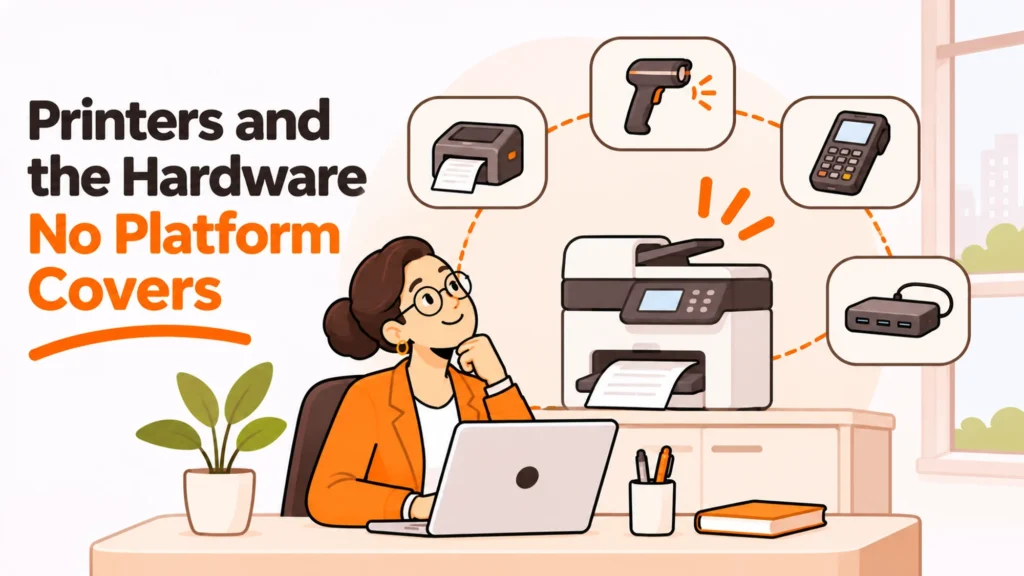
Printers are the hardware nobody covers properly. Equipment platforms do not ship them, IT does not want them, and facilities may not exist any more. Meanwhile they store documents, sit on the network and have an unusually long life, which makes the gap worth closing deliberately.
- They store what they print. That is the part nobody assesses.
- Home printing is the awkward case, and refusing it rarely works.
- Buy local, always. Shipping a printer internationally is never right.
- Managed print is for volume, not for a distributed team of forty.
- A device at end of life needs wiping, same as a laptop.
- Decide who owns it, or it defaults to whoever complains.
Why printers are the hardware nobody covers
Three functions could own them and all three have a reason not to.
IT owns anything with an IP address, and printers are famously the least rewarding device on any network. They are also not endpoints in the sense the rest of the toolchain understands.
Facilities owned them when there was a building. Many companies no longer have that function in any meaningful form.
Equipment platforms are built around laptops. They buy, configure, ship, track and recover computing devices, and a printer fits none of those processes well.
| Scenario | Realistic owner |
|---|---|
| Office printer, one site | Facilities, or office manager |
| Office printer, no facilities function | IT, reluctantly, with a service contract |
| Home printer for one role | The person, expensed, with a policy |
| High-volume production printing | A managed print contract |
The third row is where most distributed companies actually live, and it is the one least likely to have a written position.
The absence of a position is the problem rather than any particular answer. Without one, the question reaches whoever a frustrated person asks first, gets answered differently each time, and nobody ever discovers how many printers the company is quietly paying for.
Home printing is the awkward case
The instinct is to say nobody needs to print, and for most roles that is now true. It is not universally true, and the exceptions are usually legal, clinical, logistics or anything involving a signature that a given counterparty will not accept electronically.
Where somebody genuinely needs to print, three options and no fourth.
They expense a printer. Simplest. Set a limit, let them choose, and say plainly that the device is theirs.
They use a local print shop and expense the cost. Works for occasional need and avoids a device entirely.
You provide one. Appropriate where the volume is real and recurring, and it brings the device into whatever asset process you run, which is a commitment.
The document question is the real one
Whatever route you pick, the important part is not the hardware. It is what gets printed and what happens to it afterwards.
A printed document at home has left every control you have: no access log, no retention schedule, no secure disposal. Where that document contains personal data, obligations under frameworks such as the consolidated text of the General Data Protection Regulation follow the data rather than the medium, and paper is squarely included.
So the useful policy is about documents rather than devices: what may be printed, what must not be, and what to do with it afterwards. That conversation is worth having regardless of who buys the printer.
The risk nobody assesses
Disclosure: RemoAsset, named below, is owned by the same people who publish PeopleOpsHQ. It is described with its limitations stated, on the same terms as every other supplier. This site takes no vendor money.
Most office printers have internal storage, and many retain images of what passed through them. That makes a printer at end of life a data-bearing device, and almost nobody treats it as one.
A laptop leaving the company gets a documented wipe. A printer gets collected by whoever is taking the old furniture, with several years of whatever was printed still inside it.
Three things to do, none of them difficult.
Find out whether your devices have storage. The manufacturer’s documentation says. Many business-class machines do.
Include them in the disposal process. A wipe against a recognised standard such as NIST Special Publication 800-88 on media sanitization where the device supports it, or physical destruction of the drive where it does not.
Put them in the asset register. If a device holds data, it belongs in the inventory. Control frameworks such as ISO/IEC 27001, the information security management standard do not carve out an exception for printers, and an auditor who asks about them will not either.
And the network position
A printer is an always-on network device that receives rarely-applied firmware updates. the UK National Cyber Security Centre device security guidance frames the managed state of a device as the control, and a printer typically has the weakest managed state of anything on the network.
That is not an argument for a project. The practical consequence is small: keep firmware current on anything still in service, and put the devices on a network segment that does not reach anything important. Neither is a project. It is an argument for knowing how many you have and where, which most companies cannot answer. For comparison, the devices that do get this treatment are handled by something like device collection with a documented return, and the honest limitation is exactly the point of this post: that service is built around laptops and similar devices, not printers. For those you need a local disposal contractor.
The decision table
| Situation | Scale | Setup | Primary pain | Recommended starting point |
|---|---|---|---|---|
| Fully remote, occasional printing | Any | No office | Nobody owns it | Expense a printer or a print shop |
| One office, moderate volume | Any | Office manager exists | Consumables and jams | Buy local, service contract, done |
| High volume, regulated output | 200 plus | Real print need | Cost and compliance | Managed print contract |
| Disposing of old devices | Any | Office move or closure | Storage nobody assessed | Check for drives, wipe or destroy |
| Thinking of shipping one abroad | Any | New hire overseas | Freight exceeds device | Do not, buy locally |
When managed print is and is not the answer
Managed print services are sold to companies far below the size where they make sense, so it is worth being clear about where the line sits.
They work when print volume is high, predictable and central: a claims department, a dispatch operation, anywhere paper is part of the product rather than an occasional inconvenience. The contract covers devices, consumables, servicing and a per-page cost, and at real volume it beats managing it yourself.
They do not work for a distributed team of forty who print rarely. The contract assumes devices in known locations with a service engineer who can reach them, and neither holds.
The questions that sort it
- How many pages a month, actually? Most companies overestimate by a wide margin. Check the counters before signing anything.
- Are the devices in places an engineer can visit? Home addresses usually are not.
- What is the minimum term? These contracts are frequently long, and a company shrinking its office footprint can be left paying for devices it no longer has anywhere to put.
The cheap answer for most distributed companies
Buy locally, treat the device as a consumable, and keep a written note of which ones exist and where. That last part is the whole discipline, and it costs one shared document. Four columns are enough: location, model, who to call when it breaks, and whether it holds a drive. Anything longer will not be kept current, and a short list people actually update beats a thorough one that goes stale inside a year. Keep it wherever the rest of the operational notes live rather than in a system, because the point is that somebody updates it when a printer moves.
Worth checking at the same time that whatever people need to print is readable without printing it, since a document that only works on paper excludes anybody relying on assistive technology. the W3C Web Accessibility Initiative introduction to accessibility covers that ground. For the adjacent question of what does ship with a machine, see our piece on peripherals at scale.
See what a device return service does cover at device collection with a documented return, or read our piece on buying peripherals at scale.
Frequently asked questions
Who should own printers?
It depends on the shape of the company. An office printer at one site belongs to facilities or an office manager. Without a facilities function it lands on IT with a service contract. A home printer for one role is best expensed by the person. High-volume production printing is a managed print contract.
What about people who genuinely need to print at home?
Three options. They expense a printer, with a limit and a clear statement that the device is theirs. They use a local print shop and expense the cost, which suits occasional need and avoids a device entirely. Or you provide one, which is right for recurring volume and brings it into your asset process.
What is the real issue with home printing?
The documents rather than the hardware. A printed page at home has left every control you have: no access log, no retention schedule, no secure disposal. Where it contains personal data the obligations follow the data rather than the medium, and paper is included. The useful policy is about what may be printed and what happens afterwards.
Why are printers a data risk?
Because most business-class devices have internal storage and many retain images of what passed through them. That makes a printer at end of life a data-bearing device, and almost nobody treats it as one. A laptop gets a documented wipe while a printer gets collected with years of output still inside.
What should we do about that?
Three things. Check the manufacturer documentation to find out whether your devices have storage. Include them in the disposal process, with a wipe against a recognised standard or physical destruction of the drive. And put them in the asset register, because an auditor asking about data-bearing devices will not exempt printers.
When does managed print make sense?
When volume is high, predictable and central, such as a claims department or a dispatch operation where paper is part of the product. It does not work for a distributed team of forty who print rarely, because the contract assumes devices in known locations with a service engineer who can reach them.
Should we ever ship a printer internationally?
No. Freight on a printer exceeds the cost of buying one locally in almost every case, and you also inherit the wrong power supply and a warranty that may not apply in that country. Buy locally, treat it as a consumable, and keep a written note of which devices exist and where they are.
PeopleOpsHQ covers the operational side of distributed work. We describe suppliers with their limitations stated, and we take no vendor money.