TL;DR
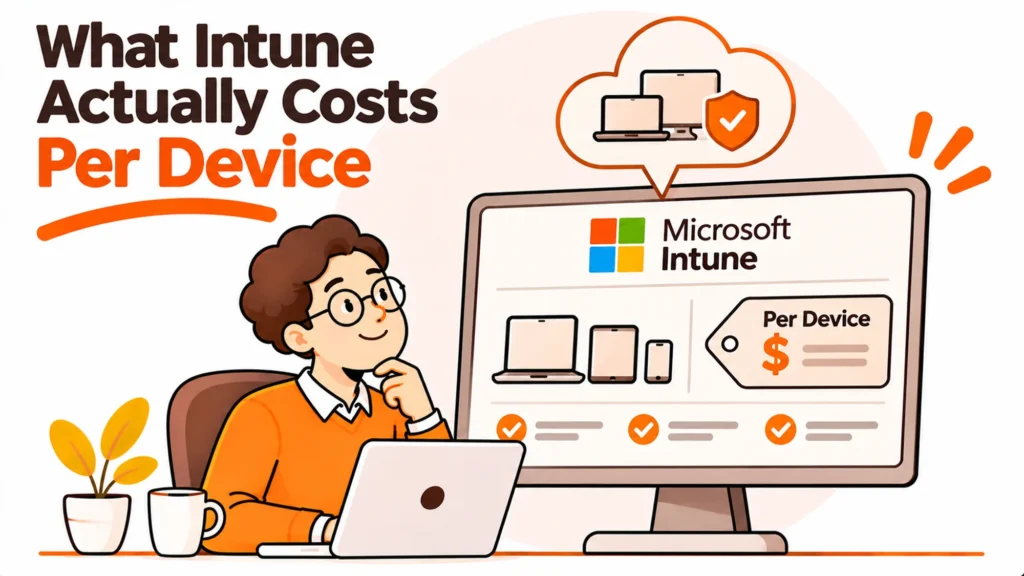
Intune pricing has no per-device figure at all, which is awkward because almost everybody budgets per laptop. Every plan Microsoft publishes is priced per user per month, and the number most people quote is not the Intune price but the price of a Microsoft 365 suite that happens to include it.
- Every published plan is priced per user, not per device.
- The standalone Plan 1 price sits only in an FAQ.
- The big card prices are Microsoft 365 suites, not Intune.
- Convert using your real devices per person ratio.
- Add-ons are priced per user too, and they stack.
- Licensing is not the whole cost of running it.
There is no per-device price
Worth settling first, because it is the question people arrive with.
Microsoft publishes every Intune plan per user per month, paid yearly. There is no device-based plan on the pricing page at all. Microsoft Learn on Intune licensing covers how the licensing is structured.
That matters most where people carry more than one device. A developer with a laptop and a test machine costs the same as somebody with one laptop. A shared device used by three shift workers may need three licences rather than one, depending on how you assign them.
So a fleet of 120 devices across 80 people is an 80 licence question, not a 120 licence question, and anybody quoting you a per-device figure has done a conversion without telling you the ratio they used.
The number you actually need first
Devices per person, measured from your own asset register rather than assumed. Until you have it, no per-device figure means anything.
The product price is in an FAQ
The most useful thing on the page is not on a card.
The pricing cards show Microsoft 365 E5 at $60.00, E5 without Teams at $51.45, E3 at $39.00 and E3 without Teams at $30.45, all per user per month paid yearly. Those are suite prices. Intune is one component inside them.
Standalone Intune Plan 1 is $8.00 per user per month, and that figure appears only in an FAQ with no pricing card of its own. The Intune Suite is $10.00, also FAQ only.
So a scrape of the visible cards returns $30.45 to $60.00 and none of those is the price of Intune. Attaching $39.00 to “Intune” overstates it by a wide margin and describes a different product.
| What you are quoting | Published figure | What it actually is |
|---|---|---|
| Intune Plan 1 | $8.00 user/month | The product, FAQ only |
| Intune Suite | $10.00 user/month | Product plus add-ons, FAQ only |
| Microsoft 365 E3 | $39.00 user/month | A suite that includes Intune |
| Microsoft 365 E5 | $60.00 user/month | A larger suite |
You may already be paying for it
The question that changes the answer entirely, and it is the one most teams skip.
If your organisation already licenses Microsoft 365 E3 or E5, Intune is included. The marginal cost of switching your device management to it is then zero in licensing terms, which is a very different decision from buying it standalone.
Check before comparing anything. Ask whoever owns your Microsoft agreement which suite you are on and how many people it covers. It is a five minute question that frequently removes the entire purchase.
Two cautions. Not every seat in your company is necessarily on the same suite, so the answer may be mixed. And Microsoft’s page notes that some advanced Intune capabilities are moving into E3 and E5, with the dates July 2026 and CY26 Q3 attached, so what is included may differ from what was included when your agreement was signed.
The add-ons stack, and they are per user too
Published per user per month, paid yearly, on top of whatever base you are on.
Remote Help is $3.50. Endpoint Privilege Management is $3.00. Advanced Analytics is $5.00. Enterprise Application Management is $2.00. Cloud PKI is $2.00. Intune Plan 2 is $4.00.
Microsoft’s own FAQ puts the individual add-on range at $2.00 to $5.00 per user per month, and the Intune Suite at $10.00 bundles them.
The arithmetic worth doing before you buy the Suite is simply which add-ons you would actually switch on. Two of them at $3.00 and $3.50 on top of Plan 1 at $8.00 is a different total from the Suite at $10.00, and which is cheaper depends entirely on your list rather than on a general rule.
The thing that is not in any of these numbers
Somebody to run it. Licensing is the visible cost and usually the smaller one.
Converting to a per-device budget honestly
You will be asked for a per-device number anyway, so produce one with its method attached.
Take your licence count, which is people, not devices. Multiply by the per-user figure you are actually on. Then divide by your real device count to get a per-device figure, and state the ratio you used in the same sentence.
A worked shape, with no real numbers invented: if you have more devices than people, the per-device figure is always lower than the per-user figure, and the gap widens the more second machines you issue. If you have fewer devices than people, because some staff have none, it goes the other way.
Write the ratio down next to the figure. A per-device cost quoted without it is the kind of number that gets repeated in a board paper and then cannot be reconstructed six months later.
endpoint management software covers how this compares against the other tools in the category, which price on different bases again.
What the licence does not cover
Four costs that land outside the per-user figure and routinely exceed it.
Enrollment. Getting devices into management, particularly ones already in the field. zero touch provisioning covers the approach that avoids touching each machine.
The person. Policy design, packaging applications, compliance rules, and dealing with what breaks. This is a real role, not a side duty.
Hardware you cannot reach. Intune manages a device that is enrolled and online. It does not ship, collect, repair or wipe anything physical, and the logistics side is a separate budget line that nobody puts in the licensing business case.
Devices outside the suite. Anything not running a supported platform, and any machine belonging to a contractor you do not license.
CISA’s known exploited vulnerabilities catalogue is worth reading alongside, because the patching cadence you commit to is what turns a management tool into an actual control.
When Intune is the wrong purchase
Three situations, stated plainly.
You are an Apple-only fleet. Intune manages Apple devices, and a dedicated Apple tool usually does it better and prices per device, which may suit you. That comparison should be run on your actual mix rather than on preference.
You have far more devices than people. Per-user pricing is in your favour; per-device tools are not. Run both numbers before assuming.
Your problem is physical, not configuration. If laptops are going missing at offboarding, sitting in cupboards, or taking three weeks to reach a new joiner, no MDM licence addresses it. RemoAsset’s laptop retrieval and our guide to IT asset management are the relevant directions.
the NIST Cybersecurity Framework is a useful frame for separating the two: configuration control and physical custody are different problems with different tools.
RemoAsset handles the physical half, procuring, deploying and retrieving laptops in 80+ countries. See RemoAsset’s laptop lifecycle management or RemoAsset’s pricing.
Frequently asked questions
Does Intune pricing work per device or per user?
Per user, on every published plan, paid yearly. There is no device-based plan on Microsoft’s pricing page at all. That matters most where people carry more than one machine, since a developer with a laptop and a test box costs the same as somebody with one laptop. A fleet of 120 devices across 80 people is an 80 licence question, and anyone quoting a per-device figure has converted without telling you the ratio.
What does Intune actually cost on its own?
Standalone Intune Plan 1 is $8.00 per user per month, and that figure appears only in an FAQ with no pricing card. The Intune Suite is $10.00, also FAQ only. The visible cards show Microsoft 365 E5 at $60.00, E5 without Teams at $51.45, E3 at $39.00 and E3 without Teams at $30.45, which are suite prices that include Intune as one component rather than prices for Intune.
Might we already be paying for it?
Quite possibly, and it is the question that changes the answer entirely. If your organisation already licenses Microsoft 365 E3 or E5, Intune is included, so the marginal licensing cost of adopting it is zero. Ask whoever owns your Microsoft agreement which suite you are on and how many people it covers. Two cautions: not every seat is necessarily on the same suite, and what is included is changing.
How much do the add-ons cost?
All per user per month, paid yearly, on top of your base. Remote Help $3.50, Endpoint Privilege Management $3.00, Advanced Analytics $5.00, Enterprise Application Management $2.00, Cloud PKI $2.00 and Intune Plan 2 $4.00. Microsoft’s FAQ puts the individual add-on range at $2.00 to $5.00 and the Suite at $10.00 bundles them. Which is cheaper depends on which you would actually switch on.
How do I turn this into a per-device number?
Produce one with its method attached, since you will be asked anyway. Take your licence count, which is people rather than devices, multiply by the per-user figure you are actually on, then divide by your real device count. State the ratio you used in the same sentence. A per-device cost quoted without its ratio gets repeated in a board paper and cannot be reconstructed later.
What costs sit outside the licence?
Four, and they routinely exceed it. Enrollment, especially for devices already in the field. The person who designs policy, packages applications and deals with what breaks, which is a role rather than a side duty. Hardware you cannot reach, since Intune manages an enrolled online device and does not ship, collect, repair or wipe anything physical. And devices outside the suite, including contractor machines.
When is Intune the wrong purchase?
Three situations. When you are an Apple-only fleet, where a dedicated Apple tool often does it better and prices per device, a comparison worth running on your real mix. When you have far more devices than people, since per-user pricing favours you and per-device tools do not. And when your problem is physical rather than configuration: laptops going missing at offboarding or taking three weeks to reach a joiner.
PeopleOpsHQ covers remote IT operations. RemoAsset handles procurement, delivery and retrieval so the physical half stops being your problem. RemoAsset’s laptop procurement.