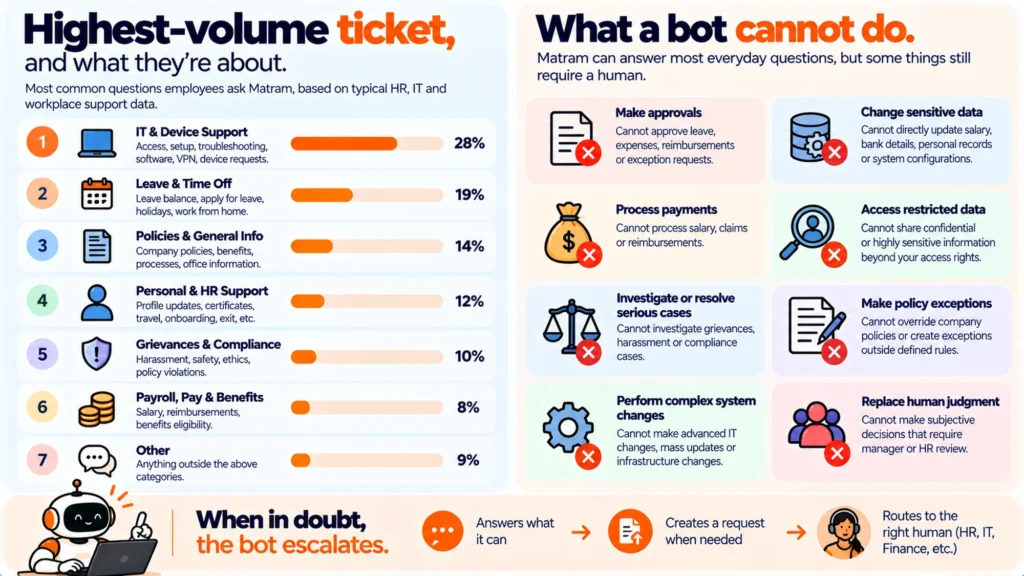
Password and account access is the largest single ticket type on almost every service desk, and the most obvious automation target. It also resists automation harder than anything else on the list, because an agent that answers questions cannot complete a reset, and the step that matters is identity verification.
TL;DR
- Highest volume, lowest complexity, and the hardest to automate, because the work is verifying who is asking rather than explaining anything.
- An answering agent is the wrong tool. It can explain the self-service route and it cannot perform a reset, and the gap between those is where the frustration lives.
- Most resets are not forgotten passwords. They are lockouts, expired credentials, and multi-factor devices that changed, and each needs a different fix.
- The real win is self-service reset in the identity provider plus removing the causes, not a chatbot in front of a ticket queue.
- Count the lockout-versus-forgotten split before building anything. Teams usually find the largest share is a cause they could remove.
- Where an agent does help is the new starter and the returner, who do not know the self-service route exists.
Why the obvious target resists
Every other high-volume ticket type is a question with a documented answer. Where do I find the expenses form, how do I connect to the shared drive, what is the printer address. An agent trained on your documents answers all of those completely, and the interaction ends.
A password reset is not a question. It is an action requiring verified identity. The requester already knows what they want and the entire difficulty is establishing that they are who they say they are, which is the one thing a document-trained agent has no basis to do.
So an agent in front of this queue produces a correct explanation of a process the person then has to go and follow, usually while locked out of the system that holds the process. That is a worse experience than the ticket it replaced, and it is the commonest disappointment in automated IT support.
They are not all forgotten passwords
Lumping these together as password resets is why the automation plan is usually wrong. Separate them and the fixes diverge completely.
| Type | What the person needs | The actual fix |
| Genuinely forgotten | A reset, verified | Self-service reset in the identity provider |
| Account locked out | An unlock, usually not a reset | Shorter lockout window, or self-service unlock |
| Expired on a schedule | To not have been locked out at all | Remove or lengthen forced rotation |
| Multi-factor device changed | Re-enrolment, strongly verified | A documented re-enrolment path, not a reset |
| Wrong account or stale cache | Diagnosis, then nothing | A guided check the agent can give |
| New starter, never set up | To know where to go | An answer, which an agent gives well |
Only the first row is the thing everybody plans for. The second and third are frequently larger and both are caused by a policy decision rather than by human memory, which means they can be removed rather than automated.
The fourth row is the one that cannot be made easy and should not be. Somebody whose authenticator is on a phone they no longer have is the exact scenario an attacker impersonates, so a frictionless re-enrolment path is a vulnerability rather than a service improvement.
Removing the cause beats automating the symptom
Forced password rotation generates a predictable wave of lockouts on a schedule you set. Short lockout thresholds generate lockouts from a mistyped password on a phone keyboard. Both are configuration choices, and both produce tickets that would not otherwise exist.
Current guidance from most major security bodies has moved away from scheduled rotation for ordinary accounts, on the grounds that it pushes people towards predictable variations and adds no real protection. Whether that applies to your environment depends on your own obligations and risk position, so take it to whoever owns that rather than changing a policy on the strength of an article.
The point for a service desk is narrower. Before building anything, count how much of this queue exists because of a setting, because that share can be deleted rather than handled.
What an agent genuinely helps with
Having said all of that, there is a real and narrow role, and it is worth configuring deliberately rather than abandoning.
What to do:
- Have the agent recognise an access problem immediately and give the self-service reset link in the first sentence, with no preamble.
- Make it handle the lockout case separately, because an unlock and a reset are different and people conflate them.
- Give it the guided check for wrong-account and stale-credential cases, which resolve without any reset at all.
- Have it ask whether the person can still receive a verification code, since that one answer routes the whole conversation.
- Make it decline multi-factor re-enrolment explicitly and hand over to a person, naming the verification that will be required.
- Put the self-service route somewhere reachable from a locked-out state, which is the failure that makes every other step pointless.
That last item defeats more deployments than any configuration detail. A beautifully worded answer pointing at an intranet page behind the login the person cannot pass is not help, and it is easy to miss because everybody testing it is signed in.
Disclosure: Matram is owned by the same people who publish PeopleOpsHQ. It is relevant to this topic mainly as a boundary case, because its cons decide the answer here: it has no free tier, it answers questions rather than actioning tickets, and it is not an ITSM platform, so it cannot perform a reset and should not be bought to solve this queue. Priced flat at $29, $69 and $199 a month with unlimited seats, it covers the new starter and guided-check cases well and leaves the verification work where it belongs. The options are compared in our IT support chatbot comparison.
Final thoughts
Password and account access tickets look like the easiest thing on the desk to automate and they are the hardest, because the work is verifying identity rather than explaining a process. An answering agent is structurally the wrong tool for the main case and a useful tool for three of the smaller ones.
Split the queue into the six types above and count them before committing to anything. The usual finding is that a large share is lockouts and scheduled expiry, both of which come from settings somebody chose, which makes the highest-return action a policy conversation rather than a software purchase.
Frequently asked questions
Why can an AI agent not handle password resets?
Because a reset is not a question, it is an action requiring verified identity, and the requester already knows what they want. The entire difficulty is establishing that they are who they claim to be, which a document-trained agent has no basis to do, so what it produces is a correct explanation of a process the person must then follow while frequently locked out of the system that holds it.
What are the different types of access ticket?
Six worth separating: genuinely forgotten passwords, accounts locked out by failed attempts, credentials expired on a rotation schedule, multi-factor devices that changed, wrong-account or stale-cache problems that need diagnosis rather than a reset, and new starters who were never set up. Lumping them together as password resets is why most automation plans target the wrong share of the queue.
Which of these can be removed rather than automated?
Lockouts and scheduled expiry, both of which exist because of a configuration choice rather than human memory, and together they are often a larger share of the queue than genuinely forgotten passwords. Counting the split before building anything is the cheapest step available, since any portion caused by a setting can be deleted rather than handled, which no amount of automation achieves.
Should multi-factor re-enrolment be made easy?
No, and this is the one case where friction is the feature. Somebody whose authenticator was on a phone they no longer have is the exact scenario an attacker impersonates, so a frictionless re-enrolment path is a vulnerability rather than a service improvement. The agent should decline this explicitly, hand over to a person, and say up front what verification will be required so nobody is surprised by it.
What is the single most common configuration mistake here?
Putting the self-service reset route behind the login the person cannot pass. A well-worded answer pointing at an intranet page that requires authentication is useless to somebody locked out, and it is easy to miss because everybody testing the deployment is already signed in. Verify the whole path from a signed-out browser before launching anything that mentions self-service.
Where does an answering agent genuinely help with access problems?
With new starters and returners who do not know the self-service route exists, with distinguishing a lockout from a forgotten password since people conflate the two, and with the guided checks for wrong-account and stale-credential cases that resolve without any reset at all. Asking early whether the person can still receive a verification code is the single question that routes the rest of the conversation correctly.