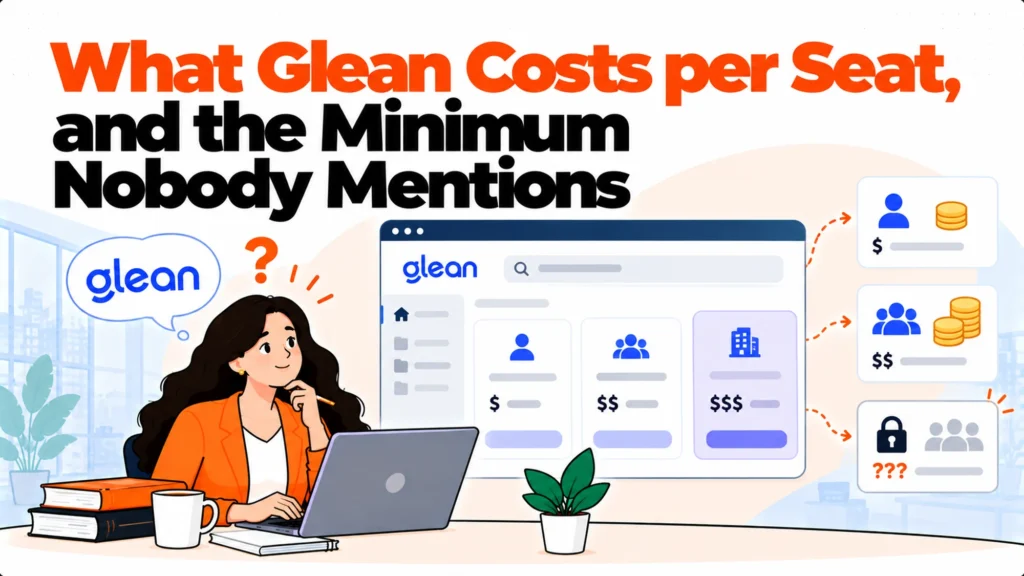
The short version. Glean publishes no price at all, and as of October 2026 its pricing URL redirects to the homepage. There is nothing to look up, so budgeting means a sales conversation. What drives the quote is connector count, indexed document volume, seat count and the assistant usage on top. Before that call, price the alternatives that do publish so you have a baseline, and work out whether you need enterprise search across every system or answering over a much smaller document set.
Glean pricing is not published, and the URL redirects
This is worth stating plainly because several comparison articles still quote figures. We checked on 17 October 2026: glean.com/pricing redirects to the homepage rather than returning a pricing page. That redirect returns 200, so a link checker reports the URL as healthy while the page a reader expects does not exist.
There are no currency figures on that path at all. The only cost-related pages are about controlling your own AI spend rather than about what Glean charges. That is not evasion, it is a company selling enterprise software where the figure genuinely depends on the deployment, and it does mean any number you find elsewhere is second-hand and undated.
The practical consequence for an IT team is that Glean pricing cannot be sized in an afternoon. Build the sales conversation into the project plan rather than discovering it halfway through an evaluation.
What actually drives an enterprise AI search quote
Four variables, and knowing them makes the first call considerably shorter.
Connector count. How many systems get indexed. Email, chat, the wiki, the ticketing system, the code host, the drive, the CRM. Each connector is work on their side and value on yours, and it is the main lever on price in this category.
Indexed volume. Not just how many systems but how much sits in them. A company of 300 with ten years of accumulated documents is a different proposition from a company of 300 that started last year.
Seats. How many people can ask. For search across everything this is usually everybody, which is why the number gets large quickly.
Assistant usage. Answering on top of search is typically priced separately from the index, and usage-based elements are where a quote can move after signature rather than before it.
What to bring to the call
Five numbers, written down. Vendors in this category will ask for all of them and having them ready removes a round trip.
Headcount, and separately the number of people who would actually ask. The list of systems you want indexed, ranked by how much you care. A rough document count in the two or three largest ones. Your timeline. And a priced baseline from the alternatives that do publish, which is the one most teams skip and the one that changes the conversation most.
That last point matters. A discovery call where you can say what the published alternatives cost at your headcount is a comparison. One where you cannot is a discovery session run entirely on the vendor’s terms, and it takes twice as long.
Build the baseline from vendors who publish
Four knowledge tools publish their rates openly, and pricing them takes about twenty minutes.
Helpjuice publishes its tiers by included users rather than per seat, at 249 per month for 30 users, 449 for 100 and 799 for unlimited. Its page carries no currency symbol, which is worth confirming before it reaches a budget.
Slab is free to 10 users, then Startup at $6.67 and Business at $12.50 per user per month, with both paid tiers billed annually.
Tettra publishes $8 per user per month on its Scaling plan, carrying a ten user minimum and billed yearly.
Notion is free, then $10 Plus and $20 Business per member per month.
These are not equivalents to enterprise search across every system. They are the baseline that tells you what the cheaper shape costs, which is the comparison a finance partner will ask for.
Whether you need search across everything
The question worth answering before the call, because it determines whether this is the right category at all.
Enterprise AI search indexes every system so somebody can ask one question and get an answer drawn from anywhere. That is genuinely useful at scale, and it is specified for organisations with many systems, long histories and a real discovery problem.
A lot of internal IT teams have a narrower problem. People cannot find answers in the runbooks, the service desk knowledge base and the onboarding documentation, which is three systems rather than thirty. Indexing everything to solve that is a large answer to a small question, and it carries the cost and the procurement overhead of the large answer.
The useful test is to take the twenty questions your service desk actually received last month and ask which systems hold their answers. If the honest answer is two or three, you are shopping above your problem.
The answering layer alternative
If the documents you need are in a handful of places and the problem is that nobody can get an answer out of them, there is a smaller and cheaper shape.
An answering layer reads documents where they already live and returns a sentence with a link to the source. There is no indexing project across thirty systems and no connector negotiation, because the scope is deliberately narrower.
Matram is one of these, and it is owned by the same people who publish this site, which you should weigh against everything in this section. It publishes flat pricing at $29, $69 and $199 per month with unlimited seats, so the bill does not move as more of the team starts asking. That is the structural difference from everything else here, where cost scales with either seats or indexed volume.
Its limitations are specific and worth stating. There is no free tier, only a 30 day trial without a card. It answers rather than actioning tickets, so it will tell somebody what the access policy says and will not grant the access. And it is not an ITSM or service desk platform, so there is no ticket queue, no routing and no case management in it.
It is also not a replacement for enterprise search. If your actual requirement is one question answered from thirty systems including email and chat, this shape does not do that and the quote conversation is the right path.
Questions worth asking in the first call
Six, and asking the first one early tells you a lot about the weeks ahead.
What does this cost at our headcount with our connector list, as a range. How is the assistant priced relative to the index. What happens to the price when we add a connector later. What is the minimum term. What does implementation involve in weeks of our time, not yours. And what happens when the indexed documents do not contain an answer, which is the question that separates products and which almost nobody asks.
A vendor that gives a range in the first call is not necessarily cheaper, and it is reliably faster to evaluate.
Working out Glean pricing without a rate card
Price the four published vendors at your headcount first. It takes twenty minutes and it is the only way to arrive at a quote conversation with something to compare against.
Then take your twenty real questions and check how many systems hold their answers. Two or three means you are probably shopping in the wrong category and a narrower answering layer will cost a fraction of an enterprise index. Fifteen means enterprise search is the right shape and the conversation is worth having properly.
And record the date you checked any figure, including the ones here, because Glean pricing is not the only thing in this category that moved during 2026. Two vendors in this category stopped publishing their rates during 2026, so a figure from a comparison article written last year may describe something that no longer exists.
Does Glean publish any pricing at all?
No. As of 17 October 2026 the pricing URL redirects to the homepage and there are no currency figures on that path. The only cost-related pages discuss controlling your own AI spend rather than what Glean charges. Any figure you find in a comparison article is second-hand and undated, so treat it as a starting point for a conversation rather than a number you can budget against.
What drives the size of an enterprise AI search quote?
Four things: how many systems you want indexed, how much content sits in them, how many people will be able to ask, and how heavily the assistant gets used on top of the index. Connector count is usually the biggest single lever, and assistant usage is the element most likely to move after signature rather than before it, so clarify how that is metered before agreeing anything.
How do I budget for this without a published price?
Price the alternatives that do publish and use them as a baseline. Helpjuice, Slab, Tettra and Notion all list their rates openly, and pricing all four at your headcount takes about twenty minutes. That gives you a defensible floor to put in front of finance and it turns the vendor conversation into a comparison instead of an open-ended discovery session.
Do we actually need search across every system?
Take the twenty questions your service desk received last month and check which systems hold the answers. If two or three systems cover most of them, enterprise search is a large answer to a smaller question and a narrower answering layer will cost considerably less. If the answers really are scattered across a dozen systems including chat and email, this is the right category and the procurement overhead is justified.
Is a redirecting pricing page a warning sign?
Not about product quality, no. It is common for enterprise software where the figure genuinely depends on deployment scope. It is a practical warning about your evaluation calendar, because it means several weeks of scheduling, discovery and follow-up before you have a number. Plan for that rather than assuming you can size the option quickly, and limit yourself to two quote-based vendors in any shortlist.
What should we test during a trial?
Ask twenty real questions from your own ticket history and count how many return a usable answer rather than a list of documents. Then ask three questions you know the indexed content does not cover, because the honest behaviour is to say so and the damaging behaviour is a fluent answer with no source. That second test is quick, almost nobody runs it, and it separates these products more clearly than any feature comparison.