TL;DR
- Wiping a hard drive means erasing it so the old data can’t be recovered, even with recovery software, while the drive stays usable.
- If a laptop is staying inside the company and the drive was encrypted from day one, a remote reset is usually enough. You don’t need a certified wipe for every reassignment.
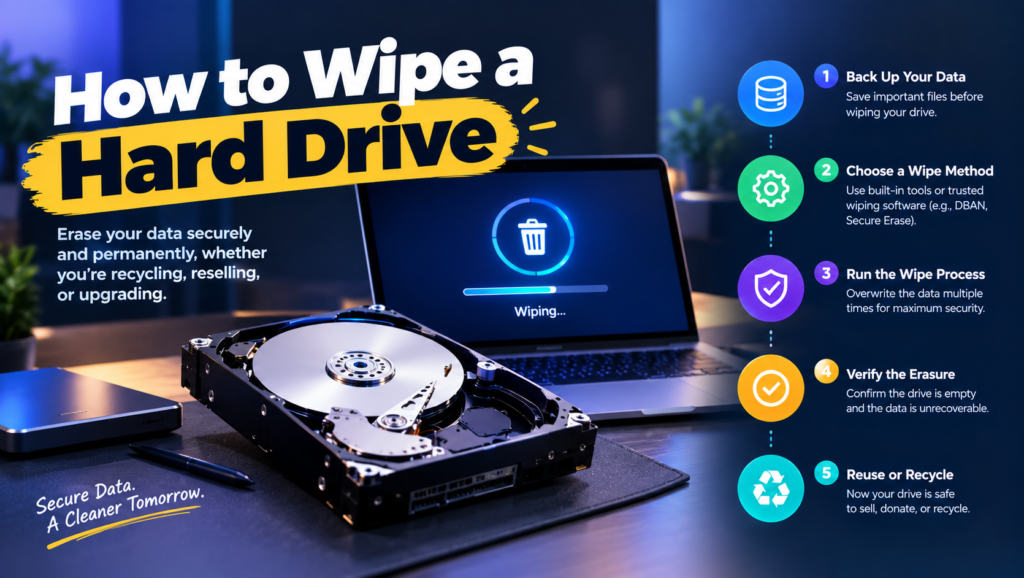
- The job comes down to four things: identify the drive type, pick a method that works on it, run it, and record it.
- There are three main methods: Windows Reset with drive cleaning, the secure erase built into business laptop firmware, and certified erasure software.
- Spinning drives can be overwritten. SSDs need a sanitize command or cryptographic erase.
- Done right, a buyer running recovery software on your old laptop finds nothing at all.
A 2021 ThinkPad from your sales team gets sold to a refurbisher. IT reset it with Windows’ quick option, “Just remove my files,” because it was Friday afternoon. The refurbisher runs a free recovery tool as part of intake and pulls up a folder of signed customer contracts. Now you’re hoping the refurbisher is honest.
This happens all the time, and not because anyone is careless. Deleting files, quick-formatting a drive and removing partitions all feel like wiping, but they mostly just remove the pointers to the data. Old forum threads still recommend DBAN, a boot disk built for spinning drives that doesn’t handle SSDs. And “7-pass DoD wipe” still shows up in vendor pitches years after NIST said one pass is enough.
The real issue isn’t deleting files. It’s using a method that actually works on the drive in front of you, then keeping proof that it ran. That’s what a proper hard drive wipe is supposed to do.
When You Don’t Need a Certified Wipe
When the laptop stays in the company. You’re reassigning an encrypted laptop to a new hire. A remote reset through Intune or Autopilot is fine. The data never leaves your control.
When friction shows up. Laptops start leaving the building: resold, donated, returned to a lessor. Now the quick reset isn’t enough, and someone has to know which option to click.
When it becomes a liability. The drives held customer data, health records or anything in SOC 2 scope. You need a record per device showing the method and the result. A built-in reset gives you nothing to hand an auditor.
The edge case: the drive won’t cooperate. It won’t boot, the wipe fails halfway, or the drive reports errors. You can’t verify an erase on a failing drive. That one goes to certified hard drive destruction instead.
What IT Teams Actually Need to Know Before Wiping a Drive
“Is it an SSD or a spinning drive?”
Open Task Manager, go to Performance, and click the disk. Windows labels it SSD or HDD.
Overwriting works well on spinning drives. On SSDs, wear leveling hides data in areas an overwrite can’t reach, so you need a sanitize command instead.
“Is Windows’ Reset this PC good enough?”
With the drive-cleaning option, it’s reasonable for low-sensitivity laptops being resold. With “Just remove my files,” it isn’t.
Most real-world leaks come from someone picking the quick option under time pressure.
“How many passes do I need?”
One. NIST SP 800-88 Rev. 2 says multi-pass overwriting is unnecessary.
A 3-pass or 7-pass wipe just takes three to seven times longer for no added protection.
“Does BitLocker help?”
Yes. Encryption doesn’t erase anything by itself, but leftover fragments are unreadable without the key.
Encryption from day one plus a proper wipe at the end is the modern standard.
“How do I prove the wipe happened?”
Certified erasure software produces a report per device. Built-in tools don’t, so you log the serial number, method, date and person yourself.
Auditors sample single devices, and a report or log is the only thing that answers them.
The Three Ways to Wipe a Hard Drive
For Macs, see our separate guide on how to wipe a MacBook. The methods below cover Windows PCs.
1. Windows Reset this PC with drive cleaning
What it is: The factory reset built into Windows 10 and 11, with an option that overwrites the drive instead of just deleting files.
- Open Settings, then System, then Recovery.
- Next to Reset this PC, click Reset PC and choose Remove everything.
- Choose Cloud download or Local reinstall.
- When asked how to clean the drive, pick the thorough option. Depending on your Windows version it’s labeled “Remove files and clean the drive” or “Clean data: Yes” under Change settings.
- Confirm and let it run. It can take an hour or two.
When it’s right: A working Windows laptop with low-sensitivity data leaving for resale or donation.
When it fails: There’s no report, it’s slow, and you’re trusting Windows to handle the SSD’s hidden areas. For regulated data, use one of the next two methods.
2. Firmware secure erase (built into business laptops)
What it is: A wipe tool inside the BIOS that sends the drive’s own sanitize command, designed for flash storage. Dell calls it Data Wipe, HP calls it Secure Erase, and Lenovo calls it ThinkShield Secure Wipe on many ThinkPads.
- Restart and open the BIOS (F2 on Dell, F10 on HP, F1 on most ThinkPads).
- Find the wipe option, usually under Security or Maintenance. On Dell, it’s Data Wipe, then Wipe on Next Boot.
- Confirm, restart, and let it finish. On SSDs this often takes minutes.
- Log the serial number, method and date.
When it’s right: Business laptops with SSDs. Dell states its tool follows NIST 800-88 and IEEE 2883 sanitize methods.
When it fails: Menu names vary by model and BIOS version, consumer laptops often lack the feature, and you still get no certificate.
3. Certified erasure software
What it is: Tools like Blancco Drive Eraser or BitRaser that boot from USB or over the network, erase using the drive’s proper method, verify the result and generate a tamper-resistant report per device.
When it’s right: You retire dozens of devices a year, face audits, or need reports to hand to customers.
When it fails: It costs a license per device or per seat, and it still needs hardware that powers on.
How to Choose: Five Questions Before You Wipe
What kind of drive is it? Check before anything else. If it’s an SSD, skip overwrite tools and go straight to a firmware sanitize or certified software.
Is the device leaving the company? If it’s being reassigned internally, a remote reset is fine. If it’s going to a buyer, charity or lessor, use a thorough method and keep a record.
Will anyone ask for proof? If a SOC 2 auditor, a customer contract or your ITAD provider expects per-device evidence, built-in tools won’t produce it. Certified software will.
How many devices do you retire a quarter? Under ten, built-in methods plus a careful log are manageable. Past that, the time you spend clicking through BIOS menus costs more than a software license.
Does the device still boot? If it doesn’t, stop trying to wipe it. Send it for destruction and get a certificate for that serial number.
Five Wiping Tools Worth Knowing
Blancco Drive Eraser
Best for: Companies that need certified, auditable erasure at volume.
Why companies choose it: Widely recognized by auditors and ITAD vendors, with per-device reports and support for HDDs, SSDs and NVMe drives.
Where it struggles: It’s priced for organizations, not one-off use, and someone has to own the process.
BitRaser
Best for: Mid-size teams and IT service companies that want certified reports at a lower entry cost.
Why companies choose it: Per-device erasure certificates, USB-based erasure, and flexible licensing for smaller batches.
Where it struggles: Less name recognition with enterprise auditors than Blancco, so check that your auditor accepts its reports.
Laptop makers’ BIOS tools (Dell Data Wipe, HP Secure Erase, Lenovo ThinkShield Secure Wipe)
Best for: Teams with a fleet from one major business laptop brand.
Why companies choose them: Free, already on the machine, and built to send the right sanitize command to SSDs.
Where they struggle: Every brand and generation hides them in a different menu, and none of them hand you a certificate.
Microsoft Intune (Wipe action)
Best for: Resetting Windows laptops you can’t physically reach.
Why companies choose it: You can wipe a remote laptop the moment someone leaves, before it ships back or even if it never does.
Where it struggles: It’s a reset, not a certified erase. Don’t treat it as the final step before resale.
DBAN
Best for: Old spinning hard drives, and not much else.
Why people still use it: It’s free and shows up in every old tutorial.
Where it struggles: It doesn’t handle SSDs, produces no audit report, and its owner, Blancco, points business users to paid tools instead. For a modern fleet, skip it.
The Decision Table: Which Wipe Fits Which Device
| Situation | Scale / Size | Setup | Primary Pain | Recommended Starting Point |
|---|---|---|---|---|
| Laptop staying in the company | Any | Office or home | Next user seeing old data | Intune Wipe or Autopilot reset |
| Working laptop being resold, low-sensitivity data | A few a year | Office | Buyer recovering old files | Reset this PC with drive cleaning |
| Business laptops with SSDs | 20 - 200 a year | Office | Overwrites can’t reach all of the SSD | BIOS secure erase (Dell, HP, Lenovo) |
| Regulated data or regular audits | 50+ a year | Any | Proof for every device | Blancco or BitRaser |
| Remote employee’s laptop | 50 - 500 people | Home-based | Can’t touch the device | Intune Wipe now, certified erase when it returns |
| Drive dead or wipe fails | A handful | Office | Nothing to verify | Certified shredding |
Most teams land in two or three of these rows at once. Start with your biggest failure and layer from there.
The Cost of Wiping the Wrong Way
The expensive mistake is the quick reset on a laptop that’s leaving. It looks finished, the laptop boots to a fresh setup screen, and everyone moves on. But the files are still sitting on the drive for anyone with a free recovery tool and ten minutes.
The opposite mistake wastes time instead of data. Teams running 7-pass wipes on SSDs spend hours per device on a method that doesn’t suit the drive. And when nobody writes anything down, even a perfect wipe is worthless in an audit, because you can’t prove it happened.
So before your next batch, ask one question. Is your gap the method, the drive type, or the record? Most teams have the first right and at least one of the others wrong.
When You’re Ready to Move Beyond Built-In Reset Tools
You’ve outgrown built-in tools when you retire more than a handful of devices a month, when devices leave the company regularly, or when an auditor asks for erase evidence and all you have is a spreadsheet someone fills in when they remember.
At that stage, one written rule (sanitize SSDs, overwrite spinning drives once, destroy what fails) plus a tool that records every result will save more time than it costs.
If that’s where you are, it’s worth looking at dedicated tools in this space. Our guides to IT asset disposition and the secure IT offboarding process cover what comes before and after the wipe.
Frequently Asked Questions
Does formatting a hard drive erase it?
A quick format doesn’t. It removes the file index and leaves the data readable. A full format in modern Windows overwrites a spinning drive with zeros, but it gives you no record, and its effect on SSDs can’t be verified.
How long does it take to wipe a hard drive?
Overwriting a large spinning drive can take several hours. A firmware sanitize on an SSD often finishes in minutes. Windows’ Reset with drive cleaning usually takes an hour or two.
Can you wipe a hard drive from the BIOS?
On many business laptops, yes. Dell, HP and Lenovo build secure erase tools into the BIOS of their business lines. Consumer models often don’t have them.
How many times should you overwrite a hard drive?
Once. NIST’s current guidance says a single overwrite pass is enough, and multi-pass methods only add time.
Can data be recovered after a wipe?
Not from a spinning drive that was properly overwritten. On SSDs, ordinary overwrite tools can miss hidden areas, which is why a sanitize command or cryptographic erase is the right method for flash.
Is DBAN still safe to use?
For old spinning drives, it still overwrites data. It doesn’t support SSDs and produces no report, so it’s the wrong choice for a modern business fleet.
How do I wipe a hard drive that won’t boot?
If the drive itself works, remove it and wipe it from another machine with certified software. If the drive is failing, don’t bother. Send it for destruction and get a certificate for its serial number.
Match the method to the drive, and keep proof it ran.