IT onboarding software exists to make sure a new starter has a working account, a working device and the right access on their first morning. Most teams discover they need it the week a starter spends day one unable to log in to anything.
TL;DR
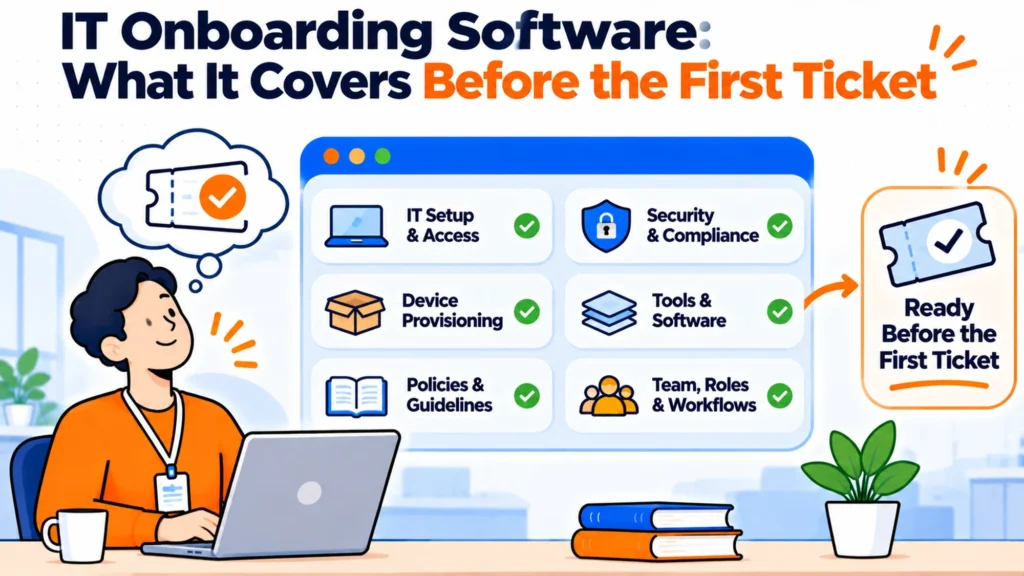
- IT onboarding splits into three jobs: provisioning accounts, shipping and enrolling a device, and granting application access.
- Most tools do one of the three well and claim all three. Work out which job is actually failing before shopping.
- The common failure is not the tooling. It is that IT finds out about the starter too late to do anything in time.
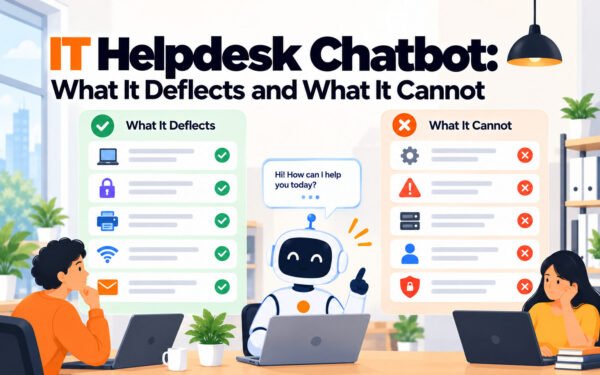
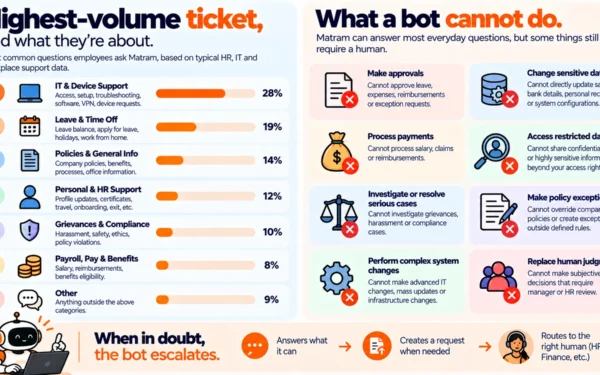
- An answering layer handles the question load that arrives after day one. It does not provision anything.
- Below roughly fifty people, a shared checklist and a calendar reminder beat most software.
- Measure the gap between offer accepted and IT notified. If it is under three days, no tool will save you.
The three jobs, which are not the same product
The category is confusing because three distinct problems are sold under one name. Separating them makes the shopping much easier.
Account provisioning creates the identity: email, directory entry, single sign on, group membership. This is identity management and it is usually solved by whatever already holds your directory, not by a dedicated onboarding tool.
Device lifecycle covers buying, shipping, enrolling and eventually recovering hardware. For a distributed team this is the part that takes the longest lead time and the part most often started too late. It is also the only one of the three with a physical dependency, which means it cannot be fixed on the morning somebody starts.
Application access is granting the individual tools people need to do the job. This is the messiest of the three because the list differs by role, changes constantly, and lives partly in people’s heads.
A team that buys a device platform to fix an access problem has bought the wrong thing, and the reverse is just as common.
The real failure is timing, not tooling
Before evaluating anything, measure one number: the days between a candidate accepting an offer and IT being told they exist. In most teams that are struggling, the number is under three, and sometimes it is zero because IT finds out from the calendar invite for the welcome call.
No software fixes that. A laptop cannot be sourced, configured and shipped internationally in two days reliably, and an access list cannot be assembled from scratch overnight. If your number is low, the fix is a handover step between recruitment and IT, which costs nothing and removes most of the pain that people try to solve with a purchase.
Teams that fix the timing first often find the remaining problem is small enough for a checklist.
What to do before you buy
What to do:
- Measure the offer to IT notification gap across your last ten hires.
- Write down what a starter in each of your three most common roles actually needs on day one.
- Count how many separate systems an administrator touches to set one person up.
- Note which of the three jobs failed most recently, and how often.
- Check whether your directory already does the provisioning half.
That last point saves a lot of money. Many teams buy an onboarding tool to do something their identity provider already does and nobody had configured.
A small team that fixed it without software
A forty person company kept having starters arrive without accounts. The assumption was that the setup process was too manual, and a platform was scoped.
Measuring the handover first showed the real cause. Recruitment tracked offers in one system and nothing pushed a signal to IT, so the trigger was a person remembering to mention it. On five of the last ten hires, the mention came within two working days of the start date.
The fix was a required field and a notification, built in an afternoon. Setup stayed entirely manual and the problem stopped, because the administrator now had ten days instead of two. The platform was not bought, and a year later it still has not been needed.
Where the tools sit
Rippling starts from $8 per employee per month plus a monthly base fee that belongs in any model you build. It is unusual in reaching across all three jobs, so an access request can be granted rather than explained. The trade is scope: it is a wide platform commitment.
BambooHR publishes Core at $10.25 per employee per month, with Pro at $17.50 and Elite at $25 above twenty five employees. It handles the HR side of onboarding well and is not a device or access tool, so most teams pair it with something else for the IT half.
Workday publishes no rate at all; its pricing URL returns a 404, so any per employee figure attributed to it is an estimate rather than a published price. It suits genuine enterprise scale.
Matram is our own product, and it is included here for what it does not do as much as what it does. It is an answering agent: it reads your documentation and answers the questions that arrive after day one, which on most service desks is a large share of new starter volume. It has no free tier, it is not an HRIS, and its actions reach HubSpot, Zendesk and webhooks only, so it will not provision an account or grant access. WhatsApp is coming soon rather than available. Pricing is flat at $29, $69 and $199 a month with unlimited seats. If your problem is provisioning, this is the wrong category of tool.
Choosing between them
| Failing job | Scale | Start with |
|---|---|---|
| Timing, IT told too late | Any | A handover trigger, not software |
| Accounts and groups | Any | Your existing identity provider |
| Devices, distributed team | 50 plus | A device lifecycle platform |
| Application access sprawl | 100 plus | Access management with role templates |
| Question volume after day one | Any | An answering layer over your docs |
The checklist worth keeping
Checklist:
- IT is notified within five working days of offer acceptance.
- A role based list exists for your three most common roles.
- Device ordering has a named owner and a lead time written down.
- Someone verifies access on the Friday before the start date.
- Day one has a named contact who is actually available.
- Whatever was granted is recorded somewhere you can read at offboarding.
That last item is the one that gets skipped and the one that costs most later. Access granted ad hoc and never recorded is access nobody removes when the person leaves.
Final Thoughts
IT onboarding software is three products wearing one label, and the first useful decision is working out which of the three is actually failing. For a surprising number of teams the answer is none of them, and the problem is that IT learns about a new starter two days before they arrive.
Measure the handover gap, fix it if it is short, and then buy for the job that is still broken. The money spent after that measurement tends to be the money that works.
Frequently asked questions
What does IT onboarding software actually do?
It automates some combination of three jobs: creating accounts and directory entries, getting a configured device to the person, and granting access to the applications their role needs. Very few products do all three well, so the label covers quite different tools and the useful first step is deciding which of the three you need.
Do we need it below fifty people?
Usually not. At that size a shared checklist, a named owner and a calendar reminder handle it, and the cost of software is mostly the cost of maintaining a configuration that changes every time a role changes. The exception is a distributed team shipping hardware internationally, where lead times rather than headcount drive the need.
Why do starters still arrive without access?
Most often because IT found out too late to act, not because the setup process is slow. Measure the days between offer acceptance and IT notification across your last ten hires before concluding anything about tooling, because if that number is small no product will rescue the situation.
Can an answering agent handle provisioning?
No. An answering layer explains the process and tells somebody what to request and who approves it, and some can open a ticket in a connected service desk. Granting access is a different capability that belongs to identity or device management, and a tool that only answers should be evaluated on that basis.
Should IT onboarding live in the HR system?
The trigger should, because that is where the start date lives and where it changes when a start date moves. The execution usually should not, because HR platforms rarely reach devices and application access properly. The useful pattern is HR as the source of the event and IT tooling as the thing that acts on it.
What should we record during onboarding?
Everything that was granted and who approved it, in one place you can read later. The reason is offboarding: access that was granted informally and never written down is access nobody revokes when somebody leaves, and that gap is usually discovered during an audit rather than before one.